3. Connections
Do not mount the Control box and your satellite receiver in the area of the vehicle's
airbags! Lay the cables carefully to avoid short circuit! Pay attention to existing
cables!
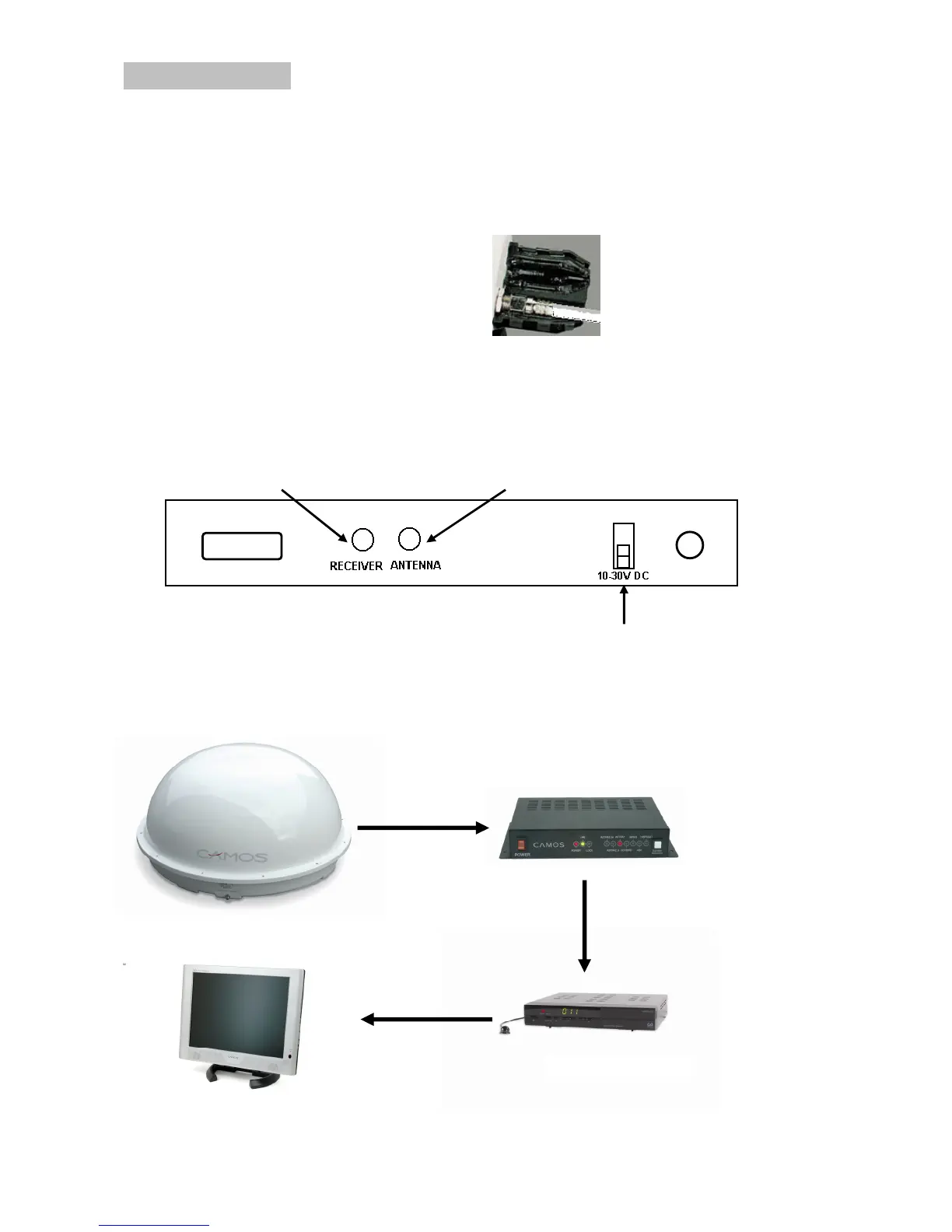
1. Connect the antenna by plugging the long white cable into antenna and control box.
2. Put the gel cap over the antenna socket.
3. Connect the power cable (red/black) to the control box and power source (car battery
e.g.). Positive terminal (+) = red colour
Negative terminal (+) = black colour
4. Install your satellite receiver (CAMOS SVR-200 e.g.) according to it's user manual
and connect it to the control box via the short white coax cable.


 To Next Page