Copyright Homecast Europe GmbH V1.6
35
Technische Änderungen und Irrtümer vorbehalten
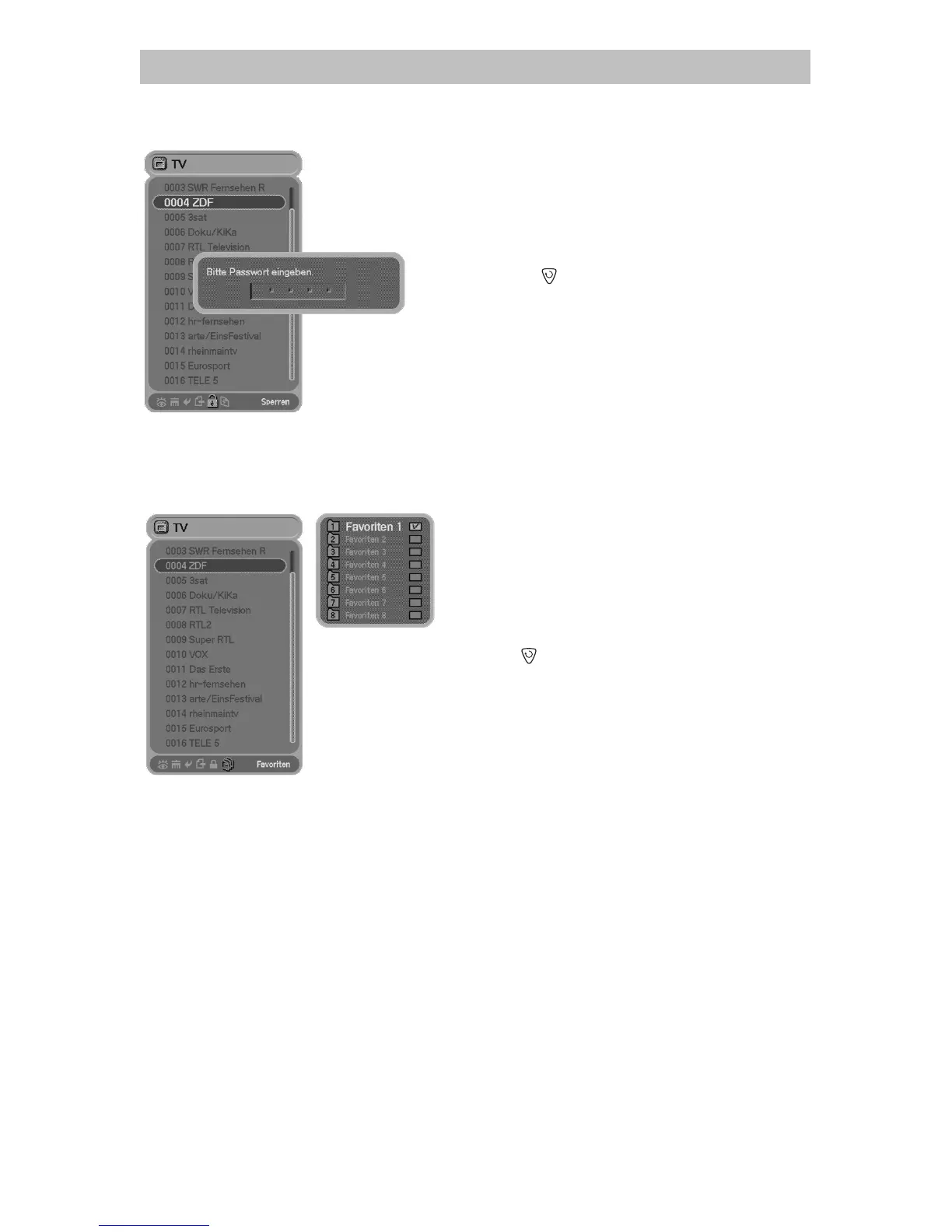
6.3.5 Program – „Lock“
a) Please close all menus and press the
button to
open the program list
b) Use the / button to select the Lock Icon.
c) Select the channel you want to lock and press OK
button. The following advice will appears:
d) „Please insert keyword“ (factory setting 0 0 0 0). To
back up please press OK button again.
e) Press the
button to save and exit.
6.3.6 Favorites list – „Setup Groups“
You can setup up to 8 lists. Every list can contain up to 100 programs.
a) Please close all menus and press the
button to
open the program list
b) Use the / button to select the Group Icon.
c) Select the program you want to displace in the
favorites list and press the OK button. A small
window with the groups of favorites appears.
d) Select the desired favorites list with the
/ button and confirm by pressing OK .
e) Press
button to save and exit.
6. General Operation



 To Next Page