Need help?
Do you have a question about the Candy CDS 2DS35X and is the answer not in the manual?
Details conditions voiding the appliance warranty, including installation, unauthorized repairs, non-original parts, misuse, and incorrect voltage/operation.
Provides contact details for service and repairs, including a national telephone number and support service name.
Details the function of each button (A-F), indicator lights (G), digital display (H), programme guide (I), and the SMART TOUCH Area (L).
Step-by-step guide on how to select and start a wash programme, including option selection and programme duration display.
Instructions on how to interrupt a running programme by opening the door or pressing the ON/OFF button and how to resume it.
Information about 'IMPULSE' programmes, which use special technology to reduce consumption, noise, and improve performance.
Details on how to change a running programme, monitor operations, signal programme end, and manage salt alerts.
Explanation of the 'EXPRESS' button for time/energy saving and the 'ALL IN 1' button for optimising detergent performance.
Guide to setting and cancelling a delayed start for the dishwasher, from 1 to 23 hours.
Procedure to mute or enable the audible alarm that signals the end of a wash programme.
Instructions on how to memorize and disable the last used programme for future use.
Explanation of fault codes (E2-E8, Ei, EL, Ef) displayed by the dishwasher, with their causes and solutions.
Details on the Candy simply-Fi App, its functions (Voice Assistant, Cycles, Smart Care), and how to use Smart Touch technology with a smartphone.
Steps for registering your appliance with the Smart Touch feature via the Candy simply-Fi App for the first time.
Instructions for regular interaction with the appliance via the App, including unlocking the phone, activating NFC, and positioning the smartphone.
Information on smartphone cases, non-original parts, NFC antenna placement, and proximity-based control for the app.
Overview of all wash programmes (P1-P9, P0), detailing their temperature, characteristics, and typical usage scenarios.
Explanation of the AquaProtect feature, which protects against leaks from the main inlet pipe using a transparent hose.
Procedure to adjust the water softener unit's setting (d0-d7) based on water hardness levels.
 General
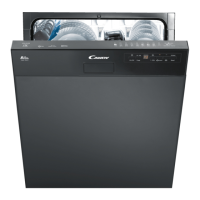
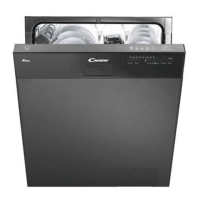
| Door color | Stainless steel |
|---|---|
| Door hinge | Double movement |
| Water fill | Cold |
| Control type | Buttons |
| Product size | Full size (60 cm) |
| Built-in display | Yes |
| Custom panel-ready | - |
| Appliance placement | Semi built-in |
| Baskets adjustable placement | Lower |
| Automatic door opening | No |
| Current | 10 A |
| Power plug type | Type F (CEE 7/4) |
| AC input voltage | 230 V |
| AC input frequency | 50 / 60 Hz |
| Energy efficiency scale | A+++ to D |
| Power consumption (off) | 0.5 W |
| Power consumption (left-on) | 1 W |
| Water consumption per cycle | 10 L |
| Energy consumption per cycle | 0.92 kWh |
| Annual water consumption | 2720 L |
| Annual energy consumption | 262 kWh |
| Cycle time | 170 min |
| Noise level | 46 dB |
| Drying system | Condensation |
| Delay start (max) | 9 h |
| Dishwashing programs | Auto |
| Number of place settings | 13 place settings |
| Number of washing programs | 9 |
| Maximum hot water supply temperature | 60 °C |
| Package depth | 665 mm |
| Package width | 625 mm |
| Package height | 890 mm |
| Package weight | 36120 g |
 Weight and Dimensions
| Depth | 570 mm |
|---|---|
| Width | 598 mm |
| Height | 820 mm |
| Weight | 31980 g |

 To Next Page