Automatic Safety Off
The maximum time a heater can stay on, depends on the selected
cooking level.
If the power level is not changed during a preset time, the
corresponding heater turns off automatically.
Power level
Max. time on (hours)
1
2
3
4
5
6
7
8
9
P
10
5
5
4
3
2
2
2
2
2
NOTE: while an overheating situation should occur during the
operation of the highest power levels, the Hob control will
automatically adjust the power level in order to protect the hob from
overheating.
6. CLEANING AND MAINTENANCE
The glass ceramic surface will withstand scraping from flat-bottomed
cooking vessels, however, it is always better to lift them when moving
them from one zone to another.
Never use abrasive products or scouring powders.
. Only products, (creams and scrapers) specifically designed for
aglass ceramic surfaces should be used. They are obtainable from
hardware stores.
- Wipe with a soft cloth or dry kitchen paper until the surface is clean.
If there are still some stubborn stains:
. Before carrying out any maintenance work on the hob, allow it to
cool down.
NB:
Frequent cleaning leaves a protective layer which is essential to
prevent scratches and wear. Make sure that the surface is clean
before using the hob again. To remove marks left by water, use a few
drops of white vinegar or lemon juice. Then wipe with absorbent paper
and a few drops of specialised cleaning fluid.
- Place a few drops of the specialised cleaning product on the hob
surface.
- Rub any stubborn stains with a soft cloth or with slightly damp
kitchen paper.
- Wipe with a soft cloth or dry kitchen paper until the surface is clean.
Never use a knife or a screwdriver.
.MAINTENANCE:
- Place a few more drops of specialised cleaning fluid on the surface.
. Avoid spillages, as anything which falls on to the hob surface will
quickly burn and will make cleaning more difficult.
. It is advisable to keep away from the hob all substances which are
liable to melt, such as plastic items, sugar, or sugar-based products.
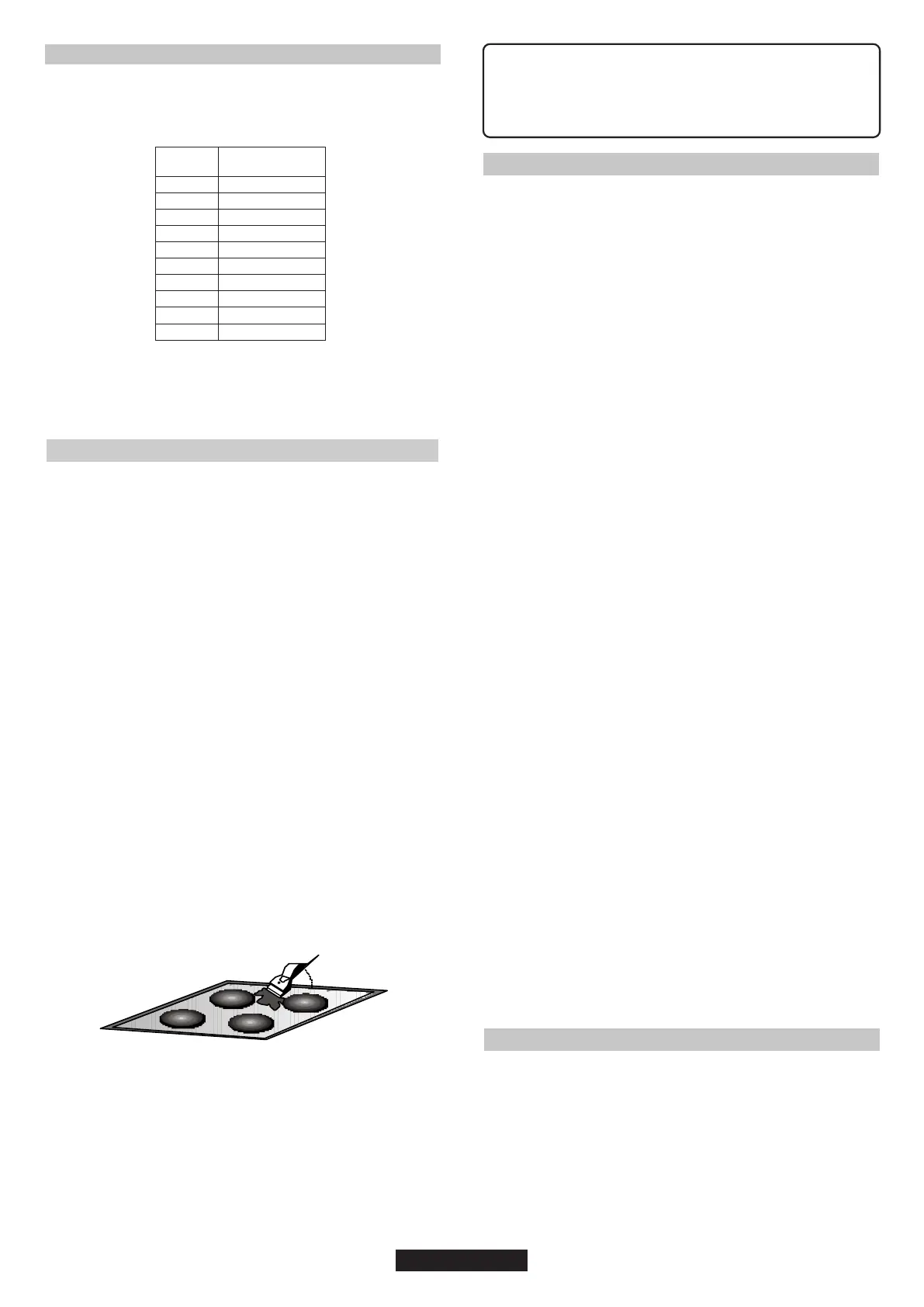
- Scrape with a scraper, holding it at an angle of 30° to the hob, until
the stains disappear.
- Repeat the operation if necessary.
A FEW HINTS:
Do not use a sponge which is too wet.
A scraper with a razor blade will not damage the surface, as long
as it is kept at an angle of 30°.
Never leave a scraper with a razor blade within the reach of
children.
. The metal surround : to safely clean the metal surround wash with
soap and water, rinse, then dry with a soft cloth.
08 GB
30°
Maxi
Any change in the colour of the glass-ceramic surface does
not affect its operation or the stability of the surface. Such
discolorations are mostly a result of burnt food residues or
use of cookware made of materials such as aluminium or
copper; these stains are difficult to remove.
7. PROBLEM SOLVING
The pan bottom should fully cover the diameter of the selected zone.
The cooking zones do not simmer or only fry gently
Only use flat-bottomed pans. If light is visible between the pan and the
hob, the zone is not transmitting heat correctly.
as the cooking zone.
Small scratches or abrasions on the hob's glass surface
Incorrect cleaning or rough-bottomed pans are used; particles like
grains of sand or salt get between the hob and the bottom of the pan.
Refer to the "CLEANING" section; make sure that pan bottoms are
clean before use and only use smooth bottomed pans. Scratches can
be lessened only the cleaning is done correctly.
Unsuitable pans are being used. Only use flatbottomed utensils, that
are heavy and have a diameter at least the same
Metal marks
Do not slide aluminium pans on the hob. Refer to the cleaning
recommendations.
You use the correct materials, but the stains persist.
Use a razor blade and follow the "CLEANING" section.
The cooking is too slow
Refer to the "CLEANING" section.
The on-off cycles vary according to the required heat level:
Marks from an aluminium or copper pan, but also mineral, water or
food deposits; they can be removed using the cream cleaner.
- high level: long operating time.
The cooktop has turned itself off.
The cooktop is not working.
The shunts are not positioned correctly on the terminal board.
Frequency of on/off operations for cooking zones
The hob does not operate or certain zones don't work
The control panel is locked. Unlock the hob.
The hob does not cut off.
- low level: short operating time,
Have a check made that the connection is done he control panel is
locked. Unlock the hob.
The main switch (ON/OFF key) was accidentally touched or there is
any object above any key. Turn the unit on again without any object
about the keyboard. Enter your settings again.
Use a razor blade and follow the "CLEANING" section.
Dark stains
Display F and numbers
Light surfaces on the hob
If F and numbers appears in the display, your unit has detected a fault.
The following table list actions you can take to correct the problem.
Caramelisation or melted plastic on the hob.
Check the condition of the fuses / circuit breakers at your
location.Check to see if you are experiencing a power failure.
8. AFTERCARE
Before calling out a Service Engineer please check the following:
- that the plug is correctly inserted and fused;
If the fault cannot be identified switch off the appliance - do not tamper
with it - call the Aftercare Service Centre. The appliance is supplied
with a guarantee certificate that ensures that it will be repaired free of
charge at the Service Centre.


 To Next Page
 Loading...