• The cooking zone returns to its original setting after 5 minutes.
• If the original heat setting equals 0, it will return to 9 after 5 minutes.
Locking the Controls
• You can lock the controls to prevent unintended use (for example children accidentally turning the
cooking zones on).
• When the controls are locked, all the controls except the ON/OFF control are disabled.
To lock the controls
Touch the lock control The timer indicator will show “ Lo“
To unlock the controls
Touch and hold the lock control for a while.
When the hob is in the lock mode, all the controls are disable except the ON/OFF , you can always
turn the induction hob off with the ON/OFF control in an emergency, but you shall unlock the hob first
in the next operation.
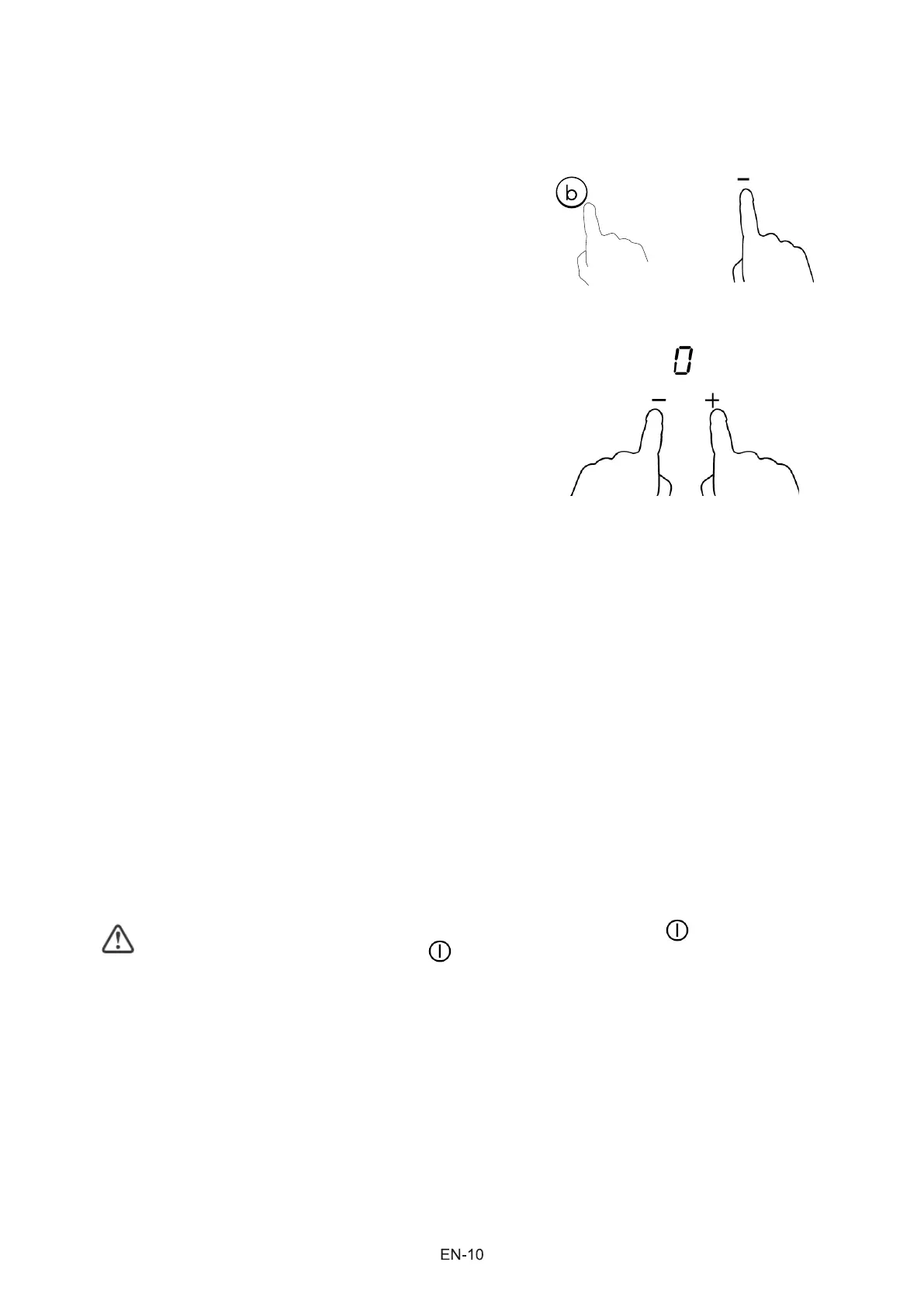
Cancel the Boost function
Touching the "Boost" control or the “-” button to cancel
the Boost function, then the cooking zone will revert to
its original setting.
Touching “-” and “+” control together. The cooking zone
switch off and the boost function cancel automatically
OR


 To Next Page