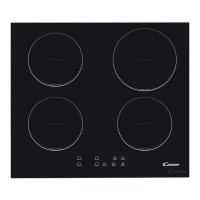
Locking the Controls
• You can lock the controls to prevent unintended use (for example children
accidentally turning the cooking zones on).
• When the controls are locked, all the controls except the ON/OFF control are
disabled.
To lock the controls
Touch the keylock control for 2 seconds. The timer indicator will show
“Lo “.
To unlock the controls
1. Make sure the hob is turned on.
2. Touch and hold the keylock control for 2 seconds.
3. You can now start using your hob.
When the hob is in lock mode, all the controls are disable except the ON/OFF,
you can always turn the hob off with the ON/OFF control in an emergency, but
you shall unlock the hob first in the next operation.
Residual Heat Warning
When the hob has been operating for some time, there will be some
residual heat. The letter “H” appears to warn you to keep away from it.
Using Bridge zone function (only for CTP644SCBB)
This may be used as a single zone or two individual zones depending on the
cooking needs in each situation.
It is made of two independent coils that can be controlled separately. When the
bridge zone is working, only the zone covered by the cookware is activated. This
function only works on 1# and 2# cooking zones.
To ensure that the cookware is detected and heat is distributed evenly, correctly
centre the cookware.


 To Next Page