EN
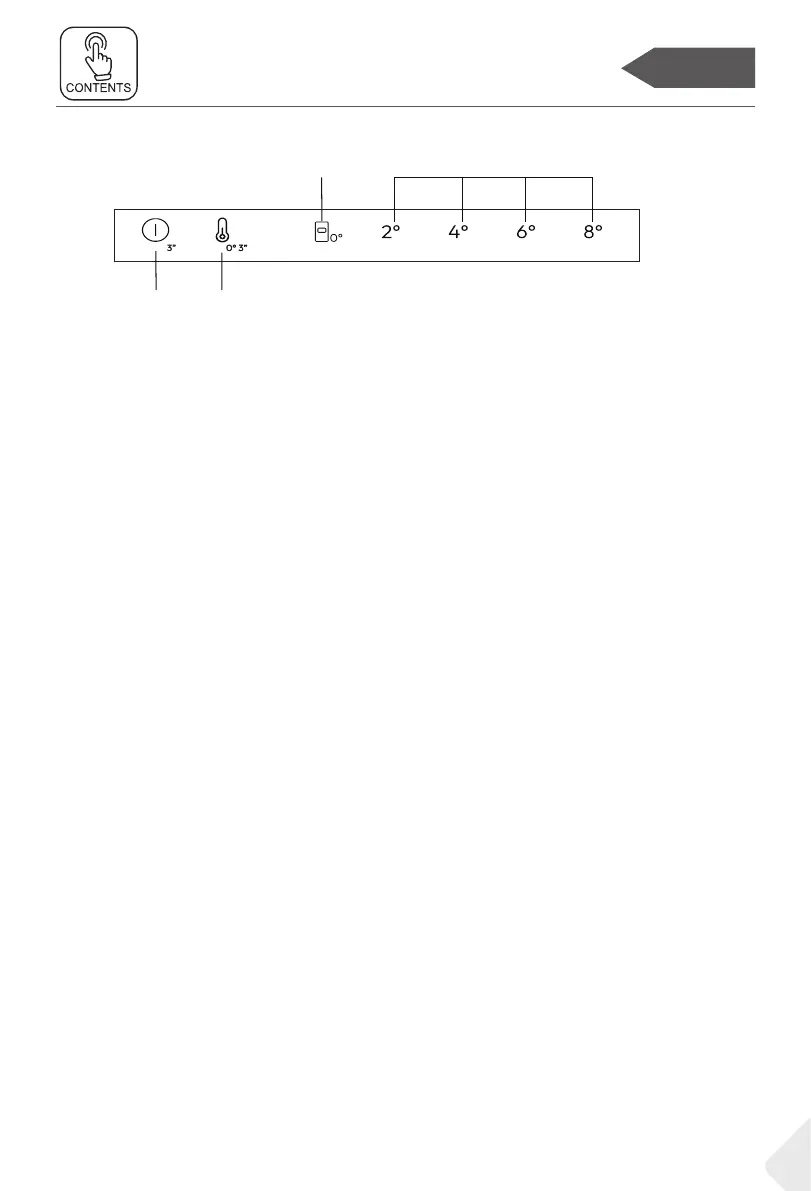
Control panel
Control panel
Buttons
K1 Power On/Off, used to switch on/off the appliance.
K2 Fridge selection/Fine Tuning
ON/OFF key, used to switch on/off ”0°“ drawer.
IIndicators
A ”0°“ drawer
B Fridge temperature display
Before rst use
▶ Remove all packaging materials, keep them out of children’s reach and dispose
them in an environment friendly way.
▶ Clean the inside and outside of the appliance as well as the interior and acces-
sories with water and a mild detergent, and dry it well with soft cloth.
▶ After the appliance has been levelled and cleaned, please wait for at least 2
hours before connecting it to the power supply. See Section INSTALLATION.
▶ Precool the compartments at high settings before loading with food.
13


 To Next Page