EN
Use
NOTICE
The appliance is preset to the recommended temperature of 4°C.These are the
recommended settings. If desired, you can change these temperatures manually.
Adjust the temperature
The indoor temperatures are inuenced by the following factors:
Ambient temperature
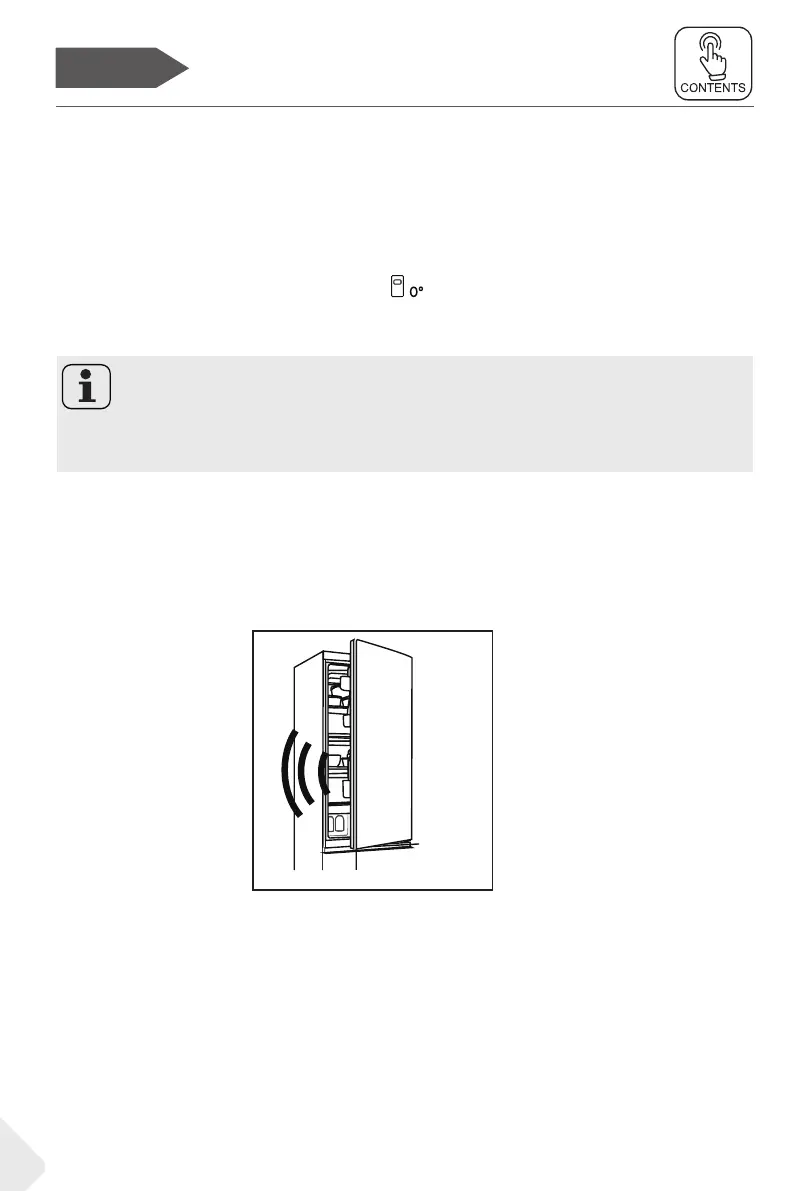
Door opening alarm
When the refrigerator door is open for more than 3 minutes, the door opening
alarm will sound.
The alarm can be silenced by closing the door. If the door is open for more than 7
minutes, the light inside the refrigerator and control panel illumination will automat-
ically turn o.
Power on/o
When the appliance is in the power on , press the K1 button for 3 seconds, the appli-
ance enters standby mode, the compressor stops working, and the light extinguish;
When the appliance is in standby mode, press the K1 button for 3 seconds, the
appliance is power on , the compressor will work, and the light will be on.
14
Switch on /o the appliance
The appliance is in operation as soon as it is connected to the power supply.
When the refrigerator is rst powered on, the indicator “4°” of “B” (Fridge
temperature display) and the indicator “ ” of 0°C storage drawer illuminates .
The fridge temperature and freezer temperature are automatically set to 4°C and
-20°C respectively,0°C storage drawer come into operation.
Mechanical buttons
The buttons on the control panel are mechanical buttons.


 To Next Page