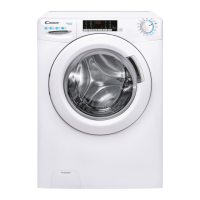
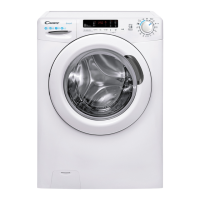
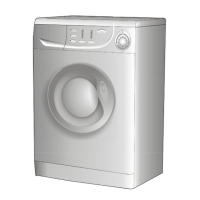
This document is a user manual for a Candy washing machine, providing instructions for installation, operation, maintenance, and troubleshooting.
Function Description
The Candy washing machine is designed for household use, offering a range of programs for different fabric types and soil levels. It automatically adjusts water levels based on the load, aiming to reduce energy consumption and washing times. Some models feature "Smart Touch" technology, allowing interaction with the appliance via a smartphone app for additional functionalities like downloading new programs, running diagnostic checks, and accessing washing statistics.
Important Technical Specifications
- Water Pressure: Minimum 0.05 MPa / Maximum 0.8 MPa (0.05 MPa dispenses approximately 1 litre of water in 10 seconds).
- Spin r.p.m.: Refer to the rating plate.
- Power Input / Power Current Fuse Amp / Supply Voltage: Refer to the rating plate.
- Maximum Load Capacity: Varies by model (refer to the control panel).
- Water Supply Connection: Requires hose-sets supplied with the appliance; old hose-sets should not be reused.
- Drain Hose Height: Between 50 cm and 85 cm above the floor.
- Electrical System: Must be earthed and comply with applicable law; the socket must be compatible with the appliance's plug.
- WEEE Compliance: Marked according to European directive 2012/19/EU on Waste Electrical and Electronic Equipment.
Usage Features
Program Selection and Operation:
- Turn on the washing machine and select the desired program using the program selector.
- Adjust washing temperature and select any desired "option" buttons.
- Press the START/PAUSE button to begin the wash cycle.
- If power is interrupted, the machine will restart from the beginning of the phase it was in when power was lost.
- At the end of the program, "End" will appear on the display, or all wash stage indicator lights will illuminate.
- Wait for the "DOOR LOCKED" light to go out before opening the door (approximately 2 minutes after cycle end).
- Turn off the washing machine by setting the program selector to OFF.
Detergent Drawer:
- The drawer has three compartments: "1" for prewash detergent, "8" for special additives/softeners, and "2" for washing detergent.
- For liquid detergents, a cup is provided for compartment "2" to ensure correct timing of detergent release.
- Some models have automatic detergent and softener dosage; refer to the "CONTROLS AND PROGRAMS" chapter for details.
- Warning: Only use liquid products for additives; some detergents are designed for direct drum placement.
Load Tips:
- Remove metallic objects (hair clips, pins, coins) from laundry.
- Button pillowcases, close zips, tie loose belts and robe ribbons.
- Remove rollers, hooks, or clips from curtains.
- Read clothing washing labels carefully.
- Remove persistent stains with specific detergents.
- Avoid spinning when washing rugs, bedcovers, or other heavy clothing.
- Ensure wool items are machine washable.
- Leave the door slightly open between washes to prevent odors.
Detergent Dosing:
- Use detergents suitable for machine washing.
- Select detergent based on fabric type, color, soil level, and washing temperature.
- Follow manufacturer's instructions for correct detergent, softener, and additive amounts to avoid waste and environmental impact.
- Excessive foam from ecological detergents (without phosphates) may result in cloudier rinse water, white powder residue on laundry (zeolites), or abundant foam; consider using less detergent or a maintenance wash.
Options Buttons:
- EXTRA RINSE: Adds an extra rinse at the end of the cycle, beneficial for sensitive skin, children's clothes, heavily soiled items, or toweling.
- HYGIENE +: Activated at 60°C, maintains the same temperature throughout the wash for deep cleaning.
- EASY IRON: Minimizes creases by eliminating intermediate spins or reducing the intensity of the final spin.
- RAPID / STAIN LEVEL:
- RAPID: For 14'/30'/44' programs, allows selection of one of three durations.
- STAIN LEVEL: Adjusts wash intensity (program length) based on fabric soiling (available on specific programs).
Temperature Selection Button:
- Changes the wash cycle temperature.
- Cannot exceed the maximum allowed temperature for fabric protection.
- All indicators off signify a cold wash.
Spin Speed Button:
- Reduces maximum spin speed or cancels the spin cycle.
- Cannot increase speed beyond the program's maximum.
- Spin speed can be modified without pausing the machine.
- Excessive detergent can cause foaming, potentially excluding or extending the spinning phase and increasing water consumption.
- An electronic device prevents spinning if the load is unbalanced, reducing noise and vibration.
Key Lock:
- Press TEMPERATURE SELECTION and SPIN SPEED buttons simultaneously for 3 seconds to lock keys, preventing accidental changes.
- Cancel by pressing both buttons again or turning off the appliance.
Digital Display:
- Shows selected options, cycle duration (which can vary based on load, content, and options), and "DOOR LOCKED" status.
- "Kg Detector" (on Cotton and Synthetics programs) weighs laundry during the first minutes to adjust cycle time, water, and electricity consumption, and controls rinsing and drum rotation based on fabric type. It also detects excessive soap suds and adjusts rinse water if necessary, and adjusts spin speed to avoid imbalance.
Smart Touch (NFC models):
- Download the Candy simply-Fi App.
- Enable Smart Touch mode by turning the knob to the Smart Touch position.
- Unlock phone, activate NFC (refer to phone manual for details).
- Load laundry, detergent, and close the door.
- Select desired function in the App (e.g., starting a program, Smart Check-up, update statistics).
- Follow App instructions, keeping the smartphone on the Smart Touch logo on the machine dashboard during data transfer.
- Thick cases or metallic stickers may interfere with data transmission.
- App functions include Voice Assistant (to choose cycles via voice input), Cycles (to download new programs), Smart Care (check-up, auto-clean, troubleshooting), and My Statistics (washing statistics, usage tips).
- The default Smart Touch cycle is "Auto-Clean" for drum cleaning, odor removal, and extending machine life. Run every 50 washes with no load and a cleaning agent.
Maintenance Features
Cleaning the Appliance's Exterior:
- Disconnect from power supply.
- Clean with a damp cloth, avoiding abrasives, alcohol, and diluents.
Detergent Drawer Cleaning:
- Regularly clean to prevent residue buildup.
- Gently but firmly remove the drawer.
- Clean under running water and reinsert.
- For automatic dosing models, ensure compartments are empty before cleaning.
- Pull out the drawer completely by pressing the release button, being mindful of detergent leakage.
- Fill the drawer with hot water, shake to allow water flow, empty excess water, and reinsert.
- Warning: Do not use acid products (e.g., vinegar) or aggressive detergents to avoid damaging seals and internal parts.
Cleaning the Pump Filter:
- Check and clean 5-6 times a year.
- Disconnect from power supply.
- Ensure drum is empty of water.
- Place an absorbent cloth under the filter before unscrewing (some water leakage is normal).
- Turn filter counter-clockwise to the limit stop, remove, clean, and replace by turning clockwise until locked horizontally.
- Apply a small amount of liquid soap to the filter seal for easier refitting.
Suggestions for Moves or Prolonged Disuse:
- If stored in a non-heated room, remove all water residues from pipes.
- Disconnect from power supply.
- Detach drain tube, clip to the rear, and lower to drain water into a bowl. Secure when finished.
- Keep door glass and gasket clean.
- For automatic dosing models, remove the detergent drawer and keep it horizontal to prevent leakage if tilting/moving the machine.
Troubleshooting:
- Refer to the "TROUBLESHOOTING AND WARRANTY" section for common problems and solutions, including error codes (E2, E3, E4, E7) and other anomalies (machine not starting, water leakage, not spinning, strong vibrations/noises).
- For Smart Touch models, use the Candy simply-Fi app's Smart Check-up function for diagnostics.
- Contact Authorised Customer Service Centre for persistent problems or malfunctions.
Warranty:
- The product is guaranteed under terms and conditions stated on the included certificate.
- Keep the certificate for reference.
- Warranty conditions can be checked on the manufacturer's website.
- Use original spare parts available from Authorised Customer Service Centres.
- The manufacturer is not responsible for printing errors or changes to product characteristics.



 To Next Page
 General