EasyManua.ls Logo

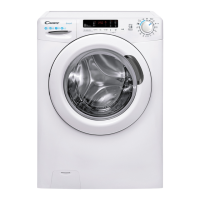
Candy Lavatrice CS 14102DE/1-S - User Manual

Candy Lavatrice CS 14102DE/1-S
132 pages
Go to English
Print Icon
To Next Page IconTo Next Page
Loading...
IT
DE
EN
ES
FR
Questo manuale d’istruzione è fornito da trovaprezzi.it. Scopri tutte le offerte per Candy Lavatrice CS
14102DE/1-S o cerca il tuo prodotto tra le migliori offerte di Lavatrici e Asciugatrici

Questions and Answers

  • J
    Jennifer WoodAug 13, 2025
    Why Candy Lavatrice CS 14102DE/1-S Washer doesn't start?
    • G
      gallegosjohnAug 13, 2025
      If your Candy Washer isn't starting, here are a few things to check: * Ensure the washer is plugged into a working electrical outlet and that the power is on. * Test the outlet with another device, like a lamp, to confirm it's functioning. * Make sure the door is completely closed. Try opening and closing it again. * Verify that you've correctly selected the desired program and pressed the start button. * Confirm that the washing machine is not in pause or time delay mode.
  • D
    Dr. Lauren David DDSAug 16, 2025
    What to do if my Candy Lavatrice CS 14102DE/1-S Washer does not spin?
    • H
      harringtonjamesAug 16, 2025
      If your Candy washer isn't spinning, it could be due to several reasons: * The machine might be detecting an unbalanced load. Remove the load, detangle the items, reload them evenly, and restart the spin program. The washer has a detection system that protects the load and product from damage if the load is not balanced before spinning. * Water may not have completely drained. Wait a few minutes. * Some models have a 'no spin' function selected. * Check the selected options and their impact on the spin cycle. * Too much detergent can also prevent spinning; ensure you're using the correct amount.
  • P
    patrick07Aug 20, 2025
    Why Candy Washer leaking water?
    • J
      Joan Jenkins DDSAug 20, 2025
      If you notice water leaking near your Candy washing machine: * There might be a leak from the seal between the tap, supply hose, and fill valve. If so, replace the seal and tighten the hose connections properly. * Ensure that the front filter is correctly closed.
  • V
    vmaloneAug 23, 2025
    How to fix E2 error on Candy Washer?
    • D
      Denise BarnesAug 23, 2025
      The E2 error or 2 LED flashes on your Candy Washer indicates that the machine isn't loading water. Here's how to troubleshoot: * Make sure the water supply tap is fully open. * Check the water supply hose to ensure it isn't bent, kinked, or trapped. * Verify the drain pipe is at the correct height, as specified in the installation instructions. * Close the water supply tap, detach the filler hose from the washer's rear, and inspect the 'anti-sand' filter for blockages. Clean if necessary. * Examine the filter for clogs or foreign objects that might be obstructing water flow.
  • K
    kevin10Aug 27, 2025
    What to do if Candy Washer shows E3 error?
    • N
      nataliehigginsAug 27, 2025
      The E3 error or 3 LED flashes on your Candy Washer means the machine isn't draining water. To resolve this: * Inspect the filter for clogs or any foreign objects that might be blocking water flow. * Ensure the drain hose isn't bent, kinked, or trapped. * Check your home drainage system to make sure it's not blocked. Try draining water into a sink to test the drainage.
  • M
    Mike KirkAug 31, 2025
    Why is my Candy Lavatrice CS 14102DE/1-S Washer vibrating so much during spin cycle?
    • L
      Laura HubbardAug 31, 2025
      Excessive vibrations or noises during the spin cycle of your Candy Washer can be due to: * The washing machine might not be perfectly level. Adjust the feet as described in the relevant section of the manual. * The transport screws, rubber bungs, and spacer tubes may not have been removed. * There could be foreign objects inside the drum, such as coins, hinges, or buttons.
  • M
    Mark ClarkSep 4, 2025
    What does E7 error mean on Candy Washer?
    • B
      Brenda GonzalezSep 4, 2025
      The E7 error or 7 LED flashes on your Candy Washer indicates a door problem. Try these steps: * Ensure the door is correctly closed and that no clothing is preventing it from closing fully. * If the door is locked, switch off and unplug the washing machine, wait 2-3 minutes, and then try opening the door again.
  • T
    tracyjenkinsSep 8, 2025
    What to do if Candy Lavatrice CS 14102DE/1-S displays E4 error?
    • D
      Danielle ClineSep 8, 2025
      The E4 error or 4 LED flashes on your Candy Washer indicates too much foam or water. Make sure you're using the correct amount of detergent and that it's designed for washing machines.

Summary

Environmental Conditions

WEEE Marking Information

This appliance is marked according to the European directive 2012/19/EU on Waste Electrical and Electronic Equipment (WEEE).

General Safety Rules

Child Safety and Supervision

Ensures children are supervised and kept away from the appliance for their safety.

Appliance Installation and Usage Precautions

Covers safe electrical connections, water pressure limits, and proper appliance positioning.

Electrical Connections and Safety

Details on safe electrical connections, earthing, and avoiding extension cords.

Installation Guide

Transportation Screw Removal

Instructions for removing transportation screws and associated parts before first use.

Securing Screw Holes and Base Sheet

Covers covering open screw holes and placing the base sheet for stability.

Hydraulic Connections

Connects the water hose to the supply tap using the provided hose.

Hot & Cold Water Connection

Details on connecting both hot and cold water for energy savings.

Aquastop and Aquaprotect Features

Explains the Aquastop and Aquaprotect safety features integrated into the supply tube.

Appliance Setting and Leveling

Step-by-step guide on how to level the appliance using adjustable feet.

Drain and Fill Hose Positioning

Ensures correct positioning of drain and fill hoses to prevent kinking or siphoning.

Detergent Drawer Usage

Detergent Compartment Guide

Details the three compartments for prewash, main wash detergent, and additives.

Liquid Detergent Cup and Auto-Dosing

Explains how to use the liquid detergent cup and features of automatic dosing systems.

Practical Usage Hints

Laundry Sorting and Load Maximization

Tips for sorting laundry, maximizing load size for efficiency, and specific fabric care.

Optimizing Wash Cycles and Detergent Use

Advice on pre-washing, hot washes, drying programs, energy saving, and correct detergent dosing.

Cleaning and Maintenance Guide

Exterior Cleaning

Instructions for cleaning the washing machine's external cabinet safely.

Detergent Drawer Cleaning

Detailed steps for cleaning the detergent drawer, including special instructions for auto-dosing models.

Pump Filter Cleaning

Instructions for safely removing and cleaning the pump filter to prevent blockages.

Preparation for Moves or Long Disuse

Guidance on removing water residues from pipes and preparing the machine for storage or relocation.

Quick User Guide

Program Selection and Start

Step-by-step guide to selecting a program, adjusting settings, and starting the wash cycle.

Technical Specifications Overview

Details on water pressure, spin speed, and electrical supply requirements.

Controls and Programs Overview

Door Operation and Cycle Control

Details on opening the door, using the programme selector, starting, pausing, and cancelling cycles.

Delay Start Functionality

Explains how to set a delayed start for wash cycles, including activation and cancellation.

Wash Options and Adjustments

Details on Extra Rinse, Hygiene+, Easy Iron, Rapid/Stain Level, and Temperature selection.

Spin Speed and Key Lock Functions

How to adjust spin speed, cancel spin, and activate/deactivate the key lock feature.

Digital Display Indicators (Basic)

Explanation of basic digital display indicators like options, cycle duration, and door lock status.

Advanced Display Indicators and Features

Details on Kg Detector, Key Lock, Wash Temperature, and Spin Speed indicators.

Smart Touch Technology

Smart Touch App and Functions

Introduction to Smart Touch technology, the Candy simply-Fi App, and its Voice Assistant and Cycles functions.

First-Time Smart Touch Registration

Steps for registering your appliance with the Smart Touch feature via the smartphone app.

Regular Smart Touch Usage and Notes

Guidance for regular use of Smart Touch, positioning the smartphone, and important usage notes.

Washing Programme Guide

Smart Touch Programme Customization

Customizable settings interacting with the App to download cycles; default is Auto-Clean.

Programme Selection Notes and Adjustments

Notes on load capacity, temperature, duration, intensity adjustments, and rapid program selection.

Test Laboratory Programme Information

Details on standard programmes for testing compliance with EU directives.

Programme Descriptions

Washing Performance Advice

Important advice on washing new coloureds, dark items, and non-colourfast fabrics.

Detailed Programme Explanations (Part 1)

Descriptions for Cottons, Cotton+Prewash, Eco 40-60, 20°C, Synthetics, Rinse, and Drain+Spin programmes.

Detailed Programme Explanations (Part 2)

Descriptions for Jeans, Hygiene, Wool/Hand Wash, Delicates, Mixed & Coloured, Rapid, and Perfect Cotton programmes.

Troubleshooting and Warranty

Smart Touch Troubleshooting

Using the Candy simply-Fi app and Smart Check-up to diagnose and resolve issues.

Error Code Explanations and Solutions

Details common error codes, their causes, and practical solutions for water loading, draining, and door issues.

Common Anomalies and Solutions

Addresses common issues like not starting, water leaks, no spin, and vibrations with practical fixes.

Warranty Information and Spare Parts

Details on product warranty, using original spare parts, CE compliance, and manufacturer disclaimers.

Candy Lavatrice CS 14102DE/1-S Specifications

General IconGeneral
BrandCandy
ModelLavatrice CS 14102DE/1-S
CategoryWasher
LanguageEnglish

Related product manuals