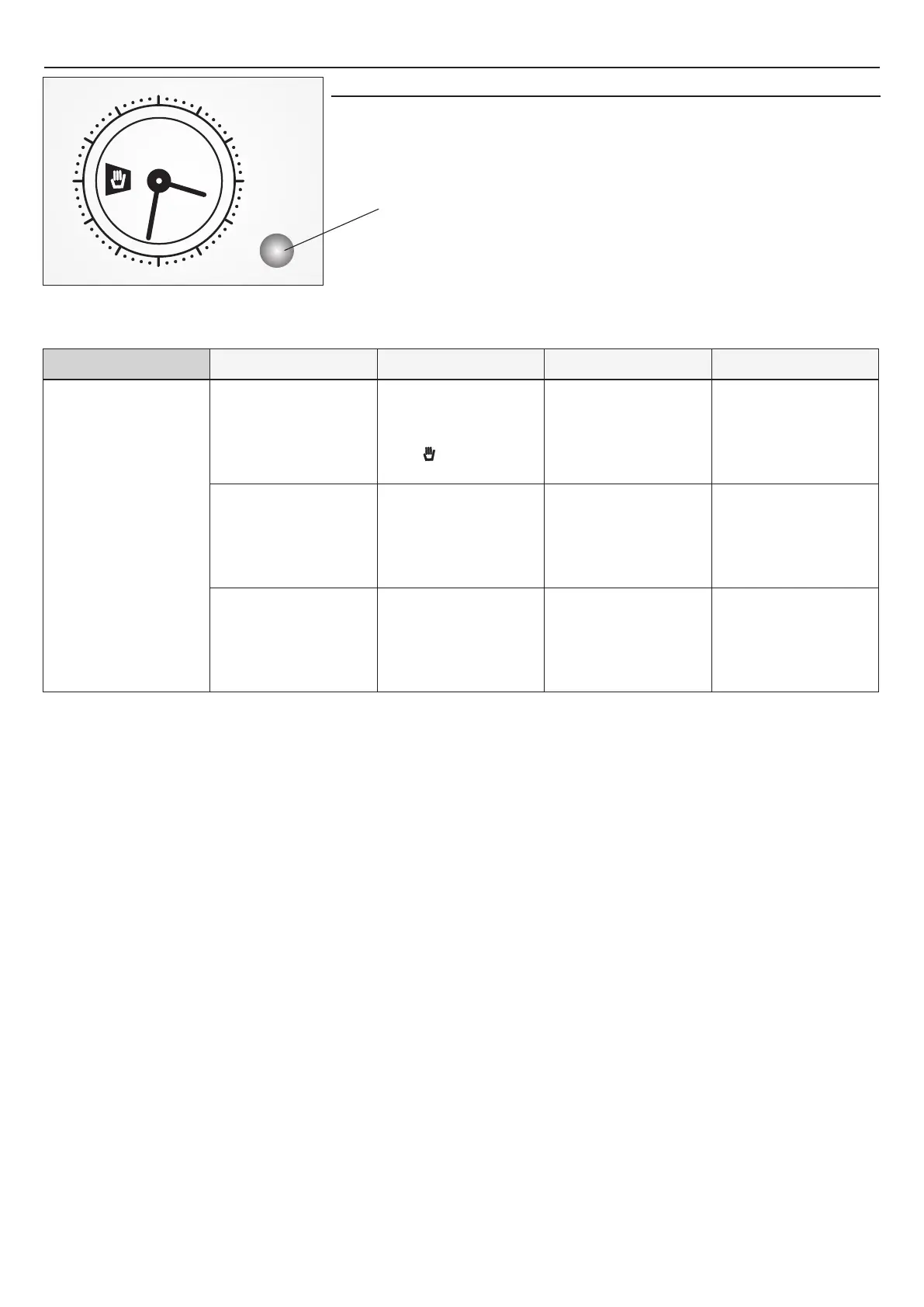
3. USE OF ANALOGUE CLOCK/PROGRAMMER
GB 14
Setting The Time
12
3
6
Press the programmer knob and turn it in an anticlockwise direction to set the correct time.
The clock can only be set if the oven is connected to the electricity mains. In case of a power
failure, the programmer will stop: the correct time will need to be reset once the power has
returned.
Analogue Programmer Knob
What is for
What it does
How to Switch off
How to ActivateFUNCTION
Turn the programmer knob in
anticlockwise direction until the
des ir ed cook in g ti me is
displayed
When the set time has elapsed a
buzzer will sound. To stop the
cooking process, turn the
p r o g r a m m e r k n o b i n
anticlockwise direction until the
symbol is displayed.
Starts the function of the oven
and provides timed operation.
For cooking the desired
recipes.
Push the programmer knob and
turn it in anticlockwise direction
until the marker corresponds
with the current time. A click will
indi cate the end of the
programming phase.
Turn the selector knob to the “0”
position, for example it is 09:00
a.m. and the time of 1 hour and
15 minutes is programmed. The
p r o g r a m m e w i l l s t o p
automatically at 10:15 a.m.
At the end of the cooking time
setted, the oven will switch off
automatically and an audible
signal will be emitted.
Select the desired cooking mode
using the selector knob. The
oven switches on immediately
and remains on for the entire
duration of the set cooking time.
Immediate Start


 To Next Page