GB
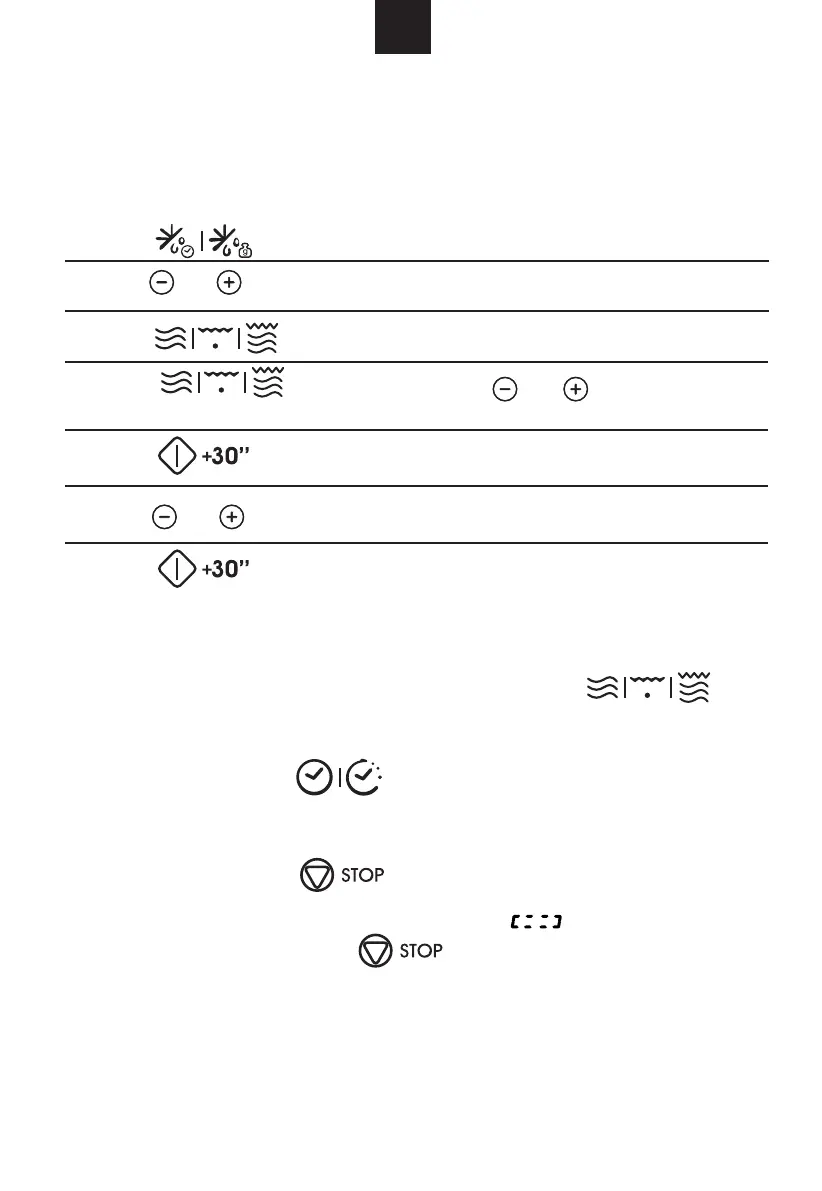
7) Press "
" to start cooking, and buzzer will sound once for the
first section, defrosting time counts down; buzzer will sound once again entering
the second cooking. When cooking finishes, buzzer sounds five times.
1) Press " " twice, and the oven will display "dEF2".
2) to select the defrost time till "5:00" displays.
3) Press " " once, the screen displays "P100".
5) Press "
" to confirm, and the screen displays "P 80".
6) to adjust the cooking time till the oven displays "7:00".
4) Press " " once again or to choose 80%
microwave power.
9. Multi-section cooking
At most 2 sections can be set for cooking. In multi-section cooking, if one section is
defrosting, then defrosting shall be placed in the first section.
Example: If you want to defrost food for 5 minutes and then cook with 80% microwave
power for 7 minutes, operate it as the following:
Press " " or " "
Press " " or " "
10. Inquiring Function
(1) In states of microwave, grill and combination cooking, press " ",
the current power will be displayed for 3 seconds. After 3 seconds, the oven will turn
back to the former state
(2) In cooking state, press "
for 3 seconds.
11. Lock-out Function for Children
Lock: In waiting state, press " " for 3 seconds, there will be a long beep
time has been set, otherwise, the LED will display " ".
Lock quitting: In locked state, press " " for 3 seconds, there will be a long
"beep" denoting that the lock is released.
denoting entering the children-lock state and the current time will display if the
" to inquire the time and the time will display
press " " or " "
.



 To Next Page