7
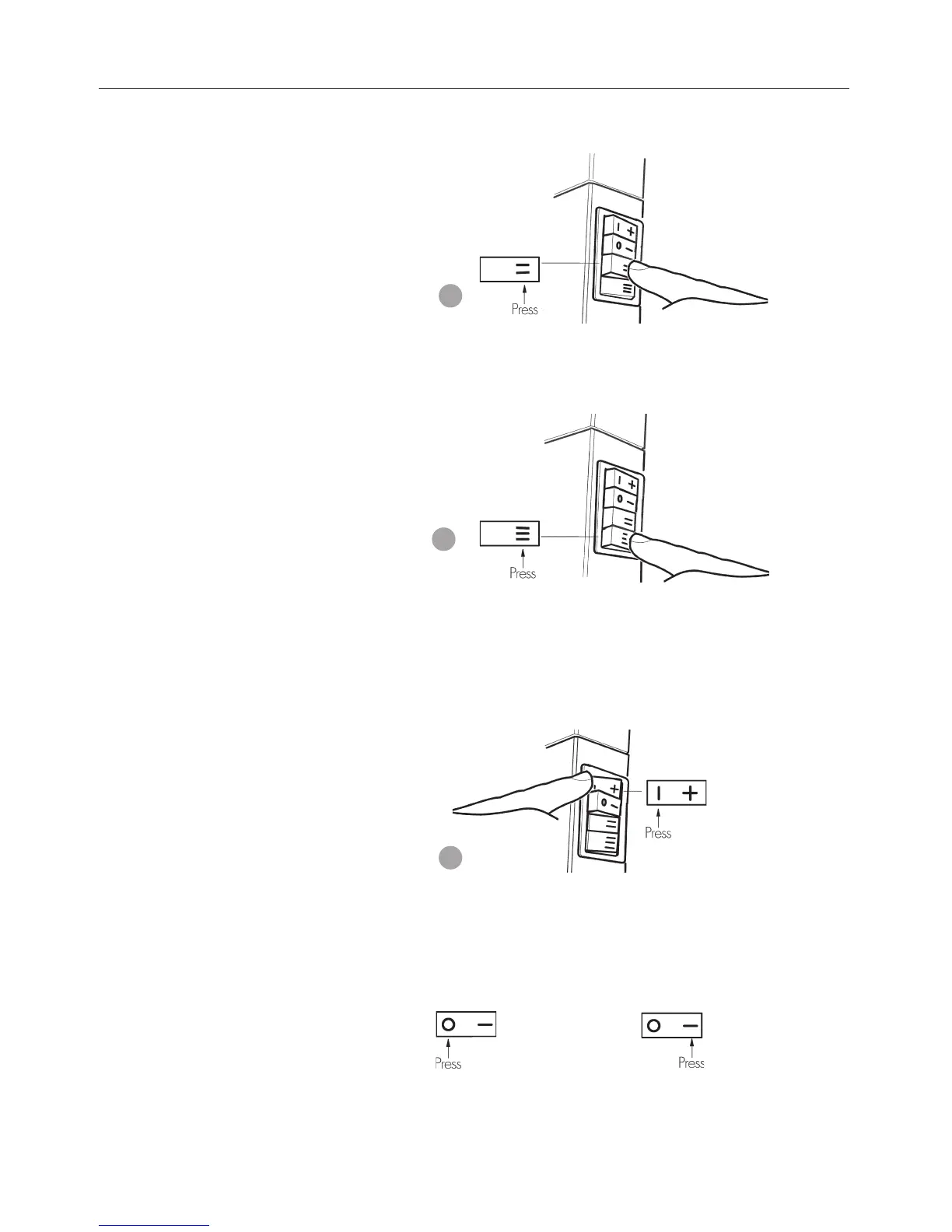
5. To increase the fan speed to MED, press switch for MED set-
ting. Refer figure 5.
6. To increase the fan speed to HIGH, press switch for HIGH
setting. Refer figure 6.
7. To turn the burner to LOW setting, press switch for LOW set-
ting. Refer figure 7.
On low burner setting it is more efficient to operate the fan
speed on LOW.
8. If the burner fails to ignite, wait 20 seconds and repeat the
ignition procedure. See below.
To turn burner OFF To turn burner ON
5
6
18
25. Switch the top two control buttons to “Full On” position as
indicated in figure 36(a) and using a ring spanner, as per
figure 36(b), adjust the pressure to 1kPa for Natural gas or
2.65 kPa for LPG. (Turn clockwise to increase pressure and
anticlockwise to decrease pressure).
26. Switch the stop button back to “Low Flame’ position as indi-
cated in figure 37(a), retain spanner in position and using a
screwdriver as per figure 37(b) adjust the central screw con-
trol to give a pressure reading of 0.3 kPa for Natural Gas and
1.1 kPa for LPG. (Turn clock-wise to increase pressure and
anticlockwise to decrease pressure).
27. Switch burners off and remove the manometer tube. Tighten
pressure test point by turning the captive screw fully clockwise.
Replace plastic cap. Ensure the little lug is positioned towards
lower right hand side to clear the control.
28. Refit the lower front cover, making sure not to damage the
power cord.
29. Follow User Instructions to turn on heater.
Important:
To achieve the correct visual flame effect:
On Propane the gas pressure must be set at 2.65 kPa with burner
operating on maximum setting.
On Natural Gas the gas pressure must be set at 1.0 kPa.
36
Gas pressure
adjustment
37



 To Next Page