Playing Movies
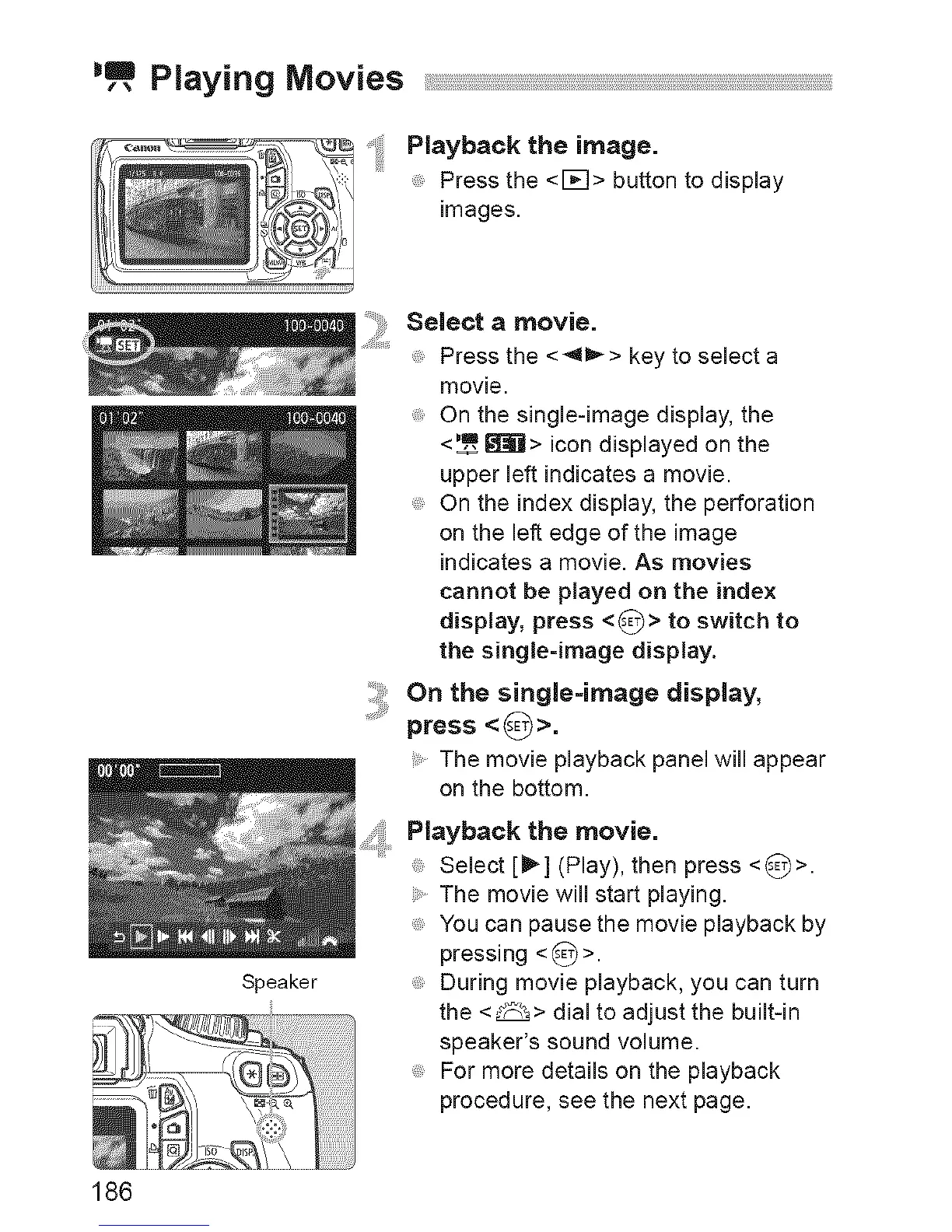
P|ayback the image.
Press the <l_q> button to display
images.
Speaker
Selectamovie.
Press the <41_> key to select a
movie.
On the single-image display, the
<_,_=,_ii> icon displayed on the
upper left indicates a movie.
On the index display, the perforation
on the left edge of the image
indicates a movie. As movies
cannot be played on the index
display, press <_-_> to switch to
the single=image display.
i_,_ On the single=image display,
press <_>.
The movie playback panel will appear
on the bottom.
Playback the movie.
Select [_] (Play), then press <_>.
The movie will start playing.
You can pause the movie playback by
pressing <8>.
During movie playback, you can turn
the <_> dial to adjust the buiff-in
speaker's sound volume.
For more details on the playback
procedure, see the next page.
186






 To Next Page