56
S T E P 3
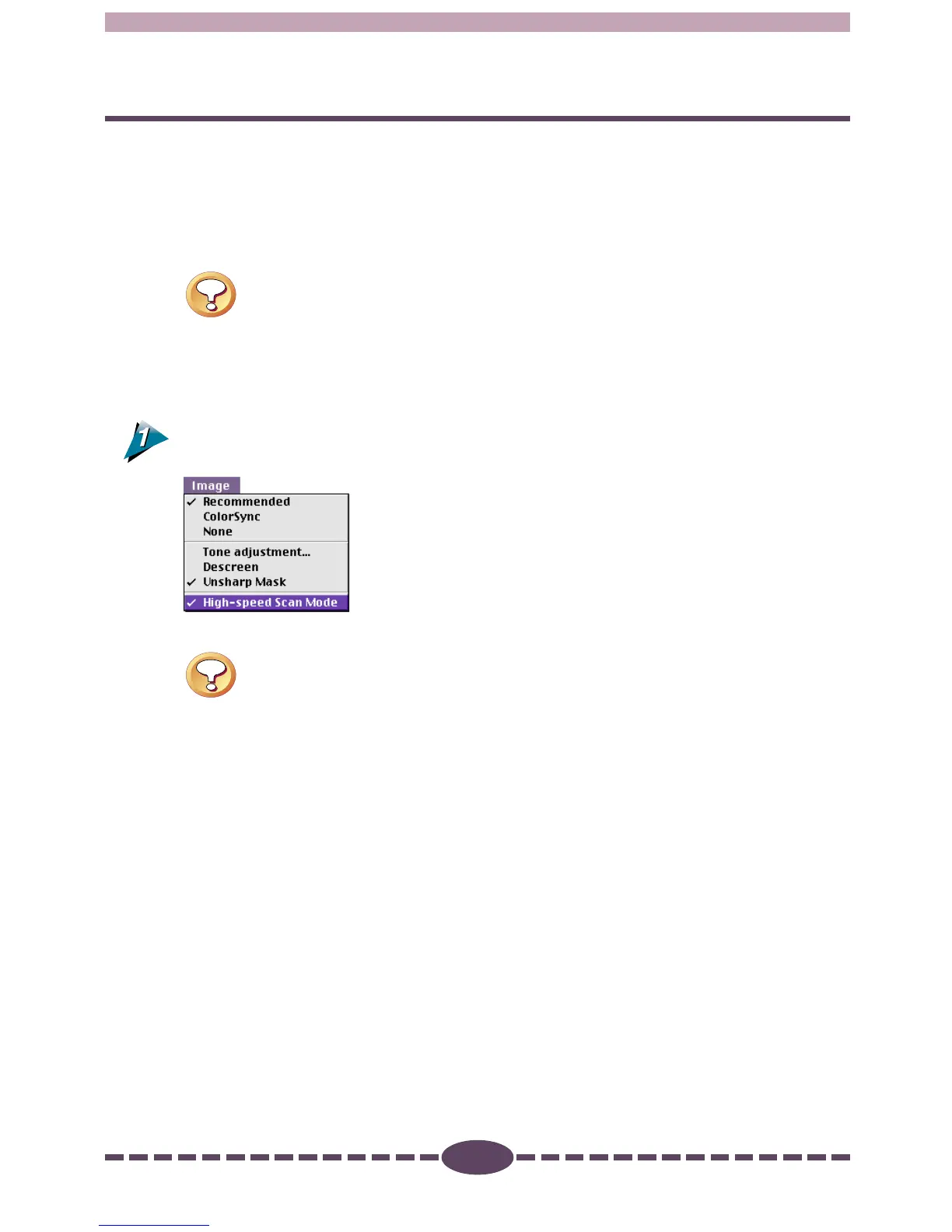
High-speed Scan Mode
This function is available when the image source is set to [Platen]. When a check
mark is placed beside this option, scanning can be accomplished faster because the
lamp output data (auto color adjustment data) from the first pass is used for
subsequent passes. The default setting is Off for this function.
Caution
• When you select [Film] from the [Preferences] menu, the High-speed Scan
Mode is not available.
Operating Procedures
Select [High-speed Scan Mode] from the [Image] menu.
Caution
• It may take some time to acquire the lamp output data on the first scan
after the high speed scanning mode is selected. Similarly, the first scan
after Plug-in Module CS-U is started make take some time even when the
high speed scanning mode is selected.





 To Next Page