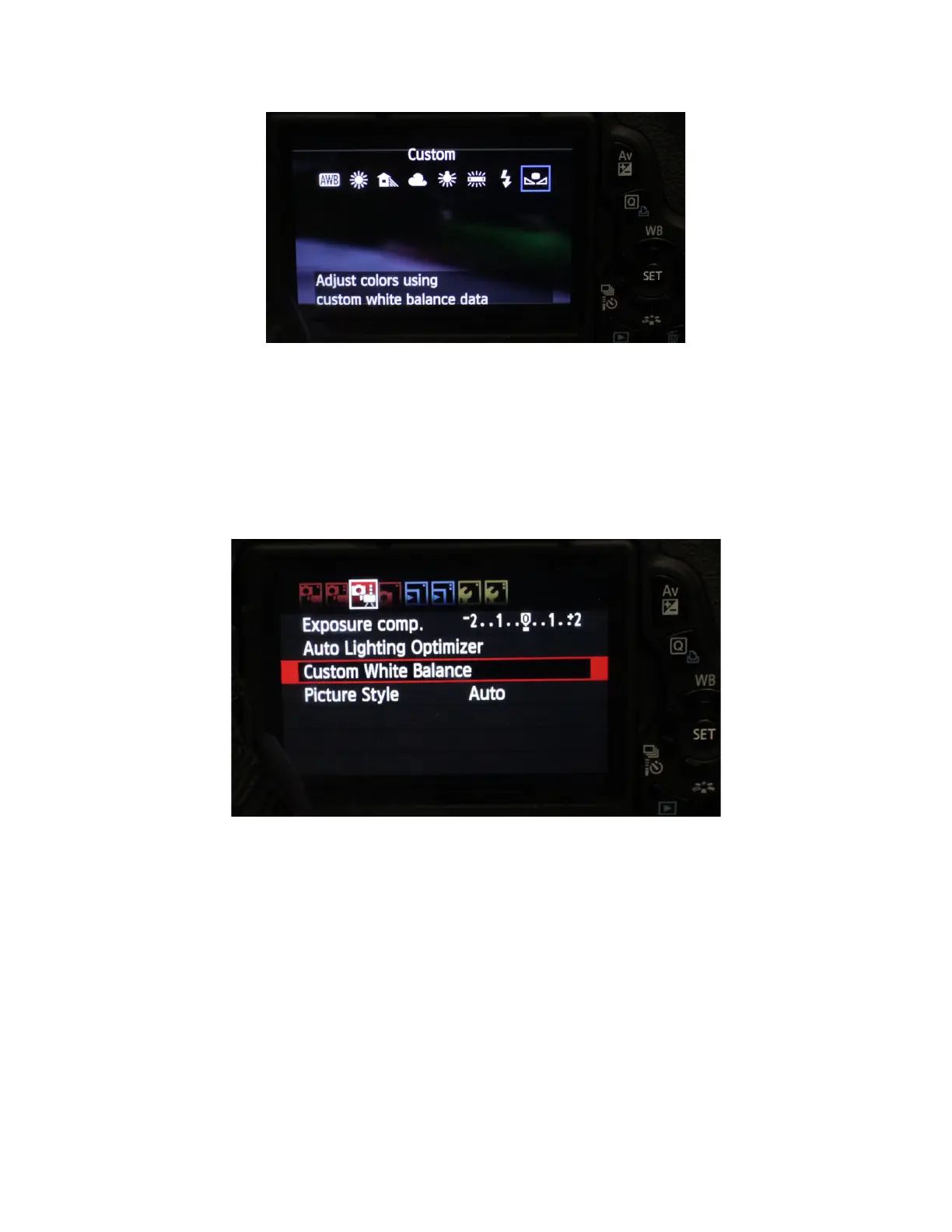
Select the white balance setting that best suits your shooting condition.
For Manual white balance use the bow tie symbol – then take a photograph of
a white piece of paper. The camera will use this as a reference but you need
to select the photograph in the camera menu settings.
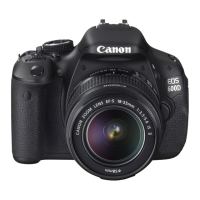
To do this push the menu key on the back of the camera and navigate to this
menu:
This menu will allow you to select the photo you took of the white paper and
will now set the white balance. For most situations the pre-set white balances
are fine – only use the full manual white balance, if your unhappy with the
colours.
LAST MENU CHECKS
Go into the menu and format the SD card (making sure you have backed up
any important work)
More information about the menus is in the camera manual
Check you are recording in the correct format














 To Next Page