Introduction • 13
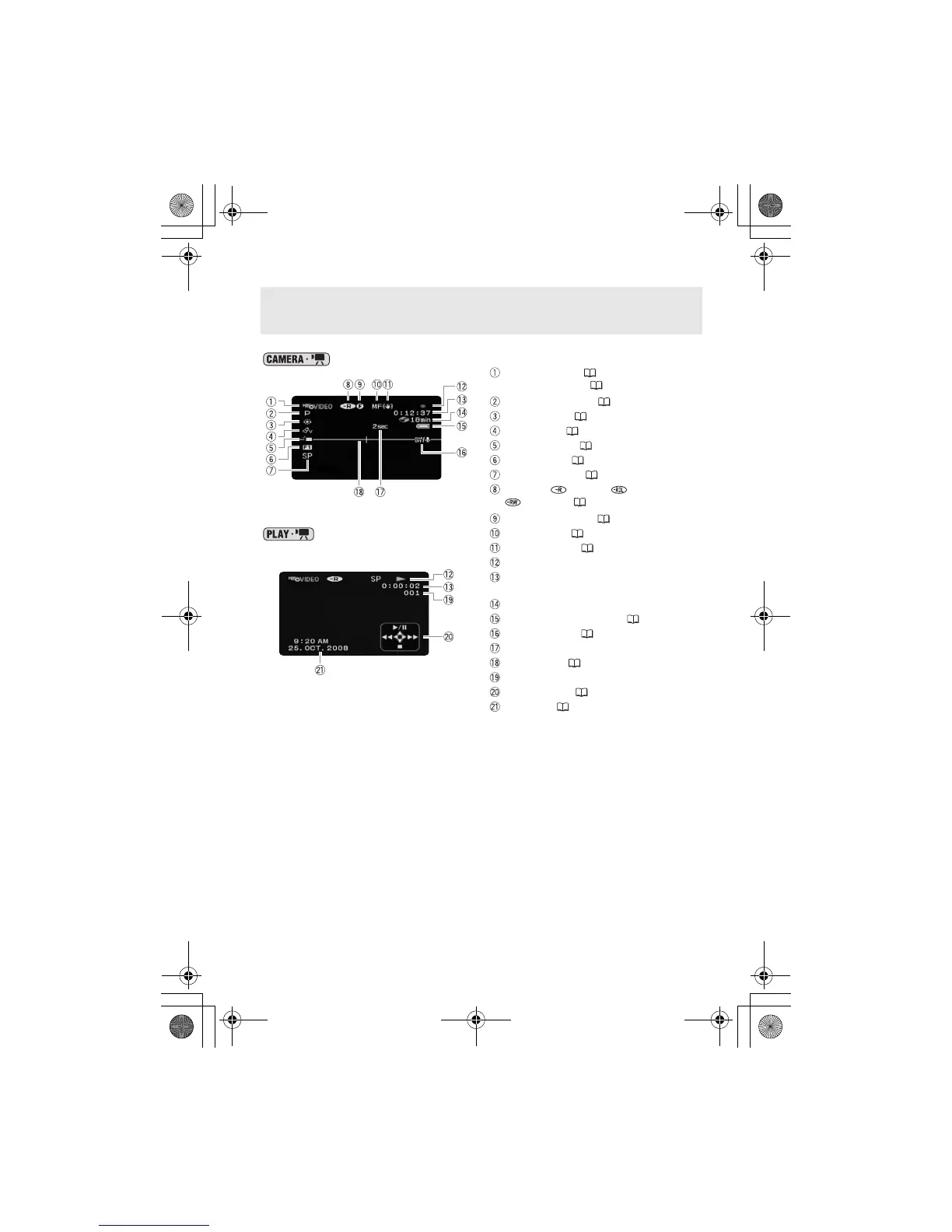
Screen Displays
Recording movies
Playing movies
(during playback)
Operating mode ( 18) /
Disc specification ( 3)
Recording program ( 34, 36)
White balance ( 39)
Image effect ( 40)
LCD video light ( 37)
Digital effects ( 41)
Recording mode ( 28)
Disc type DVD-R, DVD-R DL,
DVD-RW ( 3)
Finalized disc mark ( 45)
Manual focus ( 38)
Image stabilizer ( 62)
Disc operation
Time code/Playback time
(hours : minutes : seconds)
Remaining recording time on the disc
Remaining battery charge ( 15)
Wind screen off ( 62)
Recording reminder
Level marker ( 64)
Scene number
Joystick guide ( 18)
Data code ( 33)
D126_NTSC_PAL_E.book Page 13 Tuesday, January 15, 2008 12:15 PM



 To Next Page