1
ENGLISH
Setting Up the Printer
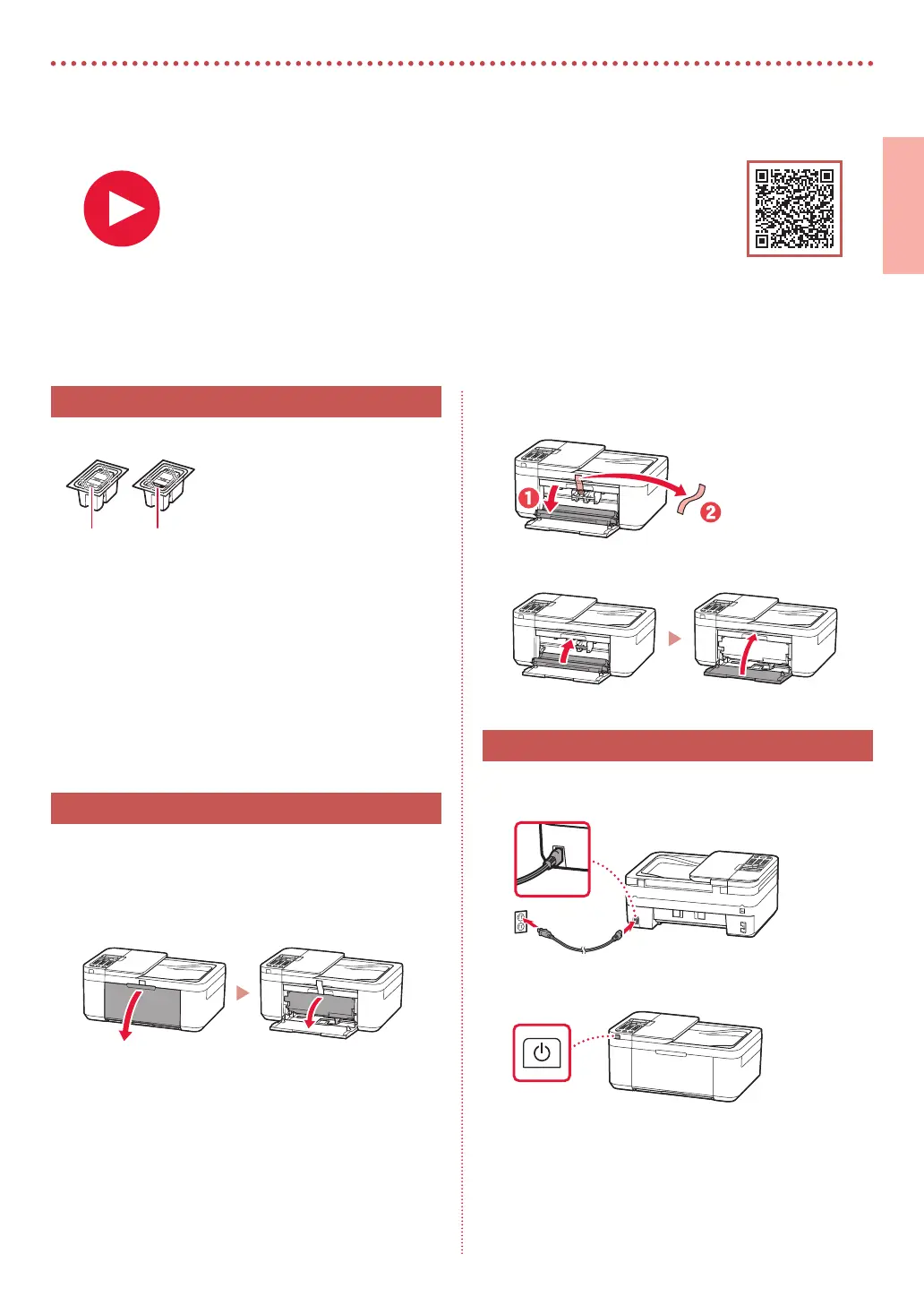
1. Box Contents
•
Ink Cartridges
Color Black
•
Power Cord
•
Phone Cable
•
Setup CD-ROM (E4500 series only)
•
Safety and Important Information
•
Getting Started (this manual)
2. Removing the Orange Tape
1
Remove the orange tape.
2
Open the front cover, and then open the paper
output tray.
3
Open the paper output cover, and then remove
the orange tape.
4
Close the paper output tray and the front cover.
3. Turning on the Printer
1
Connect the power cord.
Back
2
Press the ON button.
For Setup, visit the URL
https://ij.start.canon
or scan the code with your mobile device
•
Follow the instructions below if you do not have an internet connection.






 To Next Page