ENG-16
Macro Lites
■ Both Macro Lites Illuminated
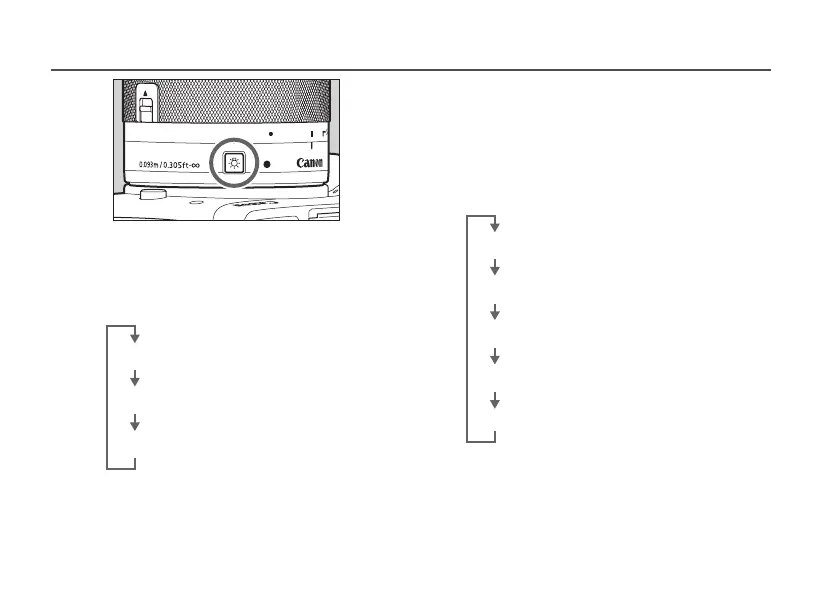
Briey pressing the Macro Lite ON button will
alternate between ON and OFF for both lights,
and between Bright and Dim.
OFF
[Both lights illuminated: Bright]
[Both lights illuminated: Dim]
■ Macro Lites A and B Illuminated
Independently
Hold down the Macro Lite ON button with the
light switch off to illuminate one of the lights.
Briey pressing the Macro Lite ON button when
one light is illuminated will alternate the ON
status to the other light.
OFF
[Macro Lite A illuminated: Bright]
[Macro Lite A illuminated: Dim]
[Macro Lite B illuminated: Bright]
[Macro Lite B illuminated: Dim]
■ Switching Between Both Macro Lites
and a Single Macro Lite
Hold down the Macro Lite ON button with the
light illuminated to alternate between both
lights and a single light.










 To Next Page