ENG-7
<Shooting Preparations>
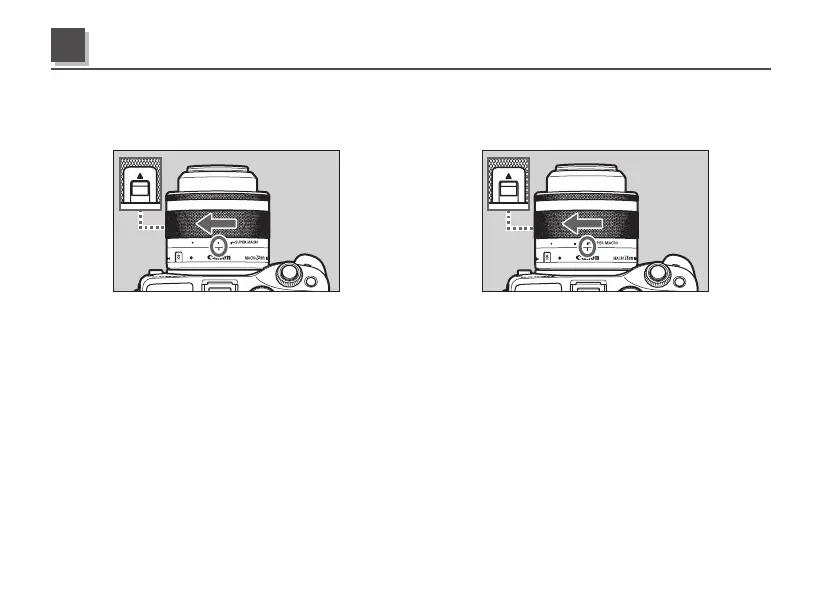
Set the mode selection ring to the normal mode or the super macro mode when taking photographs.
Shooting Preparations and Retracting Lens
2
Normal Mode
The normal mode enables innite distance
photography through to close-up (macro)
photography.
To prepare for this, press the lock release switch
in the ▲ direction with the lens retracted, rotate
the mode selection ring and align the normal
mode index with the mode selection index.
Super Macro Mode
The super macro mode is only used for close-up
(macro) photography at a distance of between
11cm and 9.3cm and with a magnication ratio of
between 0.7x and 1.2x.
To prepare for this, press the lock release switch
in the ▲ direction, rotate the mode selection ring
and align the super macro mode index with the
mode selection index.



 To Next Page