-4
E
1. Mounting and Detaching the Lens
See your camera’s instructions for details on mounting and detaching the lens.
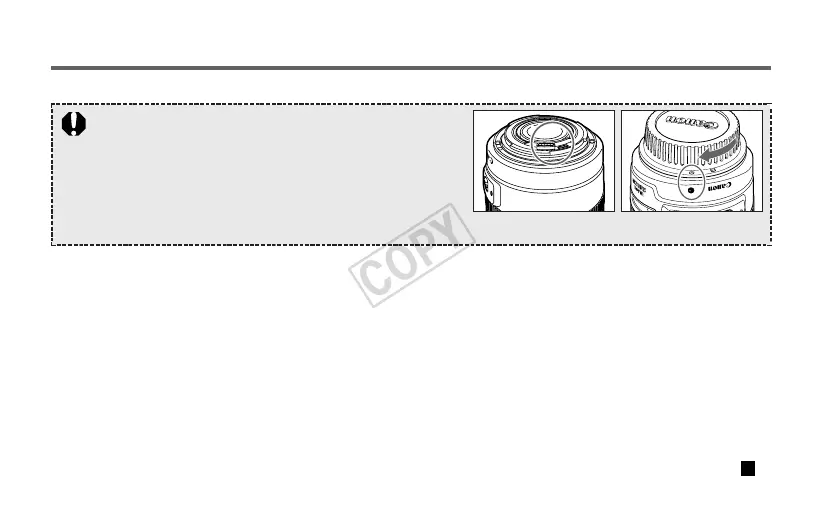
• After detaching the lens, place the lens with the rear end up to
prevent the lens surface and contacts from getting scratched.
• If the contacts get soiled, scratched, or have fingerprints on them,
corrosion or faulty connections can result. The camera and lens
may not operate properly.
• If the contacts get soiled or have fingerprints on them, clean them
with a soft cloth.
• If you remove the lens, cover it with the dust cap. To attach it properly, align the lens mount index and the index of the
dust cap, and turn clockwise. To remove it, reverse the order.
02-7594_ENG 10.2.13 9:46 AM Page 4





 To Next Page