EasyManua.ls Logo

Canon ELPH Z3 - User Manual

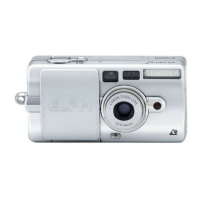
Canon ELPH Z3
43 pages
Print Icon
To Next Page IconTo Next Page
Loading...
Ixus III cover int 21-10-2002 16:31 Page 1
Question and Answer IconNeed help?

Do you have a question about the Canon ELPH Z3 and is the answer not in the manual?

Summary

Handling Precautions

Water and Humidity Resistance

Camera is not water-resistant; avoid humidity and salt spray. Clean with a dry cloth.

Storage and Environmental Conditions

Store in cool, dry place away from direct sunlight and heat. Use desiccant in high humidity.

Safety Warnings

Do not disassemble due to high-voltage circuitry. Battery hazards: explosion, burns if mishandled.

Handling Precautions Continued

Basic Operations

Loading the Battery

Step-by-step guide to inserting and removing the CR2 lithium battery.

Loading and Removing Film Cartridge

Instructions for loading IX240 film and checking its exposure indicator.

Rewinding Film Mid-Roll

Procedure to rewind the film cartridge before the end of the roll.

Turning Power On and Checking Battery

How to activate the camera and check the battery level indicator.

Taking Pictures in Autoflash Mode

Steps for focusing, composing, and capturing images with automatic flash.

Loading the Battery

Inserting the Battery

Step-by-step process for opening the cover and inserting the CR2 battery.

Removing the Battery

Procedure for safely removing the battery using the release tape.

Loading the Film Cartridge

Opening the Compartment and Loading

Steps to open the film compartment and load the IX240 cartridge.

Closing Compartment and Film Advance

How to close the cover and confirmation of film winding.

Removing the Film Cartridge

Automatic Film Rewind Confirmation

Checking for the blinking rewind indicator and using custom functions for rewind.

Opening Compartment and Removing Cartridge

Steps to open the film compartment and take out the used film cartridge.

Rewinding the Film Cartridge in Mid-roll

Using the Mid-roll Rewind Button

Instructions for pressing the MRC button to rewind film before roll completion.

Turning the Power On

Activating the Camera and Lens Extension

How to slide the lens cover to turn the camera on and extend the lens.

Taking Pictures in Autoflash Mode

Setting Focus and Lamp Indicators

How to achieve focus and interpret green (in focus) and orange (flash) lamps.

Composing and Capturing the Picture

Steps for fully pressing the shutter button to take the photo.

Taking Pictures in Autoflash Mode Continued

Real-time Release and Center-point AF

Using Custom Functions CF1 for instant release and CF4 for center-point AF.

Basic Operations Continued

Advanced Operations

Changing the Flash Mode

How to select different flash modes like Autoflash, Flash ON, Flash OFF, and Night Scene.

Autoflash Distance Range

Table showing effective flash range for different ISO speeds and zoom levels.

Advanced Operations Continued

Autoflash with Red-eye Reduction

Flash fires after red-eye reduction lamp. Shooting delayed during lamp operation.

Using Focus Lock

Shooting with Self-timer

Shooting with Remote Control (Option)

Shooting in Real Time

Enabling Real-time Release (CF1)

Setting CF1 Custom Function for immediate shutter release.

Setting the Custom Functions

Entering Custom Function Setting Mode

How to access the custom function menu by holding buttons.

Selecting a Custom Function (CF1-CF5)

Cycling through functions like Real-time Release, Flash Memory, etc.

Setting Function Enable;Disable (0 or 1)

Changing the setting for the selected custom function.

Setting the Custom Functions Continued

CF1: Real-time Release Function

Enables immediate shutter release for instant camera response.

Mid-roll Film Change

Mid-roll Film Change Continued

Troubleshooting

Battery and Power Issues

Resolving problems related to battery exhaustion or loading errors.

Shutter Release and Camera Sound Problems

Troubleshooting why the shutter won't release or the camera makes unexpected sounds.

Autoflash and Film Rewind Malfunctions

Fixing issues with automatic flash mode and automatic film rewinding.

Troubleshooting Continued

Blurred Photographs and Focus Issues

Diagnosing and correcting blurry images due to blocked sensors, camera shake, or dirty lenses.

Error Code H and Film Rewind Errors

Resolving self-diagnosis errors and film rewind malfunctions.

Major Specifications

Camera Type and Lens Details

Overview of camera type, recording media, lens specifications, and viewfinder.

Exposure Control and Film Speeds

Details on exposure range, shutter speeds, aperture, and ISO capabilities.

Flash Modes and Self-timer

Description of available flash modes and self-timer functionality.

Major Specifications Continued

Flash Distance Range and Recycling Time

Table of flash distances and time for flash to be ready again.

Summary

Handling Precautions

Water and Humidity Resistance

Camera is not water-resistant; avoid humidity and salt spray. Clean with a dry cloth.

Storage and Environmental Conditions

Store in cool, dry place away from direct sunlight and heat. Use desiccant in high humidity.

Safety Warnings

Do not disassemble due to high-voltage circuitry. Battery hazards: explosion, burns if mishandled.

Handling Precautions Continued

Basic Operations

Loading the Battery

Step-by-step guide to inserting and removing the CR2 lithium battery.

Loading and Removing Film Cartridge

Instructions for loading IX240 film and checking its exposure indicator.

Rewinding Film Mid-Roll

Procedure to rewind the film cartridge before the end of the roll.

Turning Power On and Checking Battery

How to activate the camera and check the battery level indicator.

Taking Pictures in Autoflash Mode

Steps for focusing, composing, and capturing images with automatic flash.

Loading the Battery

Inserting the Battery

Step-by-step process for opening the cover and inserting the CR2 battery.

Removing the Battery

Procedure for safely removing the battery using the release tape.

Loading the Film Cartridge

Opening the Compartment and Loading

Steps to open the film compartment and load the IX240 cartridge.

Closing Compartment and Film Advance

How to close the cover and confirmation of film winding.

Removing the Film Cartridge

Automatic Film Rewind Confirmation

Checking for the blinking rewind indicator and using custom functions for rewind.

Opening Compartment and Removing Cartridge

Steps to open the film compartment and take out the used film cartridge.

Rewinding the Film Cartridge in Mid-roll

Using the Mid-roll Rewind Button

Instructions for pressing the MRC button to rewind film before roll completion.

Turning the Power On

Activating the Camera and Lens Extension

How to slide the lens cover to turn the camera on and extend the lens.

Taking Pictures in Autoflash Mode

Setting Focus and Lamp Indicators

How to achieve focus and interpret green (in focus) and orange (flash) lamps.

Composing and Capturing the Picture

Steps for fully pressing the shutter button to take the photo.

Taking Pictures in Autoflash Mode Continued

Real-time Release and Center-point AF

Using Custom Functions CF1 for instant release and CF4 for center-point AF.

Basic Operations Continued

Advanced Operations

Changing the Flash Mode

How to select different flash modes like Autoflash, Flash ON, Flash OFF, and Night Scene.

Autoflash Distance Range

Table showing effective flash range for different ISO speeds and zoom levels.

Advanced Operations Continued

Autoflash with Red-eye Reduction

Flash fires after red-eye reduction lamp. Shooting delayed during lamp operation.

Using Focus Lock

Shooting with Self-timer

Shooting with Remote Control (Option)

Shooting in Real Time

Enabling Real-time Release (CF1)

Setting CF1 Custom Function for immediate shutter release.

Setting the Custom Functions

Entering Custom Function Setting Mode

How to access the custom function menu by holding buttons.

Selecting a Custom Function (CF1-CF5)

Cycling through functions like Real-time Release, Flash Memory, etc.

Setting Function Enable;Disable (0 or 1)

Changing the setting for the selected custom function.

Setting the Custom Functions Continued

CF1: Real-time Release Function

Enables immediate shutter release for instant camera response.

Mid-roll Film Change

Mid-roll Film Change Continued

Troubleshooting

Battery and Power Issues

Resolving problems related to battery exhaustion or loading errors.

Shutter Release and Camera Sound Problems

Troubleshooting why the shutter won't release or the camera makes unexpected sounds.

Autoflash and Film Rewind Malfunctions

Fixing issues with automatic flash mode and automatic film rewinding.

Troubleshooting Continued

Blurred Photographs and Focus Issues

Diagnosing and correcting blurry images due to blocked sensors, camera shake, or dirty lenses.

Error Code H and Film Rewind Errors

Resolving self-diagnosis errors and film rewind malfunctions.

Major Specifications

Camera Type and Lens Details

Overview of camera type, recording media, lens specifications, and viewfinder.

Exposure Control and Film Speeds

Details on exposure range, shutter speeds, aperture, and ISO capabilities.

Flash Modes and Self-timer

Description of available flash modes and self-timer functionality.

Major Specifications Continued

Flash Distance Range and Recycling Time

Table of flash distances and time for flash to be ready again.

Canon ELPH Z3 Specifications

General IconGeneral
TypeDigital Camera
ISO SensitivityAuto, 50, 100, 200, 400
LCD Screen Size1.5-inch
FocusAutofocus
ModelCanon ELPH Z3
Dimensions99.5 x 63.4 x 30.9 mm (3.9 x 2.5 x 1.2 in)

Related product manuals