Handy Features
190
When you set the copyright information, it will be appended to the
image as Exif information.
1
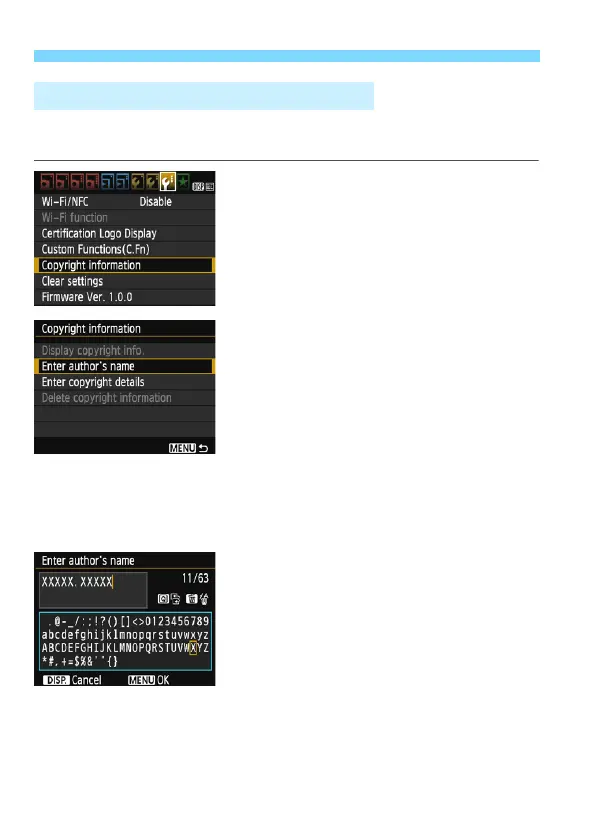
Select [Copyright information].
Under the [53] tab, select [Copyright
information], then press <0>.
2
Select the option to be set.
Select [Enter author’s name] or
[Enter copyright details], then press
<0>.
The text entry screen will appear.
Select [Display copyright info.] to
check the copyright information
currently set.
Select [Delete copyright
information] to delete the copyright
information currently set.
3
Enter text.
See “Text Entry Procedure” on the
next page and enter the copyright
information.
Enter up to 63 alphanumeric
characters and symbols.
4
Exit the setting.
After entering the text, press the
<M> button to exit.
3 Setting Copyright InformationN













 To Next Page