EasyManua.ls Logo

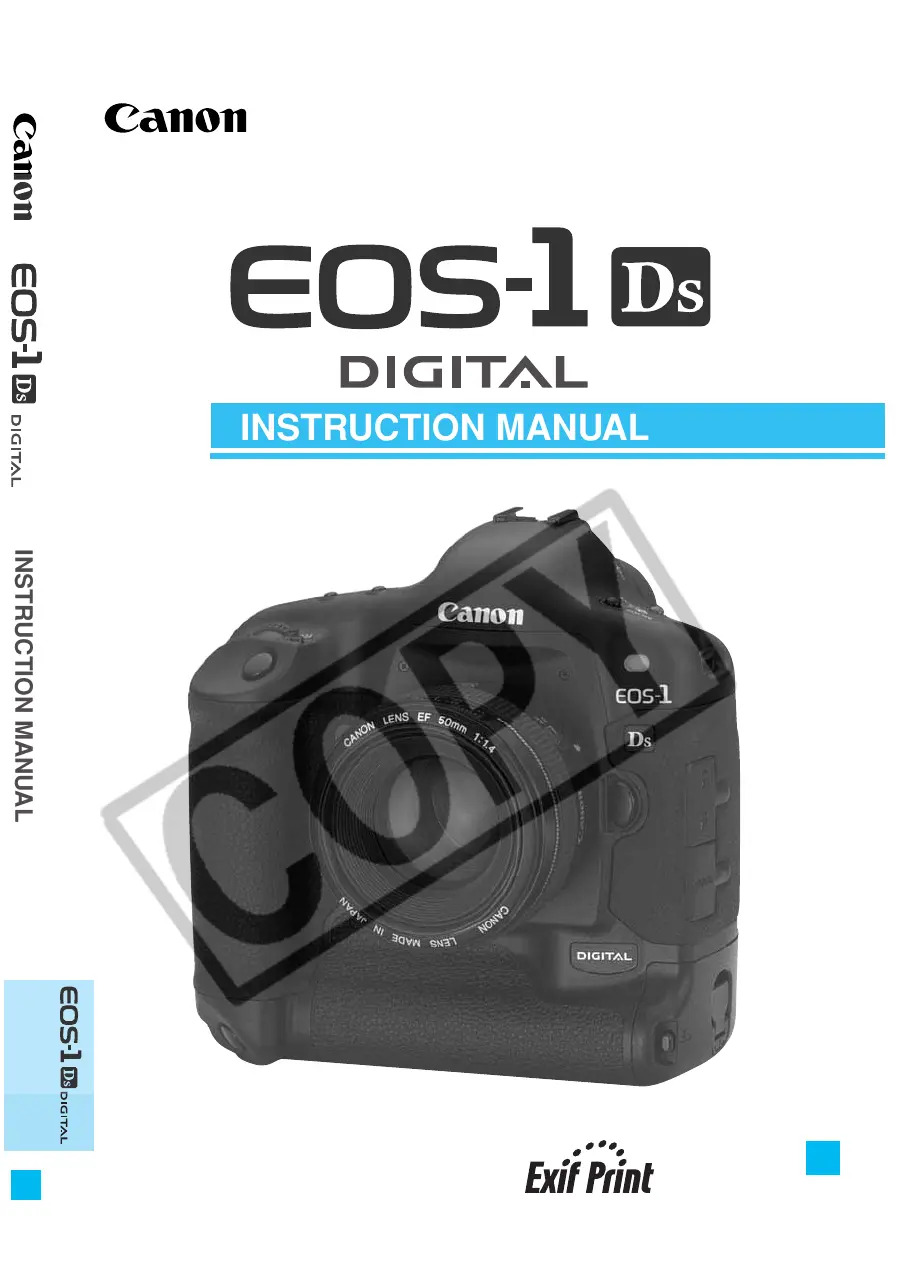
Canon EOS-1Ds - User Manual

Canon EOS-1Ds
176 pages
Print Icon
To Next Page IconTo Next Page
Loading...
English Edition
INSTRUCTION MANUAL
INSTRUCTION MANUAL
E
E
Be sure to read these Instruction Manual before
using your camera for the first time. Keep this
booklet handy for easy reference.

Table of Contents

Other manuals for Canon EOS-1Ds

Questions and Answers

  • W
    whuntAug 16, 2025
    What to do if my Canon EOS-1Ds won't shoot or record images?
    • C
      christophercoleAug 16, 2025
      If your Canon Digital Camera isn't shooting or recording images, there might be a few reasons: * The CF card might not be correctly installed; ensure it is properly installed. * The CF card may be full; try using a new CF card or erasing unnecessary images. * The battery could be exhausted; try recharging the battery. * You may not have focused well; press the shutter button halfway to focus, or focus manually.
  • B
    Betty JohnsAug 18, 2025
    How to fix a Canon EOS-1Ds that is not recharging?
    • L
      Lisa WebbAug 19, 2025
      If your Canon Digital Camera's battery cannot be recharged, it might be due to these reasons: * You might be using the wrong battery; make sure to use the dedicated Ni-MH Pack. * The battery might not be properly attached to the charger; attach the battery correctly to the charger.
  • H
    hwilliamsAug 22, 2025
    Why are my photos out of focus on my Canon Digital Camera?
    • J
      Jonathan KennedyAug 22, 2025
      If the image from your Canon Digital Camera is out of focus: * Check if the lens focus mode switch is set to < > or < >. If so, set it to < >. * It's possible camera shake occurred when you pressed the shutter button. To prevent this, hold the camera still and gently press the shutter button.
  • D
    Dawn JimenezAug 25, 2025
    What to do if my Canon EOS-1Ds Digital Camera says the CF card cannot be used?
    • S
      Shawn SuttonAug 25, 2025
      To resolve the issue with your Canon Digital Camera's CF card, format the CF card. Also, ensure you are using the correct CF card.
  • B
    Brian SimpsonAug 27, 2025
    Why does my Canon EOS-1Ds Digital Camera keep turning off by itself?
    • M
      Michael HamiltonAug 27, 2025
      If your Canon Digital Camera turns off by itself, try setting the < > switch to < > again, or set auto power off to 'Off.'
  • E
    Elizabeth CollinsAug 31, 2025
    Why does the battery on my Canon Digital Camera become exhausted so quickly?
    • D
      Donna WhiteAug 31, 2025
      If your Canon Digital Camera's battery is draining quickly, it could be due to a couple of reasons: * The battery may not be fully charged; make sure to recharge it fully. * The battery's service life may have expired; consider replacing it with a new one.
  • S
    Shirley CummingsSep 3, 2025
    Why is the LCD monitor on my Canon EOS-1Ds Digital Camera not displaying a clear image?
    • E
      Emily MccannSep 3, 2025
      If the LCD monitor on your Canon Digital Camera doesn't display a clear image: * The LCD monitor screen might be dirty; use a soft cloth to clean it. * The LCD’s service life may have expired. Contact your dealer or Canon Service Center.
  • K
    kingcynthiaSep 5, 2025
    What does it mean when only the icon is displayed on my Canon EOS-1Ds's LCD panel?
    • S
      Scott BurtonSep 6, 2025
      If your Canon Digital Camera displays only the < > icon on the top LCD panel, it means the battery is almost exhausted. You should recharge the battery.
  • K
    kpattersonSep 9, 2025
    What to do if my Canon Digital Camera does not operate?
    • N
      nelsonjuliaSep 9, 2025
      If your Canon Digital Camera does not operate even when the < > switch is set to < >, consider the following: * The battery may be exhausted; recharge it. * The battery may not be installed properly; ensure it is correctly installed. * The CF card slot cover might be open; push in the CF card until the CF card release button pops up, then close the CF card slot cover.
  • D
    David WagnerSep 12, 2025
    Why does the access lamp still blink on my Canon Digital Camera?
    • G
      Gary SchmittSep 12, 2025
      If the access lamp on your Canon Digital Camera continues to blink even when the < > switch is set to < >, the camera is still recording the image to the CF card. The access lamp will stop blinking and the power will turn off once the recording is complete.

Summary

Equipment Check List

Handling Cautions

Camera Care

Essential guidelines for maintaining the camera's physical condition and preventing damage.

CF Cards

Precautions and best practices for handling and storing CF cards.

Quick Start Guide

Nomenclature

Conventions Used in this Manual

1 Before You Start

Power Management

Covers battery charging, installation, removal, and AC adapter usage.

Media and Lens Handling

Instructions for installing/removing CF cards and mounting/detaching lenses.

Basic Camera Controls

Explains core operations like the main switch, shutter button, electronic dials, and menu system.

Ergonomics and Handling

Covers dioptric adjustment, camera grip, and strap attachment for comfortable use.

2 Settings for Images

Image Quality and Processing

Selects image formats (RAW/JPEG) and explains camera processing of raw data.

White Balance Settings

Covers presets, custom settings, color temperature, and auto-balance for accurate color.

Color Matrix and ISO Speed

Adjusts color reproduction (matrix) and light sensitivity (ISO speed) for optimal image capture.

Image Organization and Review

Configures image review, folders, and file numbering for managing captured images.

3 Using Autofocus (AF)

AF Modes and Operation

Covers One-Shot AF for static subjects and AI Servo AF for moving subjects.

AF Point Selection and Area

Details the Area AF ellipse, AF points, and methods for automatic or manual selection.

AF Management and Sensitivity

Covers registering/switching AF points, activation area, and focusing sensitivity.

Manual Focus and Troubleshooting

Discusses manual focusing when AF fails and troubleshooting AF issues.

4 Metering Modes

Metering Mode Selection

Guides on how to choose and set the desired metering mode for accurate exposure.

Metering Types Explained

Details evaluative, partial, spot, and centerweighted average metering methods.

Advanced Metering Techniques

Covers AF point-linked spot metering and multi-spot metering for complex lighting.

5 Exposure Control

Shooting Modes

Covers Program AE, Shutter-Priority AE, Aperture-Priority AE, Depth-of-field AE, and Manual Exposure.

Exposure Adjustments and Bracketing

Details exposure compensation, auto exposure bracketing (AEB), and AE lock functions.

Drive Modes and Timing

Explains drive modes (single, continuous) and self-timer operations.

Specialty Operations

Covers eyepiece shutter, bulb exposures, LCD illumination, and mirror lockup features.

6 Flash Photography

Speedlite 550 EX Features and Modes

Details E-TTL autoflash, High-Speed Sync, FE Lock, FEB, and flash exposure compensation.

Advanced Flash Techniques

Covers modeling flash, wireless systems, metered manual, and TTL/A-TTL compatibility.

Non-Canon Flash Compatibility

Discusses using third-party flash units and PC terminal connections.

7 Playback Images

Image Viewing and Navigation

Covers playing back, browsing, and changing the display format of captured images.

Image Information and Enhancement

Details shooting data, histograms, highlight alerts, AF points, and image enlargement.

Image Protection and Deletion

Explains how to protect images and erase them, including bulk deletion.

Sound Recording and Card Formatting

Covers adding voice narration and formatting the CF card.

8 Menu Settings

Image and Recording Settings

Covers image quality, white balance, color matrix, ISO, and processing parameters.

Playback and System Settings

Details review options, image protection, deletion, sound recording, and system settings like power off.

System Settings

Covers auto power off, file numbering, date/time setup, sensor cleaning, and LCD brightness.

Custom Function Management

Explains setting, registering, clearing, and using Custom Functions and Personal Functions.

9 Maintenance

Date and Time Setup

Guides on setting the camera's current date and time accurately.

Back-up Battery Replacement

Details the procedure for replacing the camera's internal backup battery.

CMOS Sensor Cleaning

Explains how to safely clean the camera's CMOS sensor to remove dust and debris.

10 Reference

Photography Concepts and Terminology

Defines fundamental terms like AE, AF, ISO, JPEG, RAW, depth of field, and exposure.

Technical References and Warnings

Covers exposure warnings, program lines, shutter/aperture readouts, and error codes.

Troubleshooting and Support

Addresses common errors, messages, and provides guides on focusing screens, accessories, and specifications.

Camera System and Specifications

Details focusing screens, accessories, system map, and detailed camera specifications.

Canon EOS-1Ds Specifications

General IconGeneral
Camera TypeDigital SLR
Sensor TypeCMOS
Image Resolution4064 x 2704
ISO Range100-1250 (expandable to 50-1250)
Lens MountCanon EF
Continuous Shooting Speed3 fps
Viewfinder Coverage100%
Dimensions156 x 157.6 x 79.9 mm
Sensor Size36 x 24 mm
Effective Pixels11.1 million
Shutter Speed30 - 1/8000 sec
ViewfinderOptical
LCD Screen Size2.0 inch
Storage MediaCompactFlash (Type I or II)
BatteryNP-E3
Weight1265 g

Related product manuals