5
Setting the Printing Options
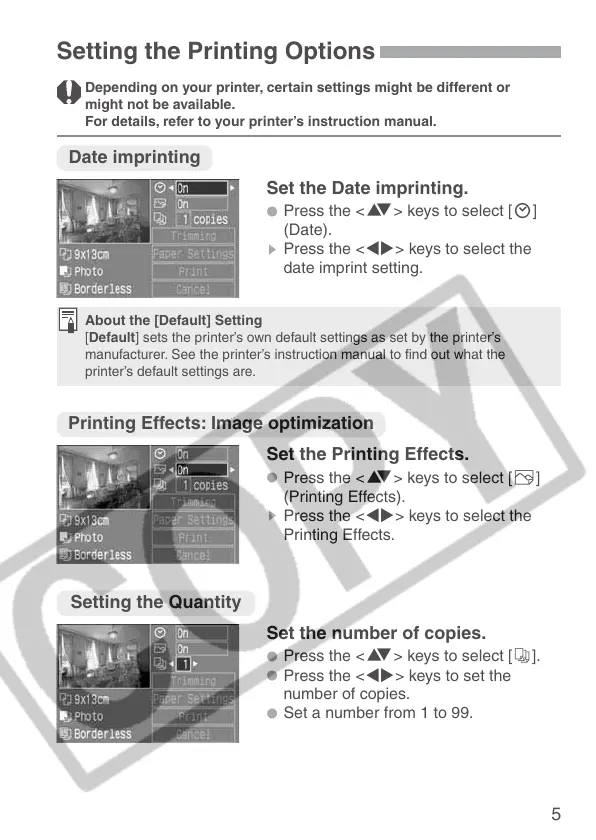
Date imprinting
Set the Date imprinting.
•
Press the <å> keys to select [H]
(Date).
s
Press the <µ> keys to select the
date imprint setting.
About the [Default] Setting
[Default] sets the printer’s own default settings as set by the printer’s
manufacturer. See the printer’s instruction manual to find out what the
printer’s default settings are.
Printing Effects: Image optimization
Set the Printing Effects.
•
Press the <å> keys to select [E]
(Printing Effects).
s
Press the <µ> keys to select the
Printing Effects.
Depending on your printer, certain settings might be different or
might not be available.
For details, refer to your printer’s instruction manual.
Setting the Quantity
Set the number of copies.
•
Press the <å> keys to select [R].
•
Press the <µ> keys to set the
number of copies.
•
Set a number from 1 to 99.





 To Next Page