7575
1
2
3
4
Introduction
Contents at
a Glance
Downloading
Images
Camera
Settings
Remote
Shooting
Reference
Preferences
Index
You can specify the file name of images downloaded from your camera
or of images shot remotely.
O You can also specify a save destination folder by entering text
directly in the textbox for the save destination folder.
O To s pec i fy a s ave de sti nat i on fol der, cli ck the [B r ows e] but ton.
After you click the [Browse] button and specify a save destination
folder, a subfolder is created automatically below the save
destination folder you specified.
O After you checkmark any of [Download Images], [Remote
Shooting], or [Monitor Folder], a subfolder is generated when the
checkmarked function is used.
O You can select the naming rule for a generated subfolder from the
list box. You can also customize the naming rule for subfolders by
clicking the [Customize] button.
O If you are using the shooting date for a generated subfolder, you
can specify the format (order and style for year-month-date) and
dividing characters.
From the list box, you can select the images to be downloaded when
[Starts to download images] in the main window is clicked.
O
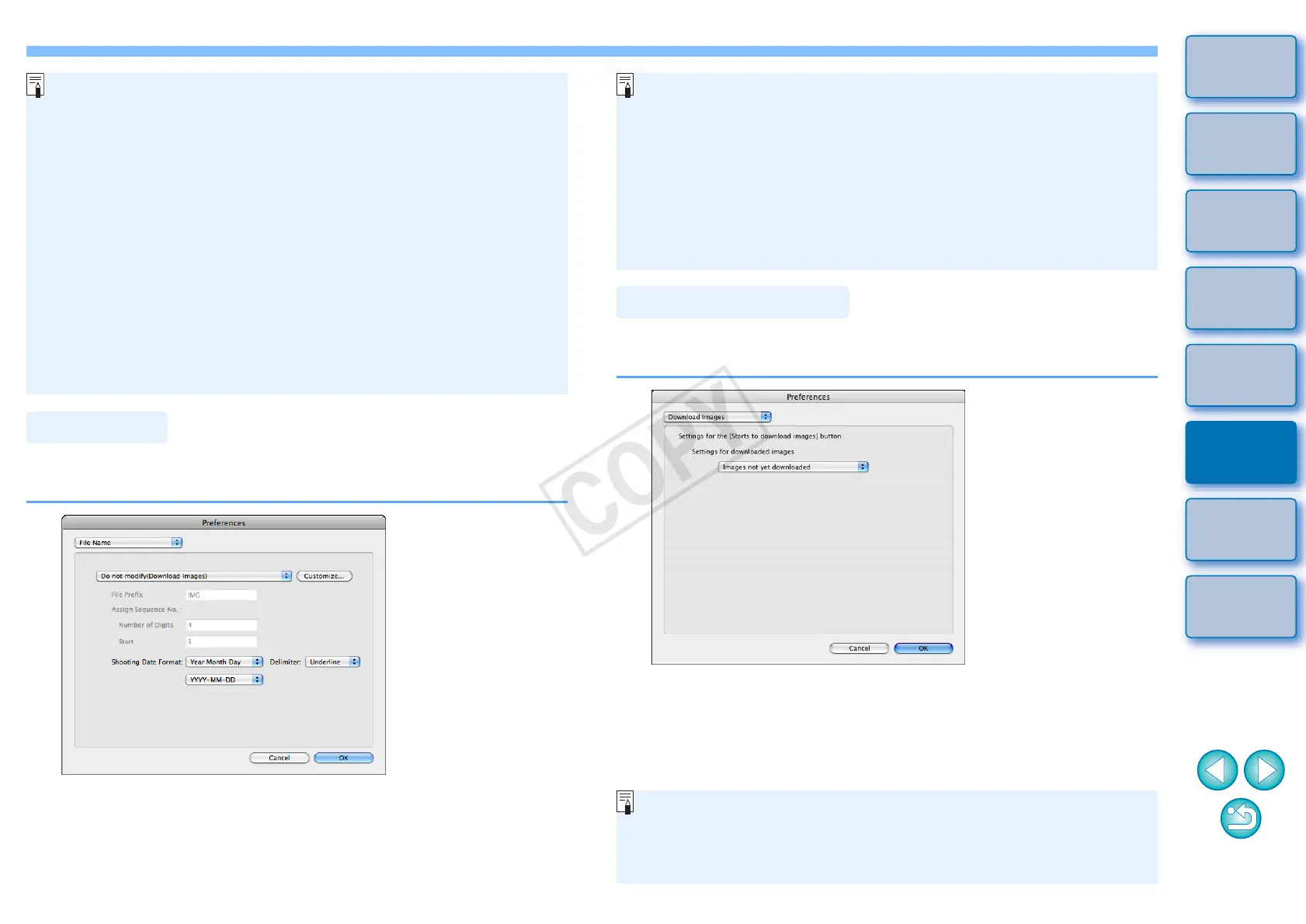
When specifying an image’s file name, select a naming rule for the
file from the list box. (If [Do not modify] is selected, images are
saved with the file name set in the camera.) You can also customize
the naming rule for files by clicking the [Customize] button.
O You can set prefix characters, number of digits for serial numbers,
and the start number individually for file names.
O If you are using the shooting date in file names, you can specify
the format (order and style for year-month-date) and dividing
characters.
[Images whose transfer settings were specified with the camera] in
the [Settings for downloaded images] menu is only enabled for
cameras capable of direct transfer of shot images. Refer to your
camera's Instruction Manual for details.






 To Next Page