82
1
2
3
4
Introduction
Contents at
a Glance
Downloading
Images
Camera
Settings
Remote
Shooting
Reference
Preferences
Index
Function for Use with the Accessories
If you have the Wireless File Transmitter WFT-E2, WFT-E2 II, WFT-E3,
WFT-E4, WFT-E4 II, or WFT-E5 (sold separately), you can start up the
previously mentioned accessory software from EU. And you can also
start up the Picture Style Editor (Picture Style file creating software).
For details on using each software, refer to the instruction manual for
the software. For Picture Style files, see p.18.
1
Connect your camera and computer, and then start
up EU
(p.5).
2
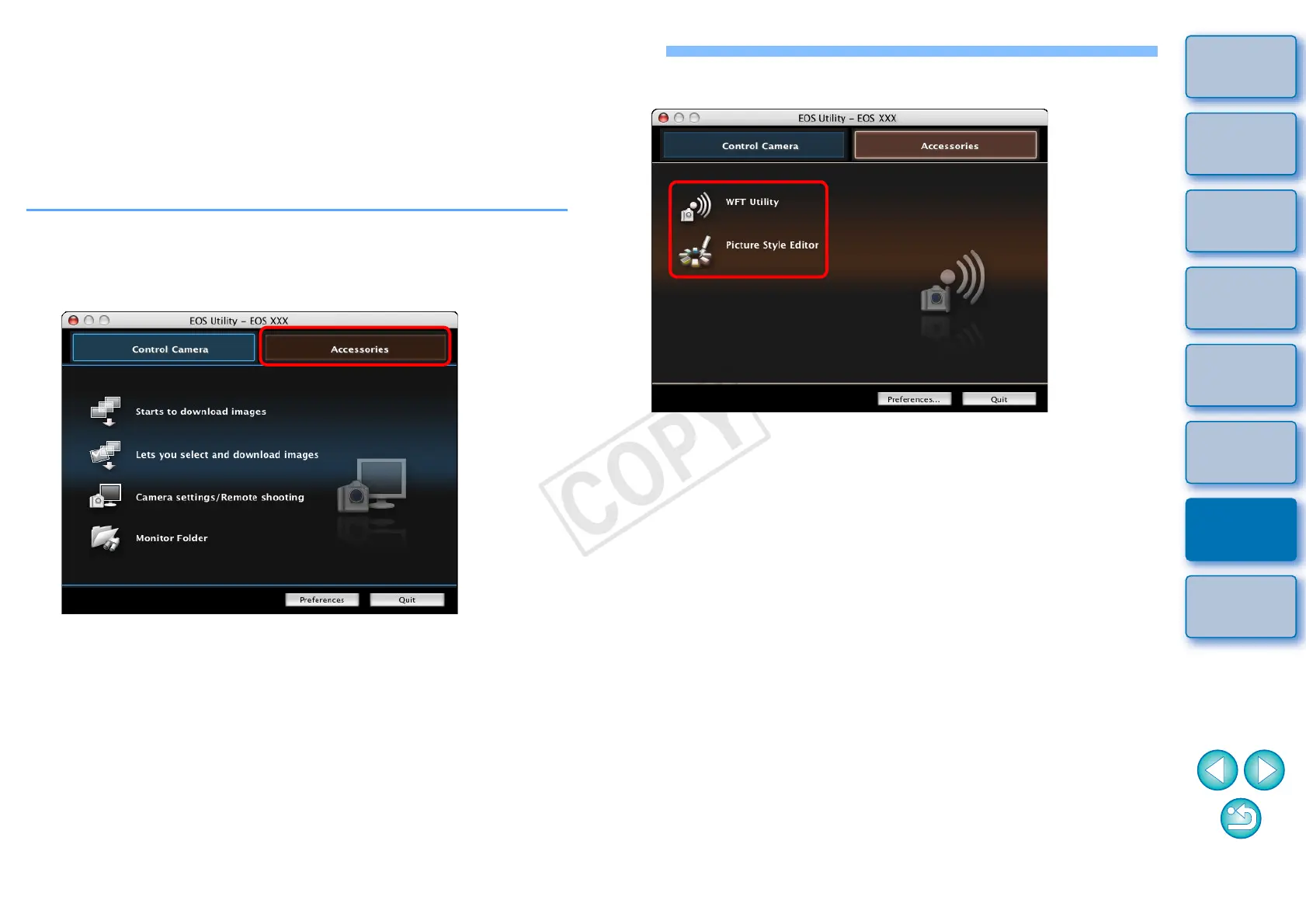
Click the [Accessories] tab.
¿ The [Accessories] tab sheet appears.
3
Click the software you want to start up.
b
¿ The clicked software starts up.










 To Next Page