2.
Loading the Battery
8
This camera uses a single lithium battery
(2CR5,
6V).
Load the battery
as
follows.
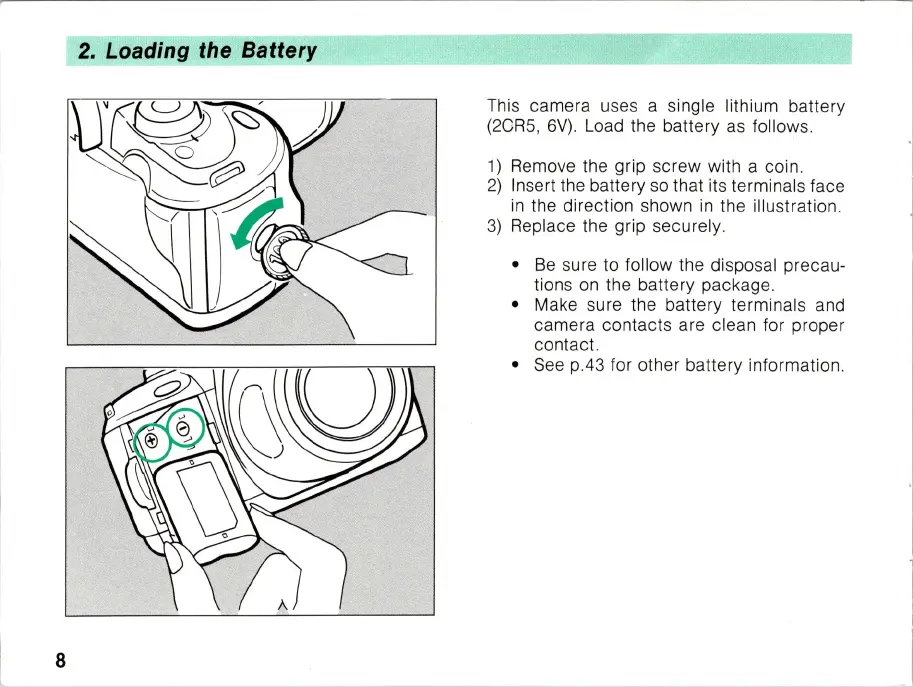
1)
Remove the grip screw with a coin.
2)
Insert the battery
so
that its terminals face
in
the direction shown
in
the illustration.
3)
Replace the grip securely.
•
Be
sure to follow the disposal precau-
tions
on
the battery package.
• Make sure the battery terminals and
camera contacts are clean for proper
contact.
•
See
p.43 for other battery information.



 To Next Page