53
Basic Operations
Holding the Camera
z
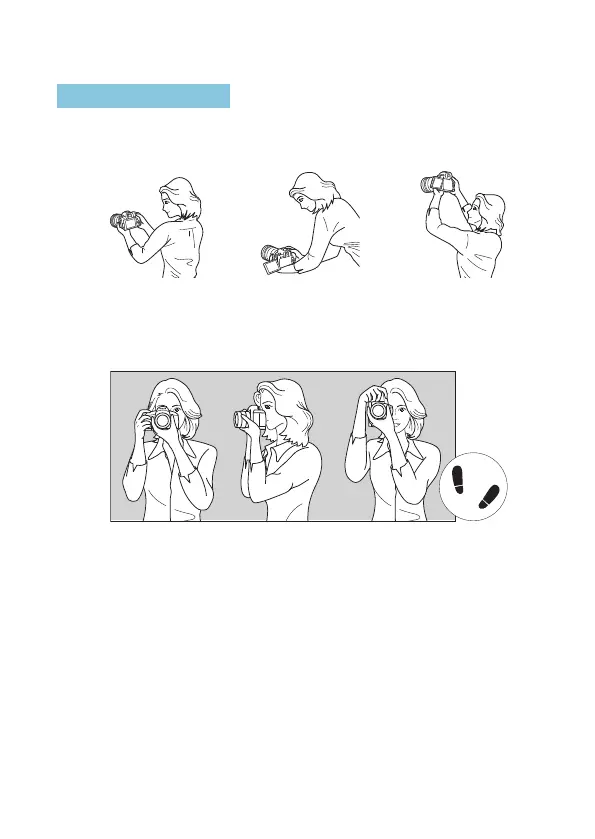
Viewing the Screen as You Shoot
As you shoot, you can tilt the screen to adjust it. For details, see
=
45.
High angleNormal angle Low angle
z
Shooting Through the Viewnder
To obtain sharp images, hold the camera still to minimize camera shake.
Horizontal shooting Vertical shooting
1. Wrap your right hand around the camera grip rmly.
2. Hold the lens bottom with your left hand.
3. Rest your right index nger lightly on the shutter button.
4. Press your arms and elbows lightly against the front of your body.
5. To maintain a stable stance, place one foot slightly ahead of the other.
6. Press the camera against your face and look through the viewnder.



 To Next Page