388
Customizing Information Displayed When
Shooting
You can customize the details and screens of information shown on the
camera or in the viewnder when you shoot.
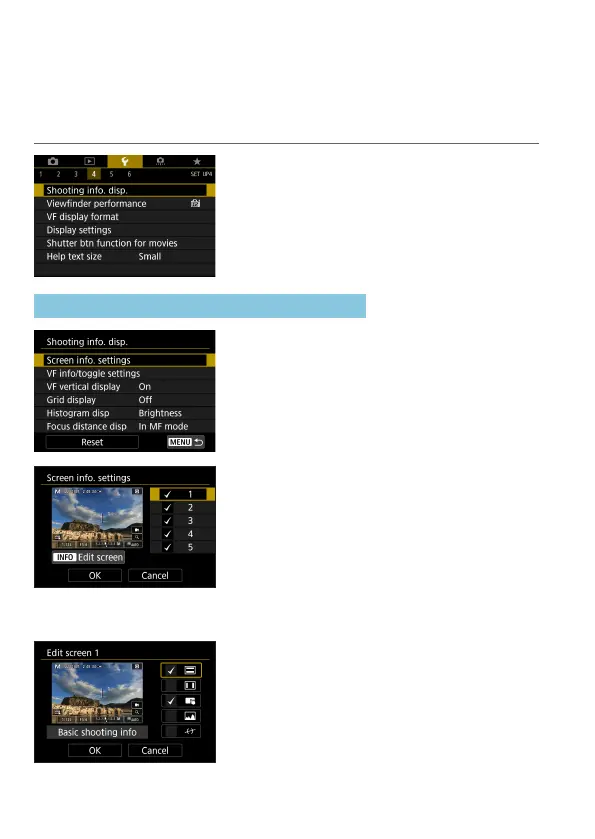
Select [5: Shooting info. disp.].
Customizing Information on the Screen
1
Select [Screen info. settings].
2
Select screens.
z
Use the <
W
> <
X
> keys to select
screens of information to show on the
camera.
z
For information you prefer not to display,
press <
0
> to clear the checkmark
[
X
].
z
To edit the screen, press the <
B
>
button.
3
Edit the screen.
z
Use the <
W
> <
X
> keys to select items
to show on the screen.
z
For items you prefer not to display, press
<
0
> to clear the checkmark [
X
].
z
Select [OK] to register the setting.



 To Next Page