123
N
Correction of Lens Aberrations due to
Optical Characteristics
Vignetting, image distortion, and other issues may be caused by lens optical
characteristics. The camera can compensate for these phenomena by using
[Lens aberration correction].
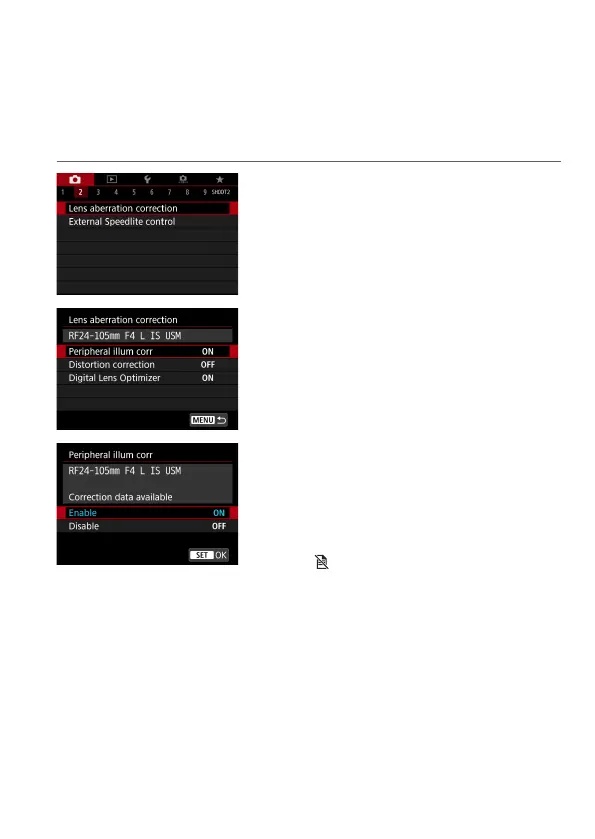
1
Select [z: Lens aberration
correction].
2
Select an item.
3
Select [Enable].
z
Conrm that the name of the attached
lens and (except for diraction
correction) [Correction data available]
are displayed.
z
If [Correction data not available]
or [
] is displayed, see “Digital Lens
Optimizer” (
=
125).
4
Take the picture.
z
The image captured will have lens
aberration corrected.



 To Next Page