Need help?
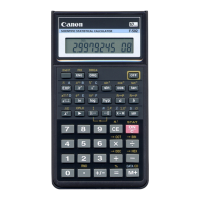
Do you have a question about the Canon F-605G and is the answer not in the manual?
Verifies the active calculation mode and display format settings.
Explains the meaning and usage of various calculator keys and their functions.
Describes how to turn the calculator on and clear its contents.
Details the function to turn the calculator off.
Explains how to clear the last entered value or expression.
Describes how to reset the calculator to its default settings.
Explains the automatic power-off feature to conserve battery life.
How to enter numbers and decimal points on the calculator.
Explains the use of EXP for scientific notation and sign change.
How to delete the last entered digit.
How to select different number system calculation modes.
How to enter and use complex number calculations.
Explains keys for switching between display formats like Engineering and Floating.
Details the numerical ranges for different display modes.
How to set the number of decimal places in calculations.
How to convert angle values between degrees, radians, and gradients.
Explains basic arithmetic operations and percentage calculations.
How to use parentheses to control the order of operations.
How to input fractional values using the fraction key.
How to convert between mixed and improper fractions.
How to use the independent memory for storing and recalling values.
How to store and recall values using dedicated memory variables.
How to enter numbers in different bases.
How to generate random numbers.
How to activate complex number mode.
How to input the real and imaginary components of complex numbers.
Explains the order in which calculations are performed.
Describes how the calculator handles calculation levels internally.
Specifies the valid input and output ranges for decimal numbers.
Specifies the valid input and output ranges for binary numbers.
Specifies the valid input and output ranges for octal and hexadecimal numbers.
Explains how to represent and calculate negative numbers using two's complement.
Steps to enter and perform statistical calculations.
How to add and delete data points in statistical mode.
How to add current displayed data into statistical memory.
How to remove data from statistical memory.
Provides formulas for statistical outputs like mean, standard deviation.
Lists conditions that cause the calculator to overflow or lock.
Demonstrates basic arithmetic operations in degree mode.
Examples of adding and subtracting numbers.
Examples of multiplying and dividing numbers.
Examples combining different arithmetic operations.
How to perform calculations involving exponents.
Examples of calculations involving fractions.
How to perform calculations with a constant value.
Examples demonstrating the use of parentheses.
How to calculate percentages.
Performing percentage calculations with a constant.
How to perform mark-up calculations.
How to perform discount calculations.
Examples using the independent memory function.
Examples using memory variables A-F.
Performing addition and subtraction in binary mode.
Performing multiplication and division in binary mode.
Performing addition and subtraction in octal mode.
Performing multiplication and division in octal mode.
Performing mixed calculations in octal mode.
Performing addition, subtraction, multiplication, and division in hex mode.
How to use the pi constant in calculations.
How to use sine, cosine, and tangent functions.
How to use inverse trigonometric functions.
How to use common and natural logarithm functions.
How to calculate the logarithmic mean.
How to perform calculations with base 10 and base e exponents.
How to calculate squares and cubes of numbers.
How to calculate numbers raised to a power.
How to calculate the square root of a number.
How to calculate roots other than square roots.
How to calculate the geometric mean.
How to calculate the cube root of a number.
How to calculate the reciprocal of a number.
How to calculate the cosecant of an angle.
How to calculate the factorial of a number.
How to use hyperbolic trigonometric functions.
Converting between degree, radian, and gradient units.
How to calculate permutations.
How to calculate combinations.
Converting between rectangular and polar coordinates.
Converting Degrees-Minutes-Seconds to decimal degrees.
Converting decimal degrees to Degrees-Minutes-Seconds.
Solves an example problem related to electrical circuits.
Finding real roots of quadratic equations.
Performing calculations involving time durations.
Specifies input ranges for trigonometric, logarithmic, and exponential functions.
Specifies input ranges for root and power functions.
Specifies input ranges for nPr and nCr.
Specifies ranges for coordinate and angle conversions.
Specifies ranges for complex number operations.
Specifies ranges for statistical data input.
Step-by-step guide for replacing the calculator battery.
Important safety warnings regarding battery replacement.
Advice on handling, cleaning, and storing the calculator.
Specific warnings and advice related to battery handling and misuse.
 General
| Brand | Canon |
|---|---|
| Model | F-605G |
| Category | Calculator |
| Language | English |

 To Next Page