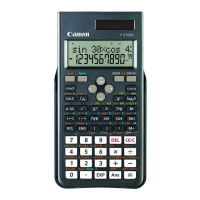
Need help?
Do you have a question about the Canon F-604 and is the answer not in the manual?
Instructions on how to open or close the calculator cover with accompanying diagram.
Explanation of status indicators and symbols shown on the calculator display.
Overview of key groups: Clear, Numeric, Mode, Instruction, and Memory keys.
Guidance on checking modes and understanding power/entry keys.
Explains display modes (Engineering, Floating) and their respective number ranges.
How to specify the number of decimal places for calculation results.
Keys for converting between Degree, Radian, and Gradient units.
Usage of basic arithmetic keys and parenthesis for controlling calculation order.
Guide on using the ab/c key for entering and converting fractions.
Details on using independent and store memory functions for data management.
How to enter hexadecimal numbers and use the random number generator.
Describes keys for entering real and imaginary parts of complex numbers.
Explains the hierarchy of operations and stack memory usage for calculations.
Defines the operating ranges for decimal, binary, and octal numbers.
Defines hexadecimal range and explains two's complement for negative values.
Steps for performing statistical calculations and correcting entered data.
Lists instances causing overflow errors and how to clear them.
Examples for decimal arithmetic and fraction calculations.
Examples for Pi, trigonometric, inverse trigonometric, and logarithmic functions.
Examples for circuit problems and quadratic equations.
Tables detailing operating ranges and accuracy for various mathematical functions.
Details on battery type, life, and replacement procedures.
Precautions for handling, cleaning, and operating the calculator safely.
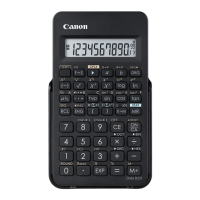
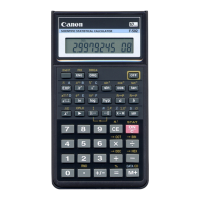
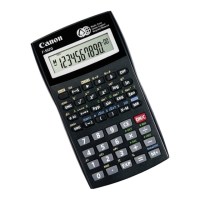
Technical details including display, range, power source, size, and weight.
 General
| Type | Scientific |
|---|---|
| Form factor | |
| Product color | Gray |
| Display size (HxV) | 55 x 15 mm |
| Display number of lines | 1 lines |
| Battery type | LR44 |
| Auto power off | Yes |
| Number of batteries supported | 2 |
| Operation | 142 |
 Weight and Dimensions
| Weight | 96 g |
|---|---|
| Dimensions (WxDxH) | 152 x 78 x 18 mm |

 To Next Page