EasyManua.ls Logo

Canon F-10 - User Manual

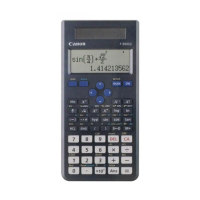
Canon F-10
16 pages
Print Icon
To Next Page IconTo Next Page
Loading...
Electronic Calculator
}
Canon
CanDia
F-l0
Instructions
English
Editi
on
Question and Answer IconNeed help?

Do you have a question about the Canon F-10 and is the answer not in the manual?

Summary

I. BEFORE STARTING CALCULATIONS

1. Specifications

Details the electronic calculator's type, keyboard, display, registers, capacity, accuracy, speed, power, size, and weight.

2. Keys and Controls

Basic Operation and Entry Keys

Covers numeral entry, decimal point, and fundamental arithmetic operation keys.

Memory and Control Keys

Details keys for memory management, sign changes, clearing operations, and digit shifting.

Scientific Function Keys

Explains keys for trigonometric, logarithmic, and exponential calculations, including powers.

Correction and Interchanging Keys

Describes keys used for correcting entries and interchanging calculation numerals.

Advanced Mathematical and Conversion Keys

Covers keys for roots, unit conversions (degrees/radians), and coordinate transformations.

Display and Indicator Features

Details features like rounding, decimal point selection, and various status indicator lamps.

3. Precautions in Operation

Key Operation and Handling Precautions

Provides guidelines for accurate key operation, technique, and general usage precautions.

1. Ordinary Calculations

1-1. Addition and Subtraction

Explains how to perform addition and subtraction operations on the calculator.

1-2. Multiplication

Details the process for performing multiplication calculations.

1-3. Division

Covers the steps for performing division operations.

1-4. Mixed Calculation

Demonstrates performing calculations involving multiple operations in sequence.

1-5. Multiplication and Division by a Constant

Explains how to use a constant value in repeated multiplication or division.

1-6. Calculation using the Memory

Details how to utilize the memory function for storing and recalling values.

1-7. Calculation using the RV key

Explains the usage of the RV key for interchanging calculation numerals.

2. Calculations of Functions

2-1. Function Keys

Introduces and explains the various scientific function keys available on the calculator.

2-2. Input and Output Range of Function Keys

Details the valid input ranges and output ranges for the calculator's function keys.

2-3. Calculations of Functions

Provides examples and procedures for performing trigonometric, inverse trigonometric, and power calculations.

2-4. Various Mixed Calculations

Demonstrates complex calculations involving combinations of various function and arithmetic operations.

2-5. Applied Calculations

Shows practical applications of the calculator for solving problems in geometry and engineering.

Summary

I. BEFORE STARTING CALCULATIONS

1. Specifications

Details the electronic calculator's type, keyboard, display, registers, capacity, accuracy, speed, power, size, and weight.

2. Keys and Controls

Basic Operation and Entry Keys

Covers numeral entry, decimal point, and fundamental arithmetic operation keys.

Memory and Control Keys

Details keys for memory management, sign changes, clearing operations, and digit shifting.

Scientific Function Keys

Explains keys for trigonometric, logarithmic, and exponential calculations, including powers.

Correction and Interchanging Keys

Describes keys used for correcting entries and interchanging calculation numerals.

Advanced Mathematical and Conversion Keys

Covers keys for roots, unit conversions (degrees/radians), and coordinate transformations.

Display and Indicator Features

Details features like rounding, decimal point selection, and various status indicator lamps.

3. Precautions in Operation

Key Operation and Handling Precautions

Provides guidelines for accurate key operation, technique, and general usage precautions.

1. Ordinary Calculations

1-1. Addition and Subtraction

Explains how to perform addition and subtraction operations on the calculator.

1-2. Multiplication

Details the process for performing multiplication calculations.

1-3. Division

Covers the steps for performing division operations.

1-4. Mixed Calculation

Demonstrates performing calculations involving multiple operations in sequence.

1-5. Multiplication and Division by a Constant

Explains how to use a constant value in repeated multiplication or division.

1-6. Calculation using the Memory

Details how to utilize the memory function for storing and recalling values.

1-7. Calculation using the RV key

Explains the usage of the RV key for interchanging calculation numerals.

2. Calculations of Functions

2-1. Function Keys

Introduces and explains the various scientific function keys available on the calculator.

2-2. Input and Output Range of Function Keys

Details the valid input ranges and output ranges for the calculator's function keys.

2-3. Calculations of Functions

Provides examples and procedures for performing trigonometric, inverse trigonometric, and power calculations.

2-4. Various Mixed Calculations

Demonstrates complex calculations involving combinations of various function and arithmetic operations.

2-5. Applied Calculations

Shows practical applications of the calculator for solving problems in geometry and engineering.

Canon F-10 Specifications

General IconGeneral
BrandCanon
ModelF-10
CategoryCalculator
LanguageEnglish

Related product manuals