EasyManua.ls Logo

Canon F-10 - Advanced Mathematical and Conversion Keys; Display and Indicator Features

Canon F-10
16 pages
Print Icon
To Next Page IconTo Next Page
To Previous Page IconTo Previous Page
Loading...
double-function
key,
and
it
is
required
to
depress
this
key
after
entry
of
a and again
after
entry
of
x.
x can
be
any real
number,
and a can
be any
positive
real
number
.
II
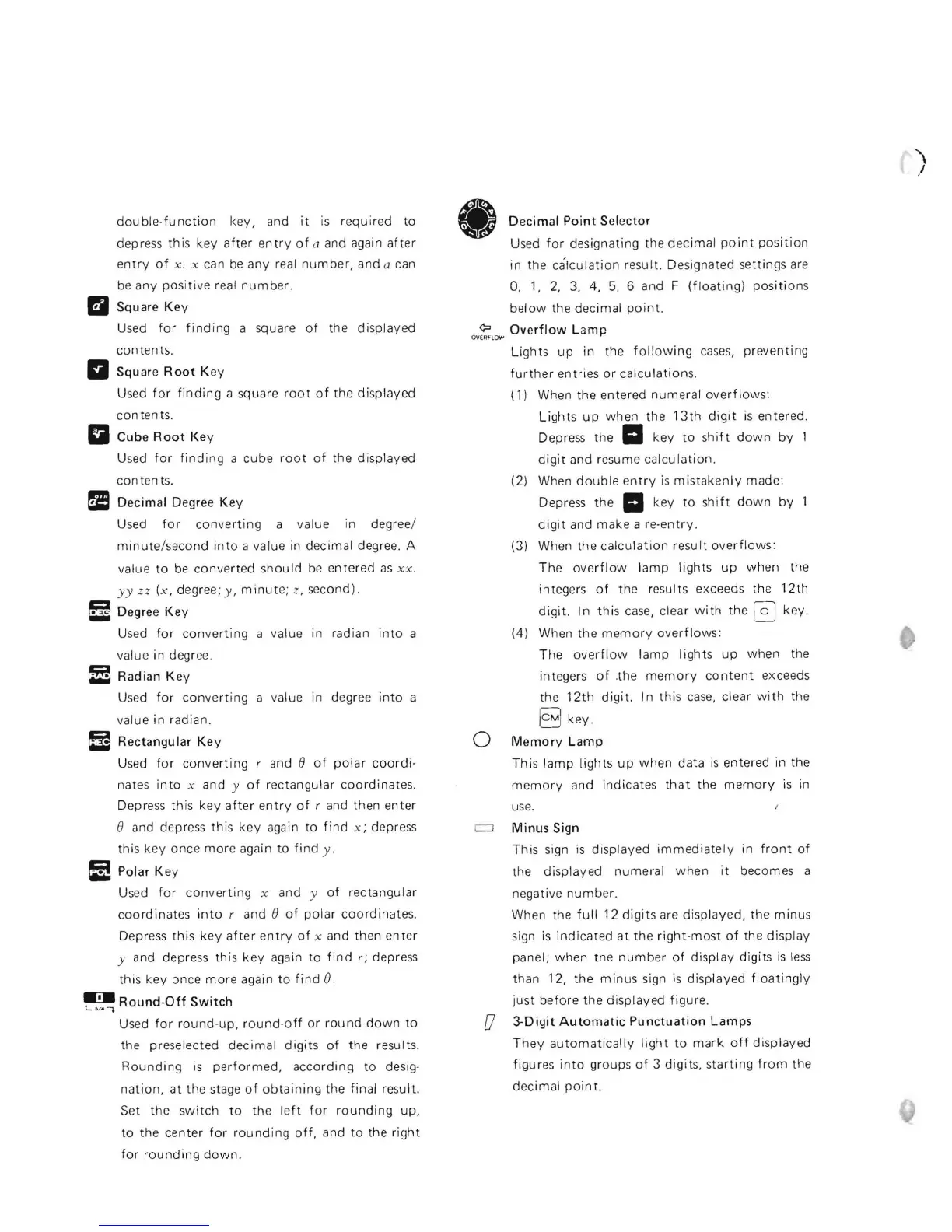
Square
Key
Used
for
finding
a square
of
the
displayed
conten
ts.
a Square
Root
Key
Used
for
finding
a square ro
ot
of
the
displayed
con ten
ts.
a Cube
Root
Key
Used
for
finding
a
cube
root
of
the
displayed
con ten
ts.
I!
Decimal
Degree
Key
Used
for
conve
rti
ng a value in degree/
minute
/second
into
a value in decimal degree. A
value
to
be
converted
shou
Id
be
entered
as
x x.
yy
zz (x , degree;
y,
minute;
z, second).
!:i Degree
Key
Used
for
converting
a value in radian
into
a
value
in
degree.
f!
Radian
Key
Used
for
converting
a value in degree
into
a
value
in
radian.
I!
Rectangular
Key
Used
for
converting
rand
e
of
polar
coordi-
nates
into
x and y
of
r
ectangular
coordinates
.
Depress this
key
afte
r
entry
of
r and then
enter
e and depress
this
key
again
to
find
x;
depress
this
key
once
more
again
to
find
y .
~
Polar K ey
Used
for
converting
x and y
of
rectangular
coordinates
into
rand
e
of
polar
coordinates
.
Depress
this
key
after
ent
ry
of
x and
then
enter
y and depress this
key
again
to
find
r; depress
this key once
more
again
to
find
B.
~L'
Round-Off
Switch
~
..
Used
for
round-up,
round
-
off
or
round-down
to
the
preselected
decimal
digits
of
the results.
Rounding
is
performed,
according
to
desig-
nation,
at
the stage
of
obtaining
the final result.
Set the
switch
to
the l
eft
for
rounding
up,
to
th
e
center
for
rounding
off,
and
to
the
right
for
rounding
down
_
Decimal
Point
Selector
Used
for
designating the
decimal
point
position
in
the
calculation
result. Designated settings are
0,
1,
2,
3,
4,
5,
6 and F
(floating)
positions
below
the decimal
point.
OV
~t"'"
Overflow
Lam p
Lights
up
in the
following
cases,
preventing
further
entries
or
calculations.
(1) When the entered
numeral
overflows:
Lights
up
when
the
13th
digit
is entered.
Depress the
II
key
to
shift
down
by
1
digit
and resume
calculation.
(2) When
double
entry
is
mistaken
ly made:
Depress
the
II
key
to
sh
i
ft
down
by
digit
and
make
a re
-entry.
(3) When the
calculation
result
overflows:
The
overflow
lamp
lights
up
when
the
integers
of
the results exceeds the
12th
digit.
In
this
case, clear
with
the
@]
key.
(4) When
the
memory
overflows:
The
overflow
I amp I ights
up
when
the
integers
of
.the
memory
content
exceeds
the
12th
digit.
In
this
case,
clear
with
the
§]
key
o
Memory
Lamp
Thi
s
lamp
lights
up
when
data
is
entered in the
memory
and indicates
that
the
memory
is
in
use_
c::J
Minus
Sign
This
sign
is
displayed
immediately
in
front
of
the
displayed
numeral
when
it
becomes a
negative
number.
When the
full
12
digits
are
displayed,
the
minus
sign is
indicated
at
the
right-most
of
the
display
panel;
when
the
number
of
display
digits
is
less
than 12, the
minus
sign
is
displayed
floatingly
just
before
the
displayed
figure.
(J
3--Digit
Automatic
Punctuation
Lamps
They
automatically
light
to
mark
off
displayed
figures
into
groups
of
3
digits,
starting
from
the
decimal
point.
"'\
-'

Related product manuals