EasyManua.ls Logo

Canon F-10 - 2. Keys and Controls; Basic Operation and Entry Keys; Memory and Control Keys

Canon F-10
16 pages
Print Icon
To Next Page IconTo Next Page
To Previous Page IconTo Previous Page
Loading...
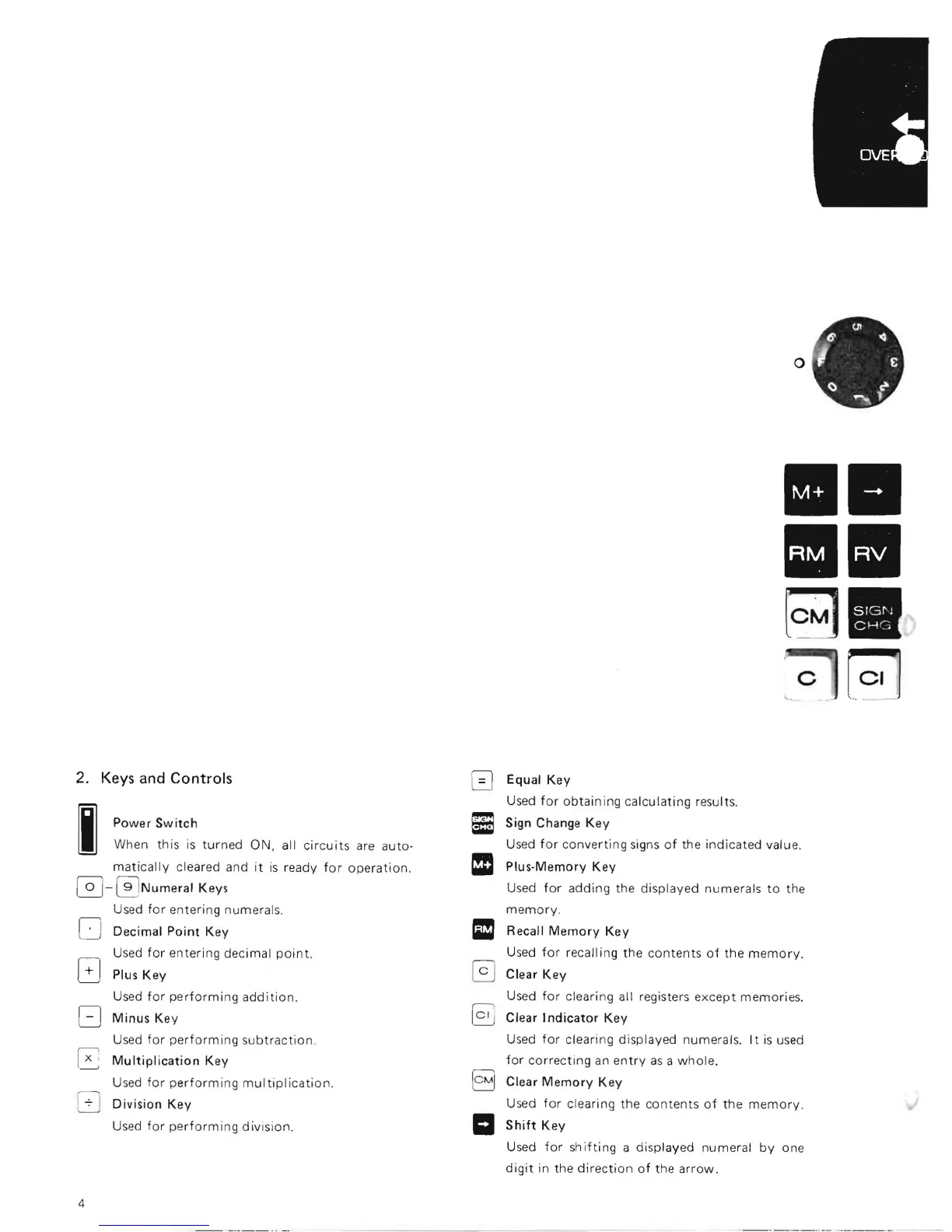
2. Keys and
Controls
I
Power
Switch
When
this
is
turned
ON,
all
circuits
are
auto·
matically
cleared and
it
is
ready
for
operation.
0-
0
Num
eral Keys
Used
for
entering numerals.
o
Decimal
Point
Key
Used
for
entering decimal
point.
G
Plus
Key
Used
for
performing
addition.
Minus
Key
Used
for
performing
subtraction
.
Multiplication
Key
Used
for
performing
multiplication.
Division
Key
Used
for
performing
division.
o
1111
III
~
c
[el'j
Equal
Key
Used
for
obtaining
calculating results.
Sign Change
Key
Used
for
converting
signs
of
the
indicated
value.
Plus-Memory
Key
Used
for
adding
the displayed
numerals
to
the
memory
.
Recall
Memory
Key
Used
for
recalling the
contents
of
the
memory.
Clear
Key
Used
for
clearing all registers
except
memories.
Clear J
ndicator
Key
Used
for
clearing displayed numerals. I t
is
used
for
correcting
an
entry
as
a
whole
.
~
Clear
Memory
Key
Used
for
clearing the
contents
of
the
memory
.
II
Shift
Key
Used
for
shifting
a displayed numeral
by
one
digit
in the
direction
of
the
arrow.
4

Related product manuals