EasyManua.ls Logo

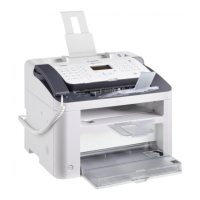
Canon FAX-L170 - User Manual

Canon FAX-L170
28 pages
Print Icon
To Next Page IconTo Next Page
Loading...
Starter Guide
Please read this guide before operating this product.
After you nish reading this guide, store it in a safe place for future reference.
Open the next page.
Read this guide first.
Setting Up the Machine . . . . . . . . . . . . . . . . . . . . . . . . . . . . . . . . . . . . . . . . . . . . . . . . . . . . . . . . . . . . . . . . . . . . 9
Available Features . . . . . . . . . . . . . . . . . . . . . . . . . . . . . . . . . . . . . . . . . . . . . . . . . . . . . . . . . . . . . . . . . . . . . . . . . 9
Supplied Manual . . . . . . . . . . . . . . . . . . . . . . . . . . . . . . . . . . . . . . . . . . . . . . . . . . . . . . . . . . . . . . . . . . . . . . . . .10
Connecting the Power Cord . . . . . . . . . . . . . . . . . . . . . . . . . . . . . . . . . . . . . . . . . . . . . . . . . . . . . . . . . . . . . . .10
Turning the Power ON and Specifying the Initial Settings . . . . . . . . . . . . . . . . . . . . . . . . . . . . . . . . . . . .11
Setting a Paper Size and Type . . . . . . . . . . . . . . . . . . . . . . . . . . . . . . . . . . . . . . . . . . . . . . . . . . . . . . . . . . . . .15
Installing the Driver/Softwar
e
. . . . . . . . . . . . . . . . . . . . . . . . . . . . . . . . . . . . . . . . . . . . . . . . . . . . . . . . . . . . .16
Appendix
Perform Useful Tasks . . . . . . . . . . . . . . . . . . . . . . . . . . . . . . . . . . . . . . . . . . . . . . . . . . . . . . . . . . . . . . . . . . . . .17
Clearing Paper Jams . . . . . . . . . . . . . . . . . . . . . . . . . . . . . . . . . . . . . . . . . . . . . . . . . . . . . . . . . . . . . . . . . . . . . .18
Replacing Toner Cartridge . . . . . . . . . . . . . . . . . . . . . . . . . . . . . . . . . . . . . . . . . . . . . . . . . . . . . . . . . . . . . . . .19

Question and Answer IconNeed help?

Do you have a question about the Canon FAX-L170 and is the answer not in the manual?

Summary

Machine Setup and Configuration

Connecting the Power Cord

Instructions for safely connecting the machine to a power source.

Initial Power ON and Settings

Guide for powering on the machine and configuring initial operational settings.

Installing Drivers and Software

Instructions for installing necessary drivers and software from the CD-ROM.

Performing Useful Tasks

Clearing Paper Jams

Toner Management

Machine Safety Precautions

General Operational Safety Warnings

Essential warnings and cautions for safe machine operation and user protection.

Laser Radiation Safety

Information and warnings regarding the laser system within the machine and potential exposure.

Safe Handling and Maintenance Procedures

Consumables and Environmental Safety

Summary

Machine Setup and Configuration

Connecting the Power Cord

Instructions for safely connecting the machine to a power source.

Initial Power ON and Settings

Guide for powering on the machine and configuring initial operational settings.

Installing Drivers and Software

Instructions for installing necessary drivers and software from the CD-ROM.

Performing Useful Tasks

Clearing Paper Jams

Toner Management

Machine Safety Precautions

General Operational Safety Warnings

Essential warnings and cautions for safe machine operation and user protection.

Laser Radiation Safety

Information and warnings regarding the laser system within the machine and potential exposure.

Safe Handling and Maintenance Procedures

Consumables and Environmental Safety

Canon FAX-L170 Specifications

General IconGeneral
Print TechnologyLaser
Print Resolution600 x 600 dpi
Fax Modem Speed33.6 kbps
Paper Capacity150 sheets
ADF Capacity30 sheets
Print Speed18 ppm
Print Speed (A4)18 ppm
ConnectivityUSB 2.0
Fax Transmission SpeedApprox. 3 seconds per page
Fax Resolution200 x 400 dpi (superfine)

Related product manuals