'..
sic
playback
layback
on
a
lV
Screen
Conne~t
your
camcorder
to
a TV
to
enjoy your recordings with family and
friends.
1
Turn
off
the camcorder and the TV.
2
Connect
the
camcorder
to
the
lV.
CD
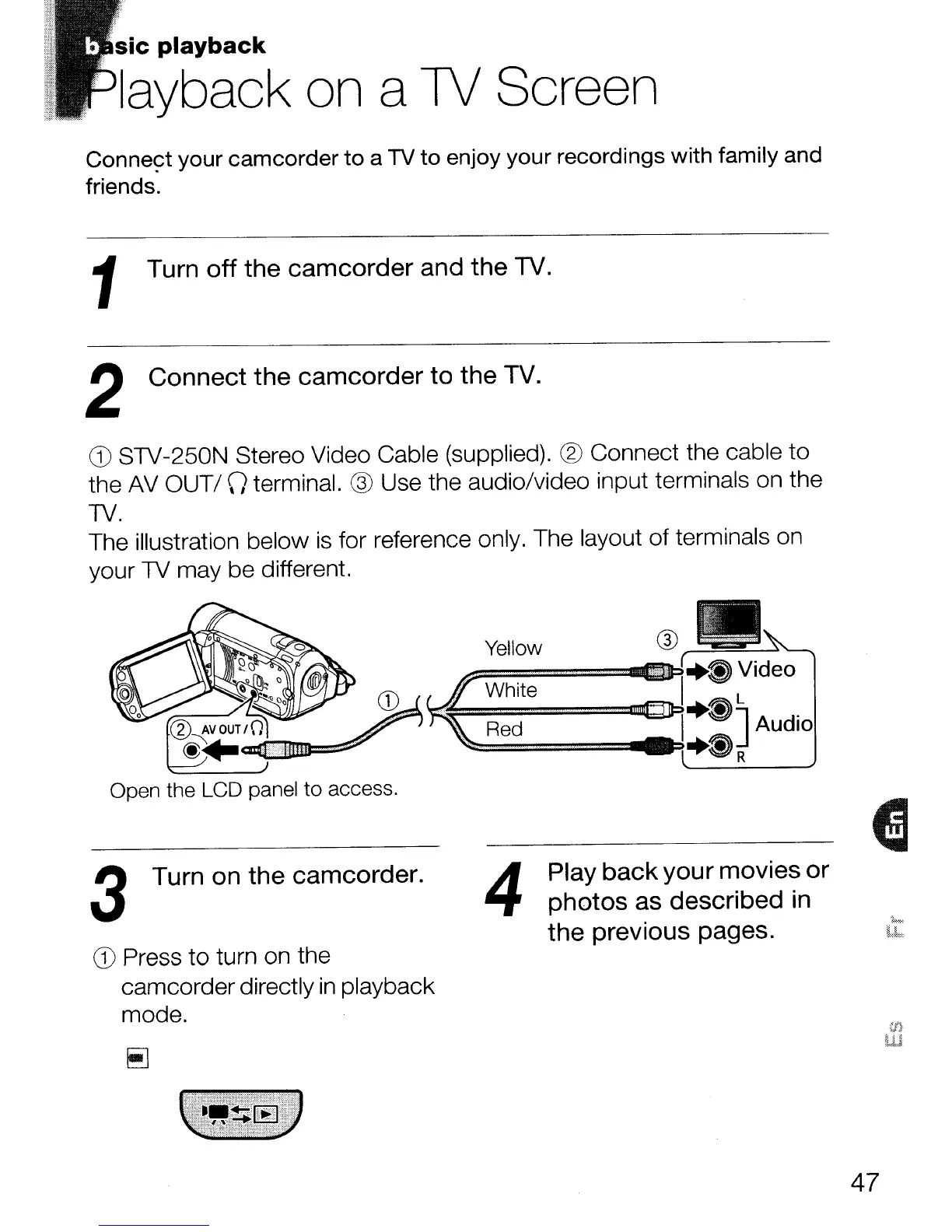
STV-250N Stereo Video Cable (supplied). ® Connect the cable to
the AV
OUT/\)
terminal. ® Use the audio/video input terminals on the
TV.
The illustration below
is
for reference only. The layout of terminals on
your TV may be different.
Open the LCD panel to access.
3
Tum
on the camcorder.
CD
Press to turn on the
camcorderdirectly
in
playback
mode.
4
Play
back
your movies
or
photos as described
in
the previous pages.
47



 To Next Page