Video
This
chapter
covers
functions
related
to
shooting
movies, including
recording, playback, and
memory
operations.
Basic
Recording
Shooting
Video
(Q]
25)
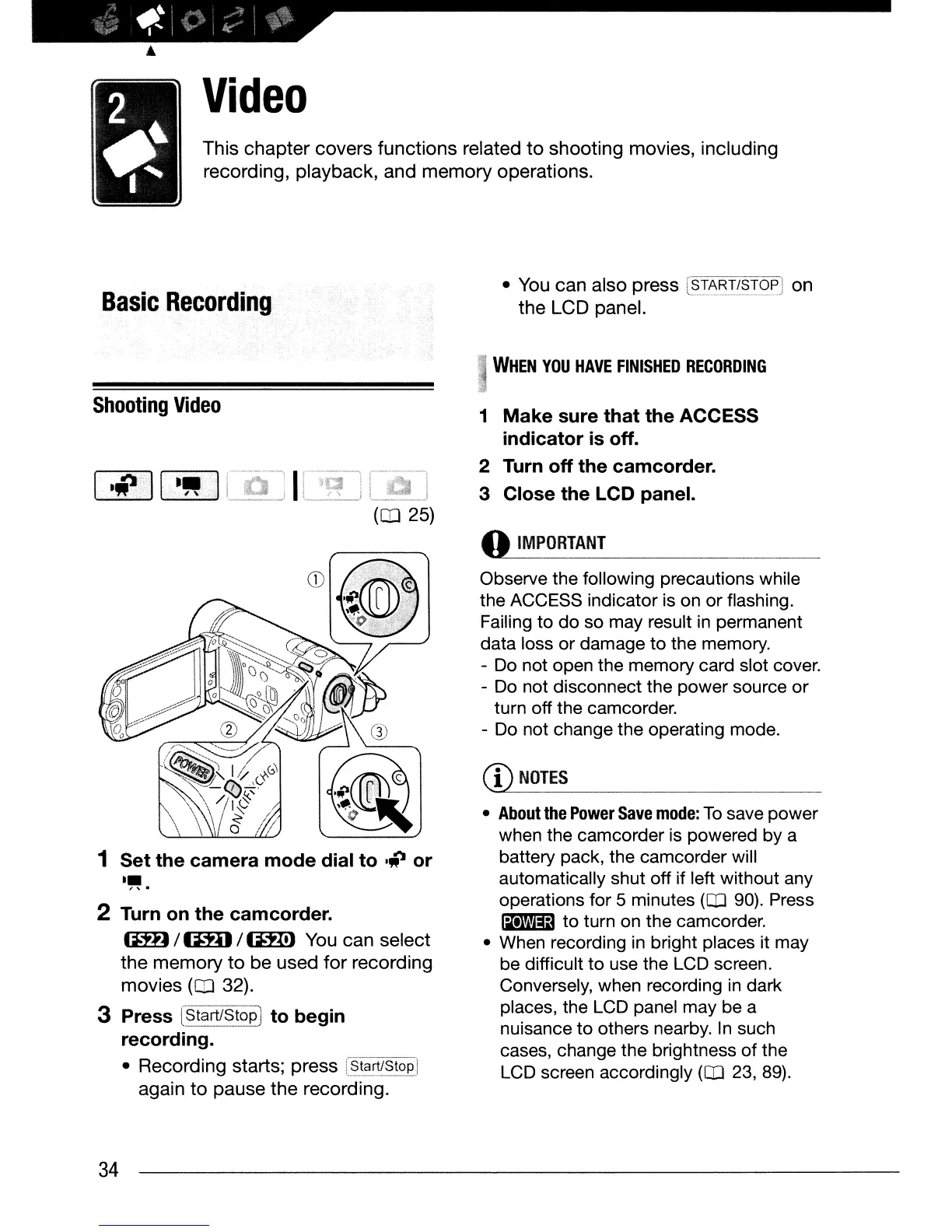
1 Set the camera mode dial to .'p or
••
" .
2 Turn
on
the camcorder.
~
/
(m:J
/
I:DID
You
can
select
the
memory
to
be
used
for
recording
movies
(OJ
32).
3 Press
[§-'t§l~~~?PJ
to begin
recording.
• Recording starts; press
[_St~~!Stop
i
again
to
pause
the
recording.
34
• You
can
also press
[~!~~!/~T()~
on
the
LCD panel.
WHEN
YOU
HAVE
FINISHED
RECORDING
1
Make
sure that the ACCESS
indicator
is
off.
2 Turn off the camcorder.
3 Close the LCD panel.
~ORT._A_N_T
.
__
Observe the following precautions while
the ACCESS indicator is
on
or
flashing.
Failing
to
do
so
may result in permanent
data
loss
or
damage
to
the memory.
- Do not open the memory card slot cover.
- Do not disconnect the
power
source
or
turn
off
the camcorder.
- Do not change the operating mode.
•
About
the
Power
Save
mode:
To
save
power
when the camcorder is powered
by
a
battery pack, the camcorder will
automatically shut
off
if left without any
operations for 5 minutes
(Q]
90). Press
lil'Vm:13
to
turn on the camcorder.
• When recording in bright places it may
be difficult
to
use the LCD screen.
Conversely, when recording in dark
places, the LCD panel may be a
nuisance
to
others nearby.
In
such
cases, change
the
brightness
of
the
LCD screen accordingly
(Q]
23, 89).



 To Next Page