EasyManua.ls Logo

Canon FS20 - Page 92

Canon FS20
196 pages
Print Icon
To Next Page IconTo Next Page
To Previous Page IconTo Previous Page
Loading...
Video
1lHJ/1m)/(DID
55x,
1$>1tet1J
Not
available
IlHJ
/
1m)
/
(DID
48x*,
I
$>1tIXIJ
41
x**
*
The
picture
angle
will
be
wider
at
both
full
telephoto
and
full
wide-angle.
**
The
picture
angle
will
be
wider
at
full
wide-angle.
(OJ
25)
•
Default
value
Options
Selecting
the
Zoom
Type
In
addition
to
the
optical
zoom
range,
the
camcorder
processes
the
image
digitally
to
obtain
a
larger
zoom
range
without
any
deterioration
in
image
quality.
When
recording
movies
with
a
16:9
aspect
ratio,
the
field
of
view
(picture
angle)
will
change.
Refer
to
the
table
in
the
NOTES
section.
liI"il.ItI
The
default
setting
is
[rim
ADVANCED].
When
this
option
is
selected,
the
camcorder
will
switch
to
digital
zoom
(light
blue
area
on
the
zoom
indicator)
when
you
zoom
in
beyond
the
optical
zoom
range
(white
area
on
the
zoom
indicator).
With
the
digital
zoom,
the
image
is
processed
digitally
so
image
quality
will
deteriorate
the
more
you
zoom
in.
Using
the
Zoom
(OJ
25)
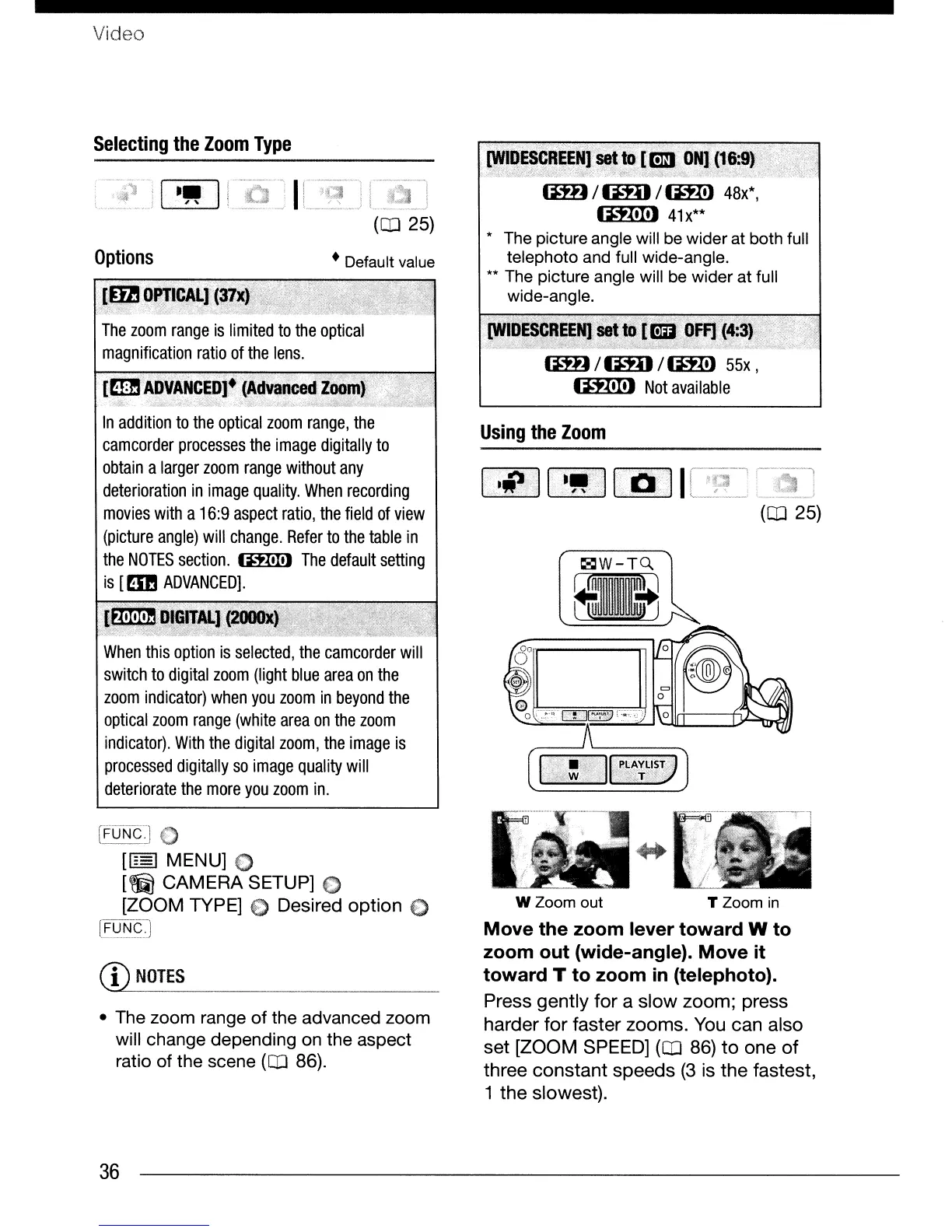
Move the zoom lever toward W to
zoom out (wide-angle). Move it
toward T to zoom
in
(telephoto).
Press gently
for
a slow zoom; press
harder
for
faster zooms. You can also
set [ZOOM SPEED]
(OJ
86)
to
one
of
three
constant
speeds
(3
is
the
fastest,
1
the
slowest).
[FuNt]
[[§]
MENU] 0
[~
CAMERA SETUP] 0
[ZOOM TYPE] 0 Desired option 0
[f~~q]
CD
NOTES
• The zoom range of the advanced zoom
will change depending
on
the aspect
ratio of the scene
(OJ
86).
W Zoom out T Zoom
in
36

Table of Contents