2-9
2
Installing Canon Advanced Raster Printing System
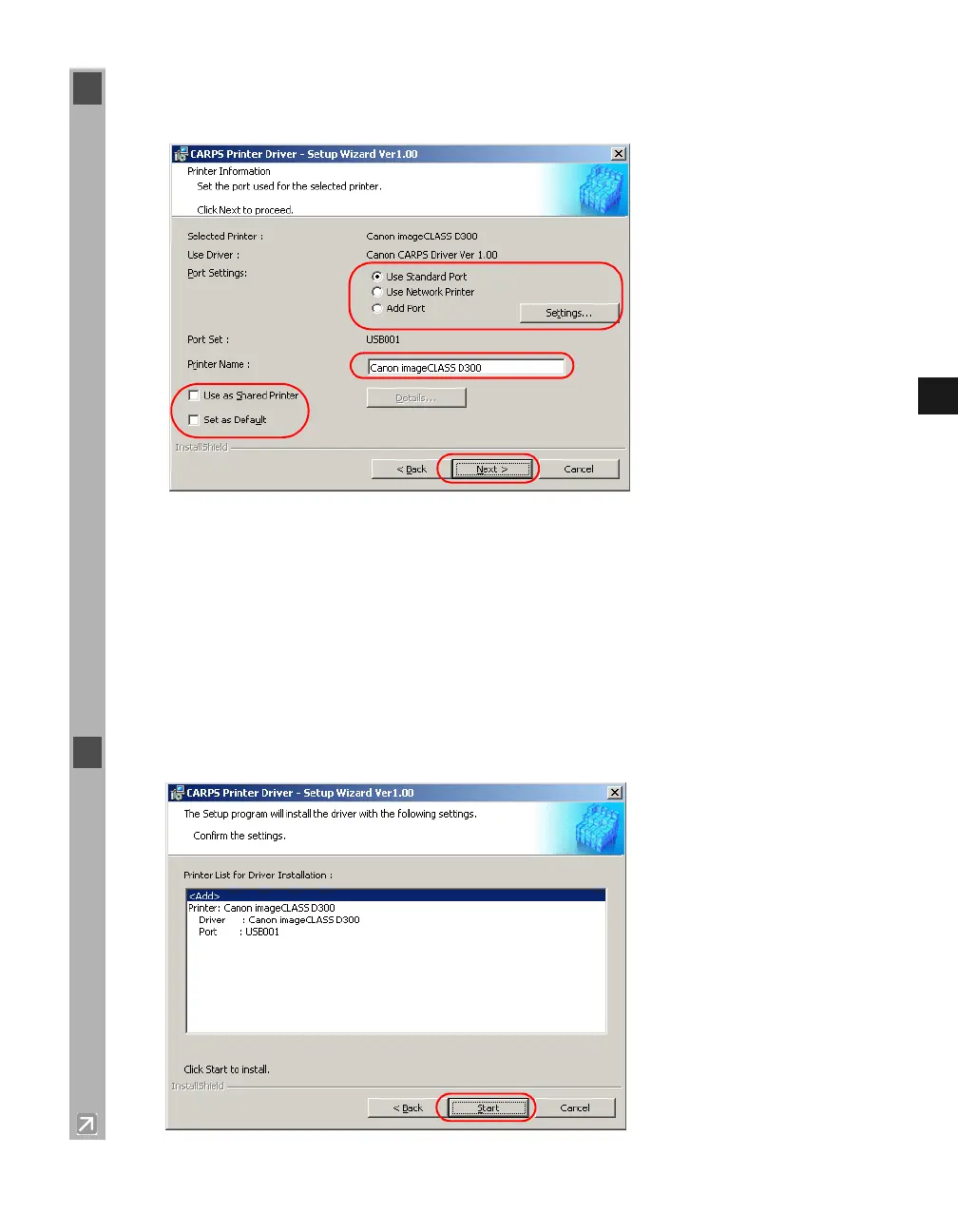
7 Configure Port Settings, Printer Name, Use as Shared Printer, and Set as Default
click Next.
Port Settings
: Select one of the following options
click
Settings
to configure the port
settings.
Use Standard Port: Select to configure the standard port.
Use Network Printer: Select to configure your printer as the shared printer.
Add Port: Select to add a port.
Printer Name: Type your printer name.
Use as Shared Printer: Select to configure your printer as the shared printer (only for
Windows 2000/XP).
Set as Default: Select to configure your printer as the default printer.
8 Confirm the contents of the Printer List for Driver Installation
dialog box
click Start.














 To Next Page