3-11
3
Printer Properties
Layout Options
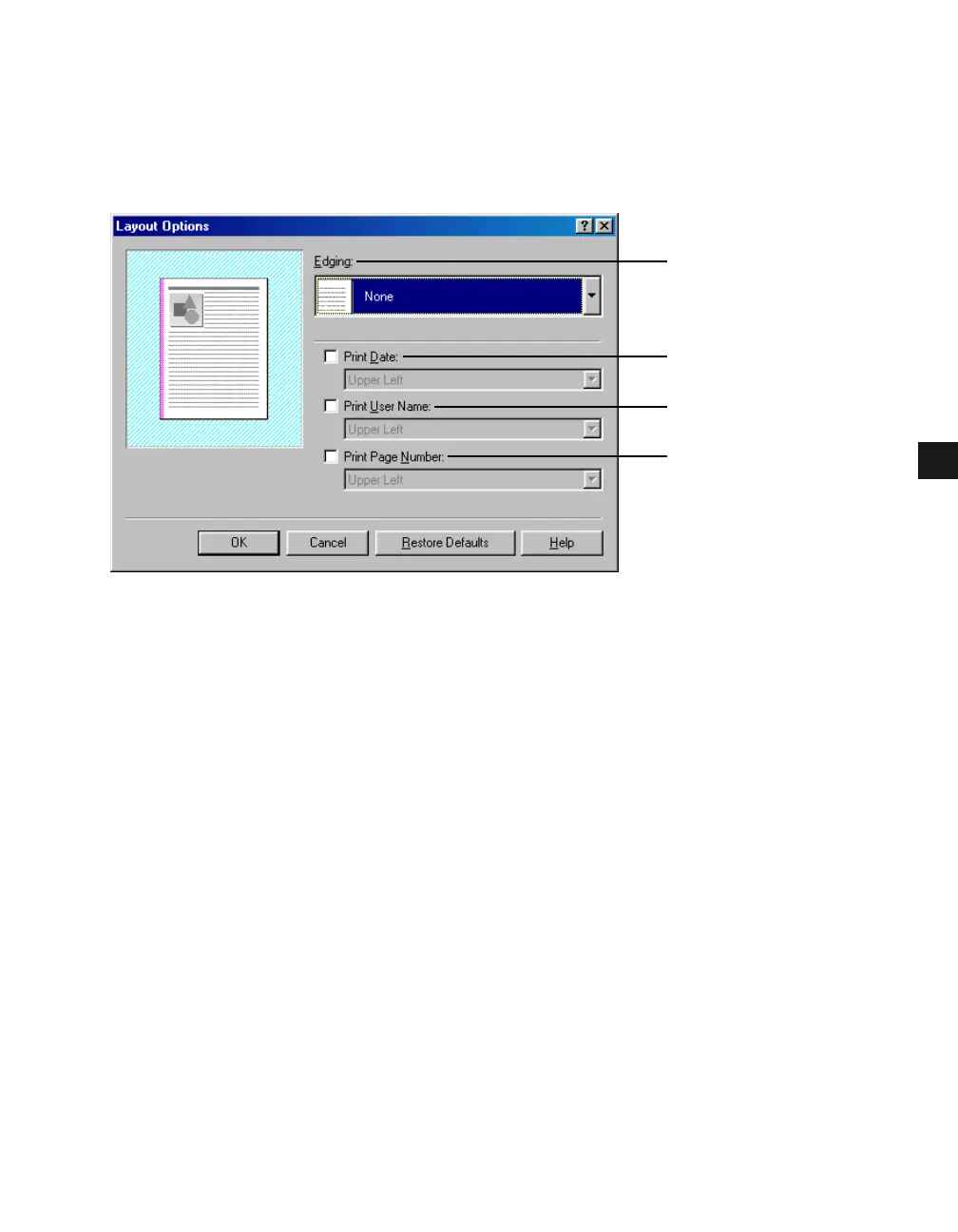
Clicking Layout Options in the Page Setup tab window opens the Layout Options dialog
box. This dialog box allows you to print pages with a page frame, header, and footer. This
option is disabled when Page Layout in the Page Setup tab window is set to [Poster] ( p. 3-
6).
(1) Edging lets you add a page frame to be printed on each page. 11 options are available.
Edging is not available to use with Print Sample in the Quality tab ( p. 3-17).
(2) Print Date lets you add the date to be printed on each page. Six positions to print the date
are available.
(3) Print User Name lets you add the user name to be printed on each page. Six positions to
print the user name are available.
(4) Print Page Number lets you add the page number to be printed on each page. Six
positions to print the page number are available.
(1)
(2)
(3)
(4)














 To Next Page