3-12
3
Printer Properties
■
■■
■
Profiles
ProfilesProfiles
Profiles
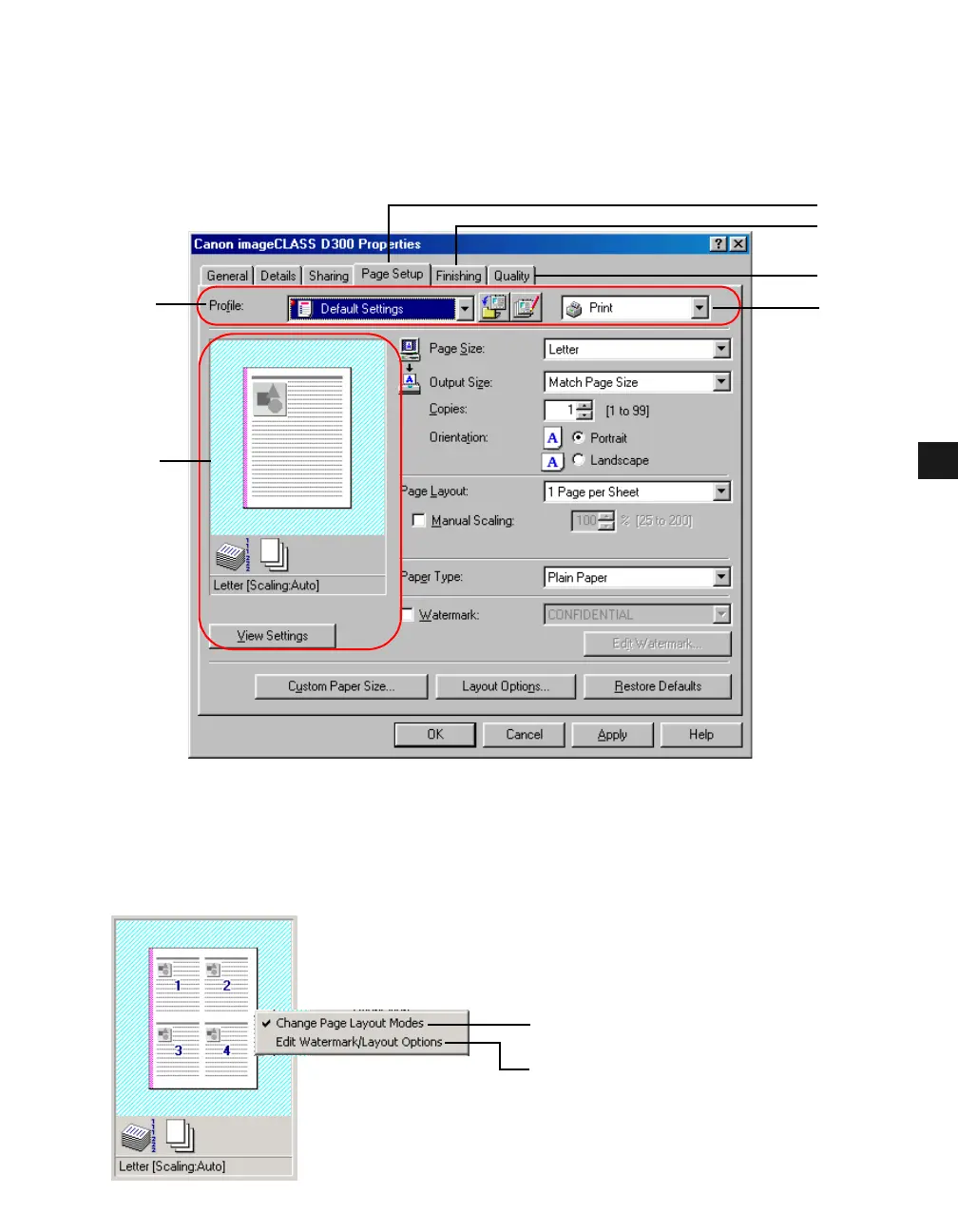
A registered combination of settings for the Page Setup (1), Finishing (2) and Quality (3) tab
windows is referred to as a profile. The profile function commonly provided in each of these
tab windows allows you to add, edit, and select a profile, which facilitates your print jobs.
(4) Profile lets you select one of the registered profiles from the drop-down list. The preview
image (5) under the drop-down list displays the image with the currently selected settings
reflected. Right-clicking the mouse button on the preview image displays the pop-up
menu, from which you can change the setting for Page Layout and open the Edit
Watermark/Layout Options dialog box.
(1)
(2)
(4)
(5)
(6)
(7)
(8)
(3)














 To Next Page