3-18
3
Printer Properties
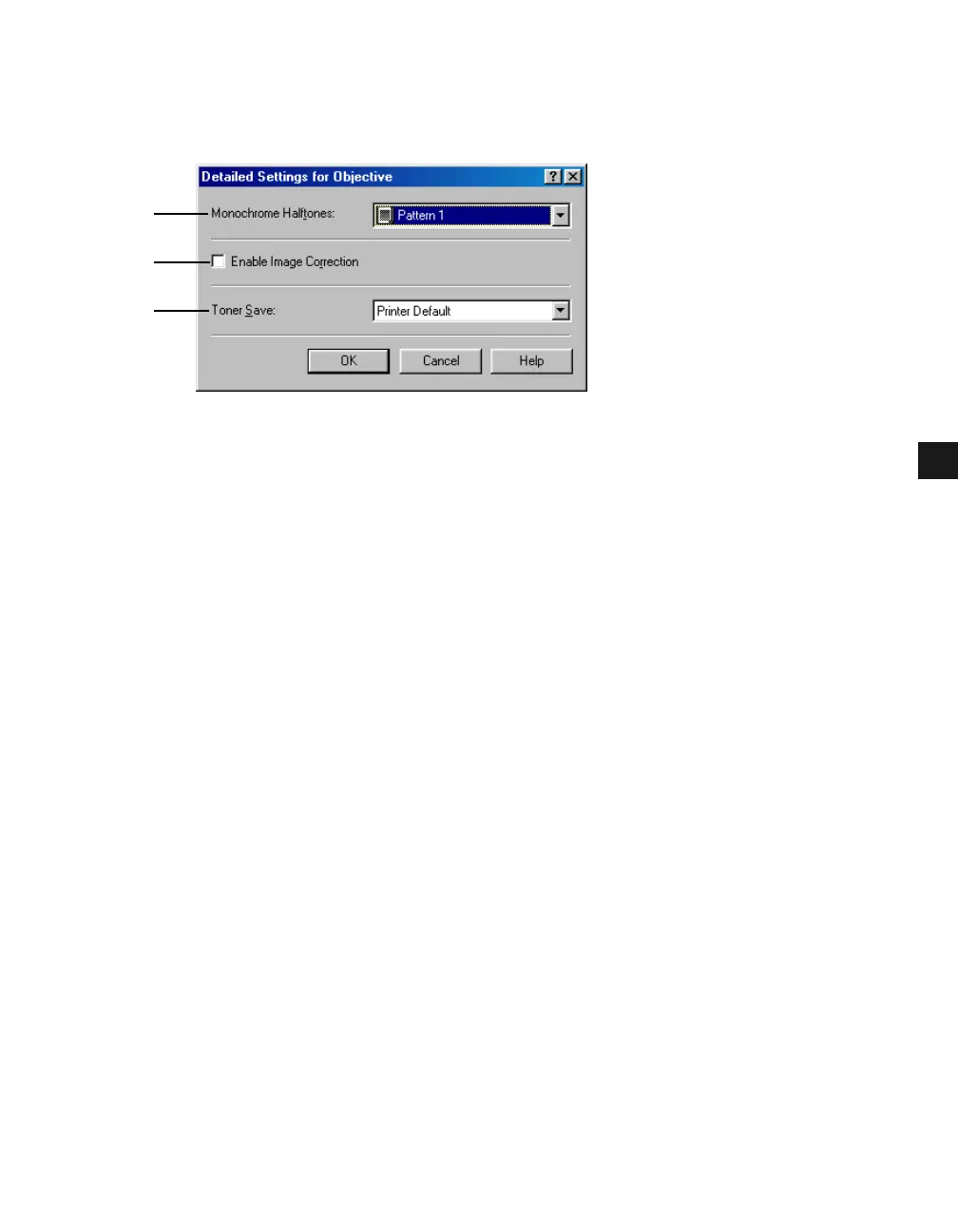
Detailed Settings for Objective
Clicking Details in the Quality tab window opens the Detailed Settings for Objective dialog
box. This dialog box allows you to specify the detailed settings for print quality.
(1) Monochrome Halftones lets you select a halftone pattern from the drop-down list.
(2) Enable Image Correction corrects the roughness of image and inaccuracy in
interpolating when printing an enlarged image in low-resolution. Checking this checkbox
enables this function.
(3) Toner Save lets you select the setting for saving the toner consumption.
Edit Grayscale Settings
Clicking Grayscale Settings in the Quality tab window opens the Edit Grayscale Settings
dialog box. This dialog box allows you to control the brightness and contrast of images. This
function is enabled when the Manual Grayscale Setting checkbox is checked ( p. 3-17).
Two tab windows are provided in this dialog box.
(1)
(2)
(3)














 To Next Page