4-7
Making Copies
4
The machine has the following SPECIAL COPY features. These features allow you to sort copies in order of
pages, and create special copies easily.
– Collate Copy
Sorting copies in order of pages.
– 2 on 1
Reducing 2 letter size documents to fit on a single letter size paper.
– Reserve Copy
Reserves the next job while the machine is printing out.
– Two-sided copy
Making copies on both sides of the paper.
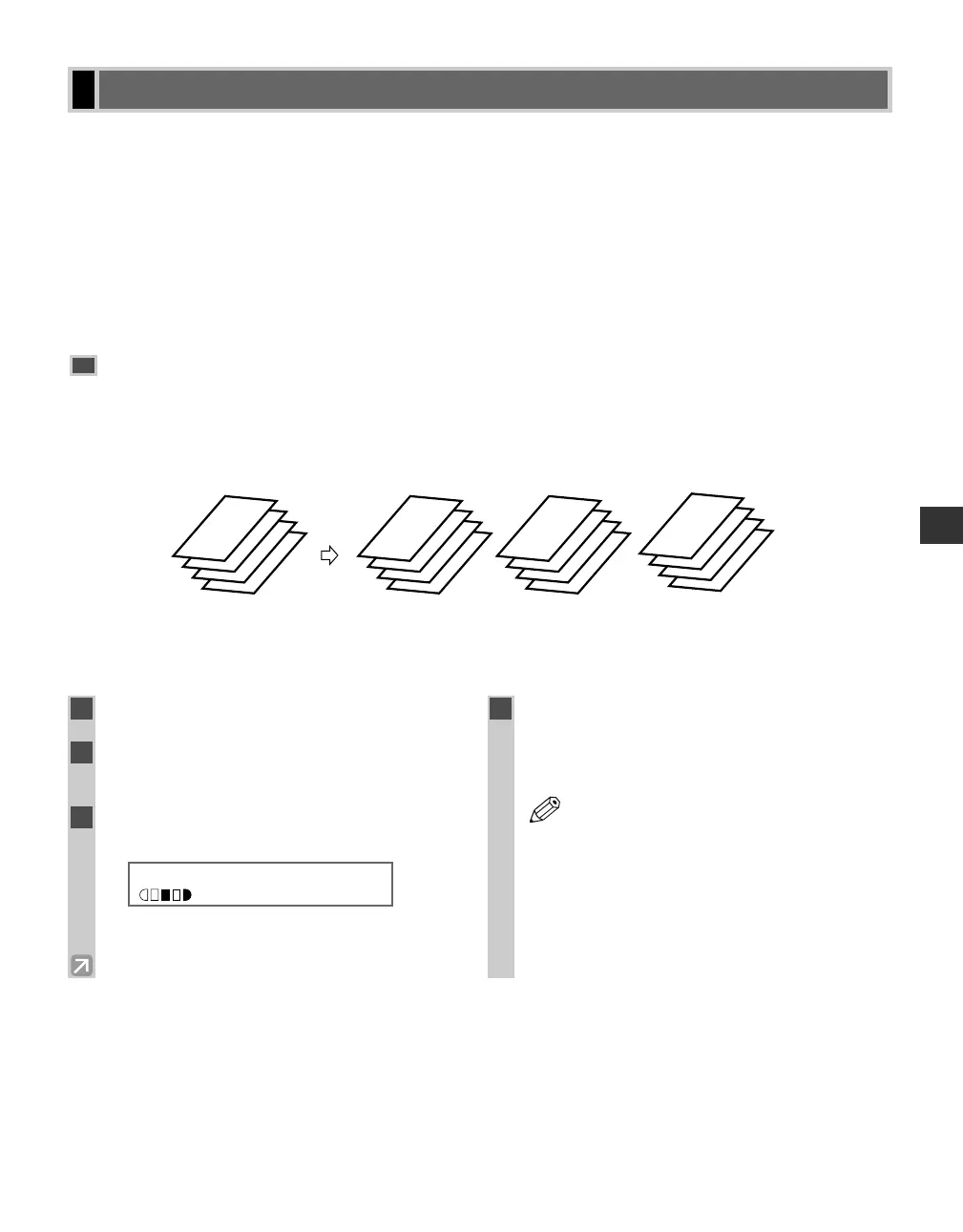
Collate Copy
The collate copy allows you to sort copies in order of pages. It is convenient when you make multiple copies of
multipage documents.
■ When Loading Documents in the ADF
4
3
2
1
4
3
2
1
4
3
2
1
4
3
2
1
Set 3
sets of copies
Copy 1 Copy 2 Copy 3
Special Features
1
Load documents face down in the ADF.
2
Press Collate.
• The Collate key lights green.
3
Use the numeric keys to set the copy
quantity. (→ p. 4-3)
Ex:
4
Press Start.
• The machine begins scanning from the last page of
the document. After scanning, the scanned
documents will come out in order.
• When scanning multipage documents,
MEMORY FULL and PRESS SET KEY
may appear in the LCD, and the document
being scanned stops in the ADF. Press Set
to make the document come out
automatically. In this case, reduce the
documents to be scanned. Or, change
image quality mode to TEXT.
NOTE
100% LTR
TEXT
03
04 RG_Chap4.qxd 6/17/04 2:21 PM Page 4-7














 To Next Page