6-2
4
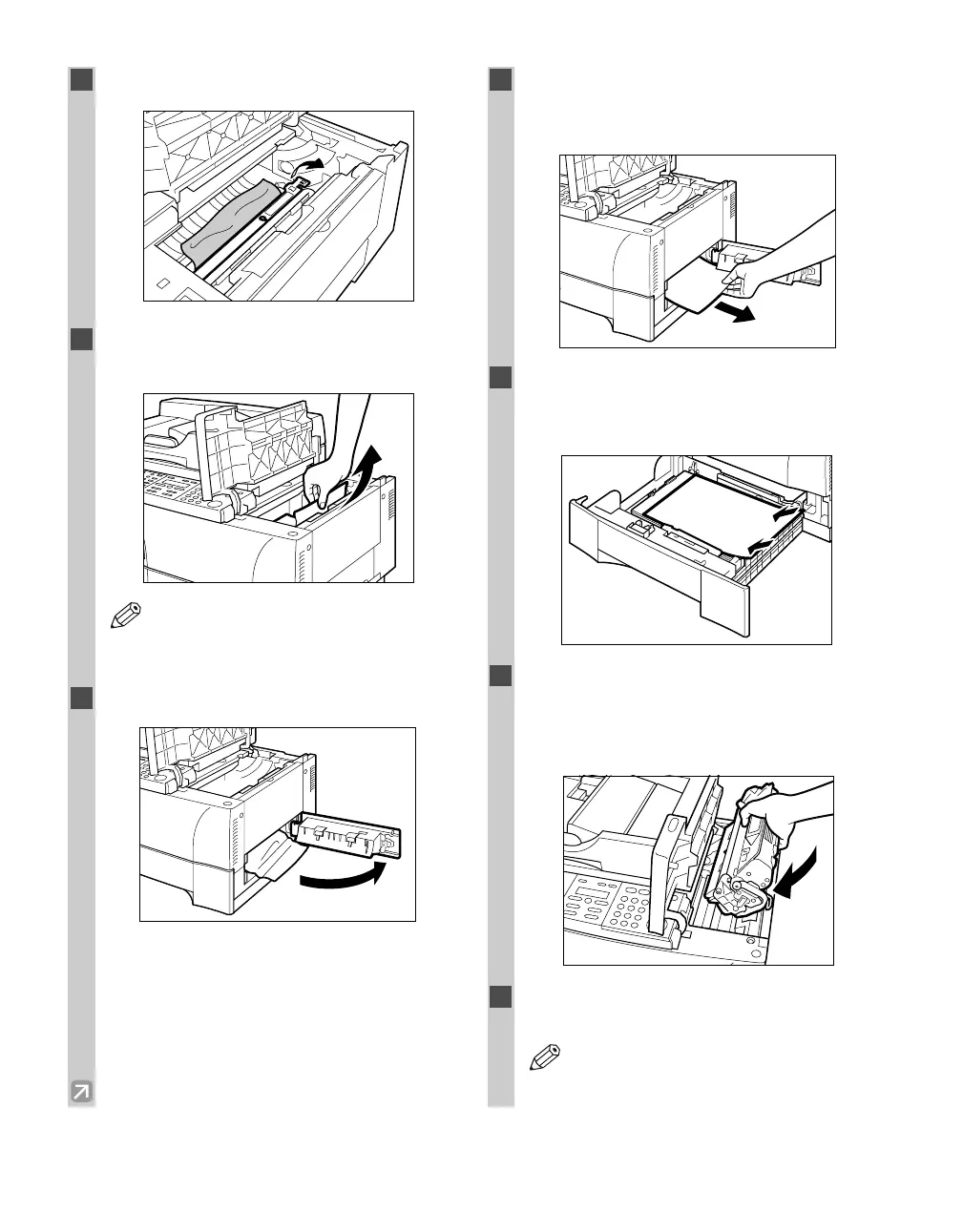
Flip the transfer guide.
5
Gently remove any jammed paper from
inside the main unit.
• Be sure to remove jammed paper from
inside the main unit even when the jammed
paper has been partially output.
6
Open the right cover.
7
Gently remove any jammed paper from
inside the main unit, then close the right
cover.
8
Pull out the cassette and reset any paper
stuck out of the cassette. Then, push the
cassette back into the main unit.
9
Return the transfer guide to the original
position. Then re-install the cartridge back
into the machine and close the cartridge
cover.
10
Slide the platen unit to the original
position.
• The print out will start again.
NOTE
NOTE
06 RG_Chap6.qxd 6/17/04 12:05 PM Page 6-2














 To Next Page