Message Display
1648-0H6
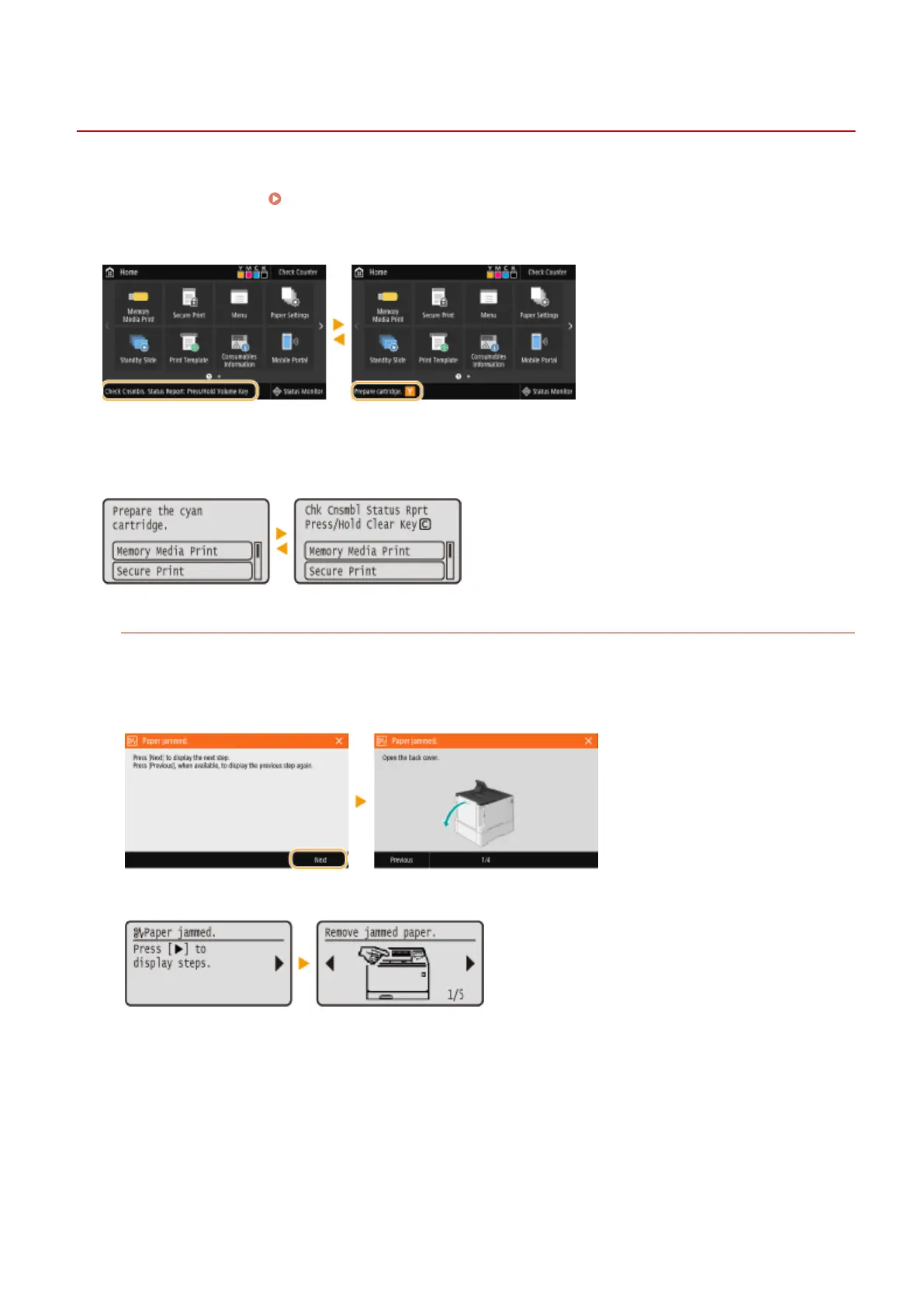
Messages are displayed on the screen in situations such as when paper runs out or when the expiration of the toner
cartridge lifetime is reached. Countermeasures for Each Message(P. 477)
Touch panel model
Black and white LCD model
When an Error Occurs
In some cases when an error occurs, instructions on how to respond to the error are displayed. Follow the on-
screen instructions to solve the problem. The screen displayed when a paper jam occurs is shown below as an
example.
Touch panel model
Black and white LCD model
Basic Operations
113












 To Next Page