Using the operation panel
● You can also switch Department ID Management On/Off from <Menu> in the Home screen. <Department
ID Management>(P. 410)
Logging in to the machine
● When you try to operate the machine when Department ID Management is enabled, the login screen is
displayed. Logging in to the Machine(P. 123)
Enabling the Department ID Management for Jobs from a Computer
When you want to enable Department ID Management for jobs from a computer, you need to specify the department
ID and PIN using the driver pre-installed on each computer.
● To perform the following procedure, log in to your computer with an administrator account.
1
Open the printer folder. Displaying the Printer Folder(P. 543)
2
Right-click the driver icon for this machine, and click [Printer properties] or
[Properties].
3
Click the [Device Settings] tab.
4
Select the [Use Department ID Management] check box.
5
Click [Settings] found to the right.
6
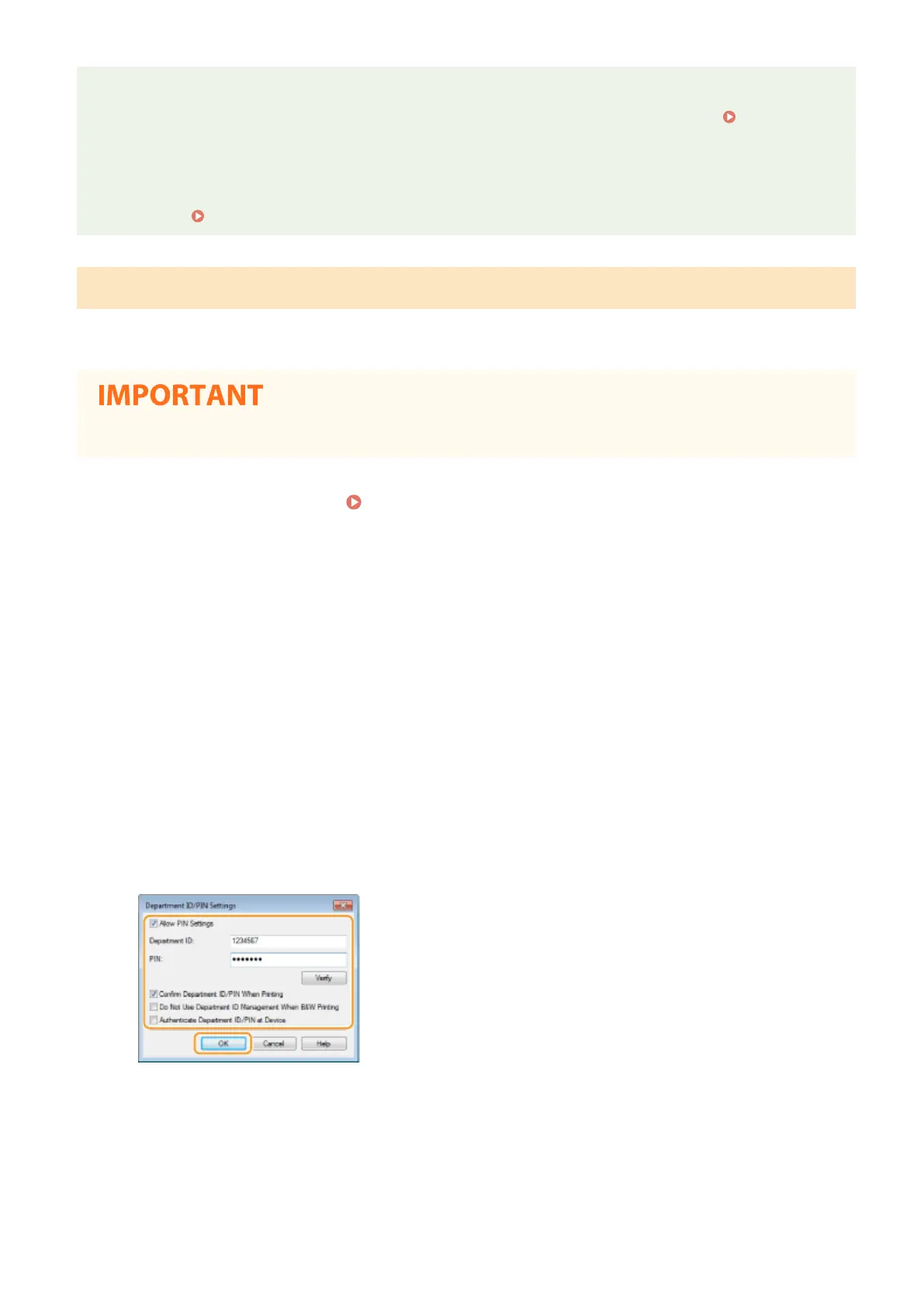
Specify the settings as necessary and click [OK].
[Allow PIN Setting]
Select the check box to enable the PIN setting.
[Department ID]
Enter the Department ID number.
[PIN]
Enter the PIN corresponding to the Department ID as necessary.
Managing the Machine
229












 To Next Page