7
Set Up the Paper Cassette and Load Paper
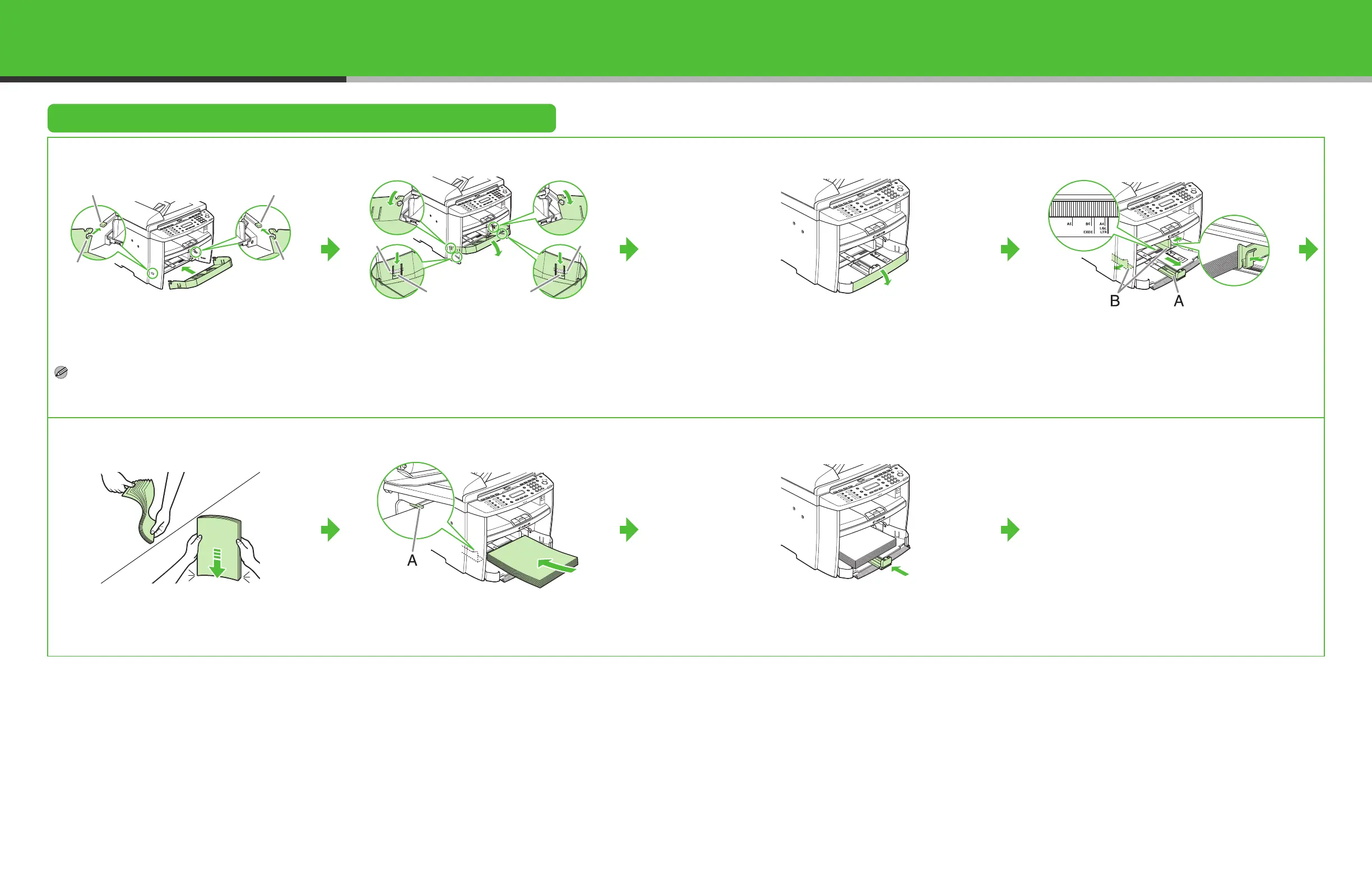
1
Align the guides (B) on the both edges of the
paper cassette to the protrusions (A) inside the
machine.
NOTE
Install the paper cassette with the front end tilted
upwards.
2
Push the paper cassette down until the hooks (A)
on both sides of the paper cassette engage the
protrusions (B) inside the machine.
3
Open the front panel of the paper cassette.
4
Slide the paper guide rail (A), and then pinch and
slide the side paper guides (B) to match the size of
paper.
5
Fan the paper stack and even the edges.
6
Load the paper into the paper cassette with the
print side up. Make sure the paper stack sits below
the small fin (A) on the side paper guide.
7
Adjust the paper guide rail to match the size of
paper.
AA
B
B
BB
AA
8










 To Next Page