NOTE
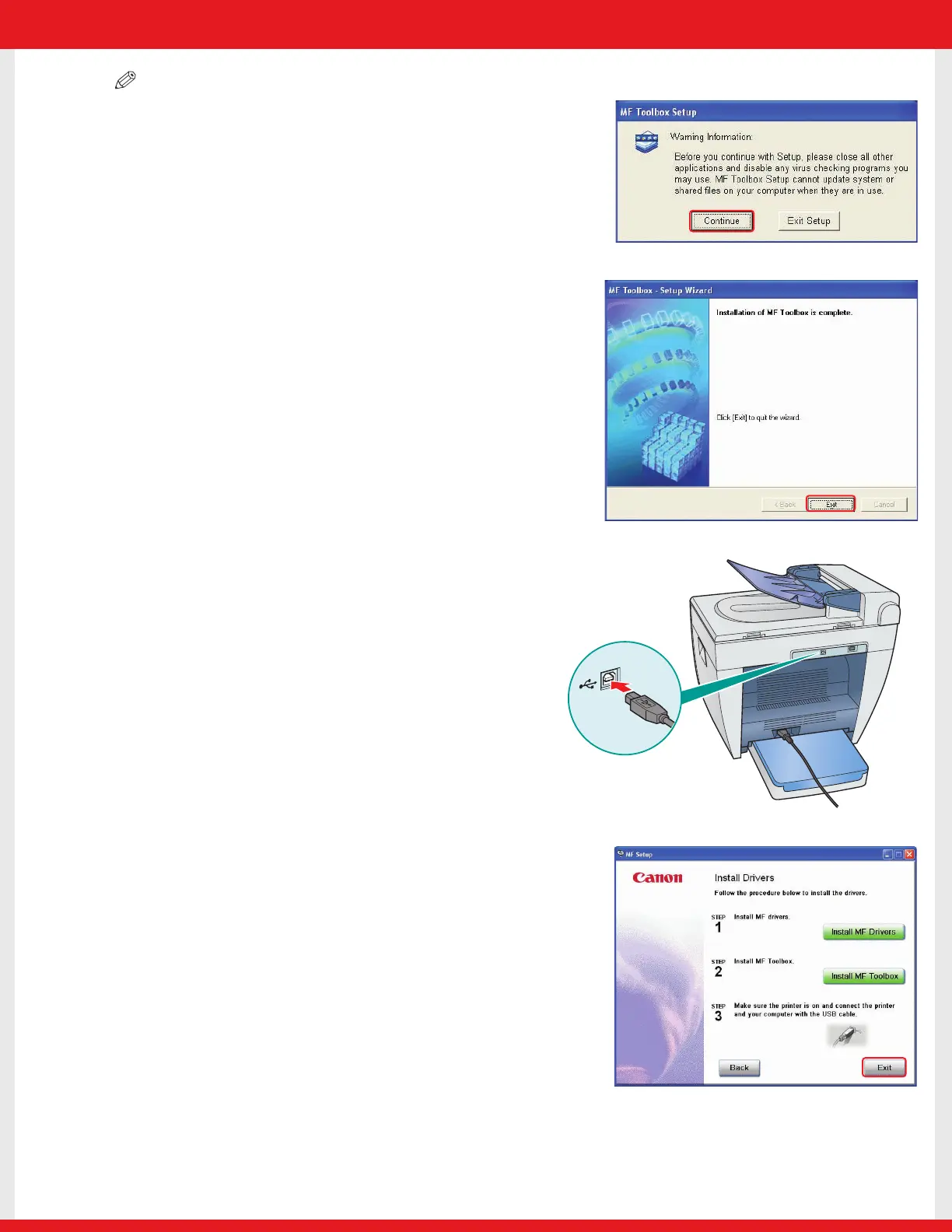
• Before installing MF Toolbox, make sure that all other applications are
closed and that any anti-virus software on your computer is disabled.
11 When the installation is complete, click [Exit] to close
the MF Toolbox Setup screen.
12 Make sure the machine’s power is turned on.
Connect the cable to the USB port on the back of
the machine.Then connect the other end of the
cable to the USB port on your computer.
13 After the installation is complete, click [Exit] to close the
MF Setup screen. Remove the User Software CD from the
CD-ROM drive and store it in a safe place.
E227ME (MF5770) US2 SI N&P.qxd 12/13/04 5:59 PM Page 4










 To Next Page